Critical Path Method (CPM): How to Find the Critical Path
Turn this article into takeaways for your work.


Each assistant summarizes the article only for you and suggests best practices for your work.
The critical path method is a scheduling technique that identifies the longest sequence of dependent tasks in a project, and by doing so it tells you the minimum time your project can possibly take. Miss a task on that path, and the whole finish date slips; protect it, and you protect your deadline.
What is the critical path method (CPM)?
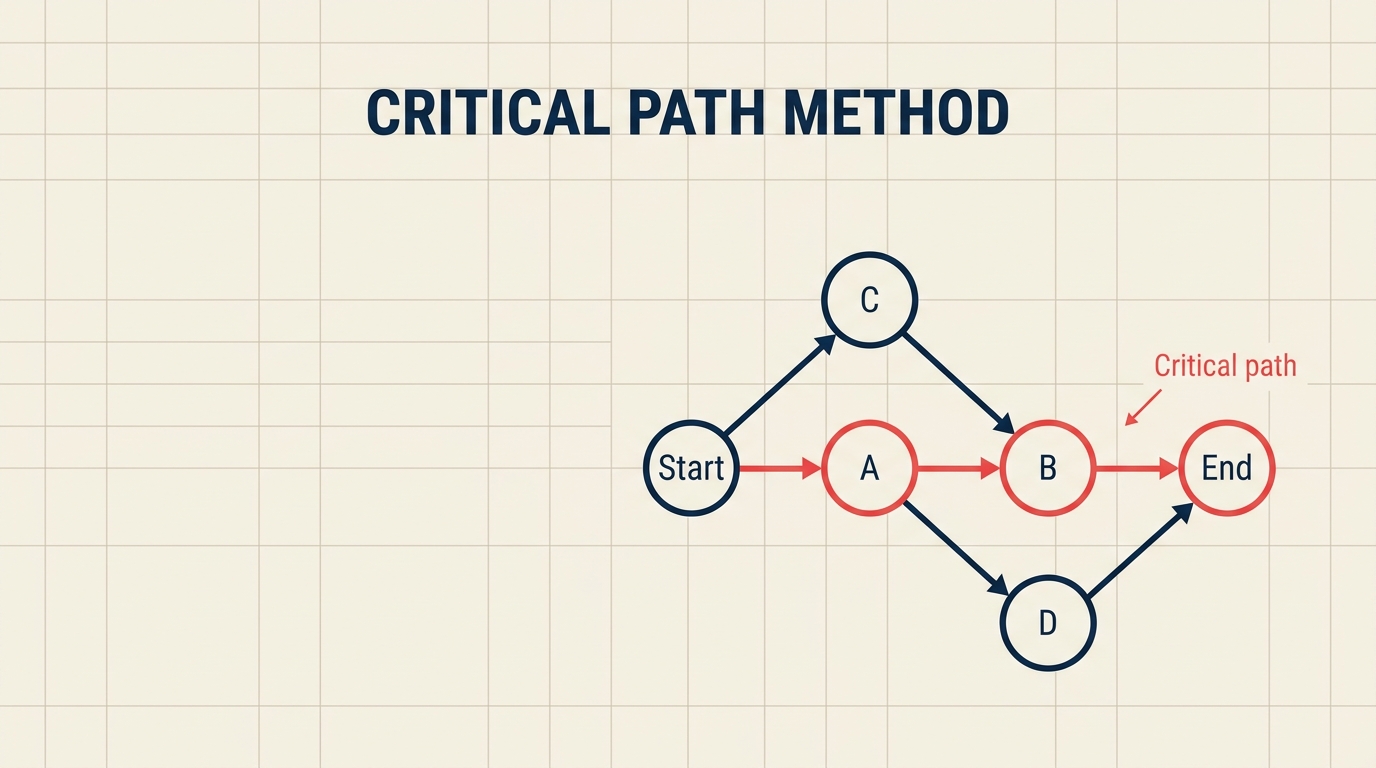
CPM is a scheduling algorithm that maps every task in a project, links them by dependency, calculates earliest and latest possible times for each task, and flags the chain of tasks that has zero scheduling flexibility as the critical path. That chain sets the project's minimum duration.
Origin: Engineers Morgan Walker at DuPont and James Kelley at Remington Rand developed CPM in 1957 to manage complex chemical plant shutdowns. Their goal was to reduce costly downtime, and CPM delivered, cutting maintenance time significantly enough that the technique spread across industries within a decade.
Key insight: Not every task matters equally. Some tasks have wiggle room (called float or slack). Tasks on the critical path have none.
Key Facts
DuPont reported that CPM cut chemical plant maintenance shutdowns by an estimated 25% in the late 1950s (DuPont internal report, 1959).
PMI's PMBOK Guide treats CPM as a foundational schedule network analysis method, included in every edition from the first through the 7th (PMI, PMBOK Guide 7th Edition, 2021).
Gartner forecasts the global project management software market will exceed $9.8 billion by 2027, with schedule optimization features like CPM among the top drivers (Gartner, 2023).
Key terms
Before running the calculations, it helps to have these terms locked in.
| Term | Symbol | Meaning |
|---|---|---|
| Activity | , | A discrete piece of work with a defined start, end, and duration |
| Duration | d | Time needed to complete the activity (days, hours, etc.) |
| Predecessor | , | An activity that must finish before the current one can start |
| Successor | , | An activity that cannot start until the current one finishes |
| Early Start | ES | The earliest an activity can begin, given its predecessors |
| Early Finish | EF | The earliest an activity can end (ES + duration) |
| Late Start | LS | The latest an activity can begin without delaying the project |
| Late Finish | LF | The latest an activity can end without delaying the project |
| Float / Slack | F | How much an activity can be delayed without pushing the end date (LS - ES) |
| Critical path | , | The sequence of activities with zero float; determines project duration |
Forward pass vs backward pass
CPM uses two sweeps through the network to calculate timing for every activity.

Forward pass (earliest times)
Start at the first activity and work toward the end:
- ES = the maximum EF of all immediate predecessors (or 0 if there are no predecessors)
- EF = ES + duration
This tells you the earliest possible finish date for the whole project.
Backward pass (latest times)
Start at the last activity and work back toward the beginning:
- LF = the minimum LS of all immediate successors (or the project end date for the final activity)
- LS = LF - duration
Float calculation
Once you have both passes:
- Float = LS - ES (equivalently, LF - EF)
Any activity where float equals zero sits on the critical path.
How to find the critical path in 6 steps
Step 1: List activities and durations
Write out every task required to complete the project and estimate how long each one takes.

- Break the work into discrete, measurable activities
- Assign a realistic duration to each (use historical data or expert estimates)
- Give every activity a unique identifier (A, B, C, or Task 1, Task 2, etc.)
Step 2: Identify dependencies
Determine which activities must finish before others can start.
- Ask "what has to be done before I can start this?" for every task
- Record predecessor-successor relationships in a table or dependency matrix
- Watch for finish-to-start, start-to-start, and finish-to-finish link types (finish-to-start is the default in CPM)
Step 3: Draw the network diagram
Visualize the project as a directed graph, with activities as nodes and dependencies as arrows.
- Place activities in left-to-right sequence based on dependencies
- Make sure every path from start to end is connected
- Use flowcharts or dedicated project planning tools to draw the diagram cleanly
Step 4: Run the forward pass
Sweep from left to right, calculating ES and EF for every activity.
- Start with ES = 0 for activities with no predecessors
- Apply ES = max(EF of predecessors) at every merge point
- Record EF = ES + duration for each activity
Step 5: Run the backward pass
Sweep from right to left, calculating LF and LS for every activity.
- Start with LF = project end date (the EF of the final activity) for activities with no successors
- Apply LF = min(LS of successors) at every burst point
- Record LS = LF - duration for each activity
Step 6: Identify zero-float activities (the critical path)
Calculate float for every activity and highlight the chain with float = 0.
- Float = LS - ES for each activity
- Activities where float = 0 form the critical path
- If two chains both have zero float, the project has multiple critical paths (see FAQ below)
Worked example: 7-task project
Consider a software release project with seven activities:

| Activity | Predecessor | Duration (days) | ES | EF | LS | LF | Float |
|---|---|---|---|---|---|---|---|
| A: Requirements | , | 3 | 0 | 3 | 0 | 3 | 0 |
| B: UI design | A | 4 | 3 | 7 | 5 | 9 | 2 |
| C: Database schema | A | 6 | 3 | 9 | 3 | 9 | 0 |
| D: Frontend build | B | 5 | 7 | 12 | 9 | 14 | 2 |
| E: Backend build | C | 5 | 9 | 14 | 9 | 14 | 0 |
| F: Integration | D, E | 3 | 14 | 17 | 14 | 17 | 0 |
| G: Testing and launch | F | 2 | 17 | 19 | 17 | 19 | 0 |
Critical path: A - C - E - F - G (total duration: 19 days, zero float throughout).
Activity B and D have 2 days of float each, meaning you could delay UI design by up to 2 days without pushing the launch date. But if backend build (E) slips even one day, every downstream activity slips too. That's where your attention belongs.
CPM vs PERT vs Gantt chart
These three tools are often confused, but they serve different purposes.
| Method | Best for | Time treatment | Output |
|---|---|---|---|
| CPM | Projects with well-known task durations | Single deterministic estimate | Critical path, float values, schedule compression options |
| PERT | R&D or novel projects with uncertain durations | Three-point estimate (optimistic, most likely, pessimistic) | Probabilistic completion dates, expected duration |
| Gantt chart | Communicating a schedule visually | Calendar-based bar chart | Timeline view, resource assignments, milestone markers |
CPM and PERT complement each other well: run PERT first if durations are uncertain, then hand the resulting estimates to CPM to find the critical path. A what is a Gantt chart view is often the final communication layer on top of both.
When you're following a structured delivery approach, linking CPM to your waterfall methodology or Kanban board helps keep the schedule connected to actual work in progress.
Crashing and fast-tracking: how to compress the critical path
When the critical path is too long, you have two main options.

Crashing
Crashing means adding resources to critical-path activities to shorten their duration, more developers on a build, an extra shift on a manufacturing run. It almost always increases cost, so the standard approach is to crash the activity that delivers the most time savings per dollar spent, then re-check the critical path (it may shift after the crash).
Risk: Cost overruns. You can only compress an activity so far before the law of diminishing returns kicks in.
Fast-tracking
Fast-tracking means running activities in parallel that were originally planned in sequence, starting the backend build before the database schema is fully signed off, for example. It can save significant time at no extra budget.
Risk: Rework. If the predecessor activity changes after its successor has already started, you may need to redo work. Fast-tracking works best when the overlap is small and the dependency is loose.
Both techniques require you to re-run the forward and backward pass after making changes, because the critical path will shift.
Benefits and limitations of CPM
Benefits
- Reveals the project's true minimum duration before work begins
- Identifies where to focus management attention (zero-float activities)
- Creates a basis for trade-off decisions: cost vs. time, risk vs. speed
- Integrates naturally with resource leveling and business process management frameworks
- Supported in most project management competency frameworks including PMBOK and PRINCE2
Limitations
- Assumes task durations are known and fixed, a shaky assumption on novel projects
- Network diagrams get unwieldy on large projects (hundreds or thousands of activities)
- Ignores resource constraints by default; a separate resource leveling step is needed
- Float calculations can create false confidence if estimates are inaccurate
- Doesn't capture uncertainty well, use PERT alongside CPM when durations are estimates

Senior Operations & Growth Strategist
On this page
- What is the critical path method (CPM)?
- Key Facts
- Key terms
- Forward pass vs backward pass
- Forward pass (earliest times)
- Backward pass (latest times)
- Float calculation
- How to find the critical path in 6 steps
- Step 1: List activities and durations
- Step 2: Identify dependencies
- Step 3: Draw the network diagram
- Step 4: Run the forward pass
- Step 5: Run the backward pass
- Step 6: Identify zero-float activities (the critical path)
- Worked example: 7-task project
- CPM vs PERT vs Gantt chart
- Crashing and fast-tracking: how to compress the critical path
- Crashing
- Fast-tracking
- Benefits and limitations of CPM
- Benefits
- Limitations