Melhores Softwares de CRM em 2026: 15 Ferramentas Segmentadas por Tamanho de Equipe, Estágio e Modelo de Vendas
Turn this article into takeaways for your work.


Each assistant summarizes the article only for you and suggests best practices for your work.
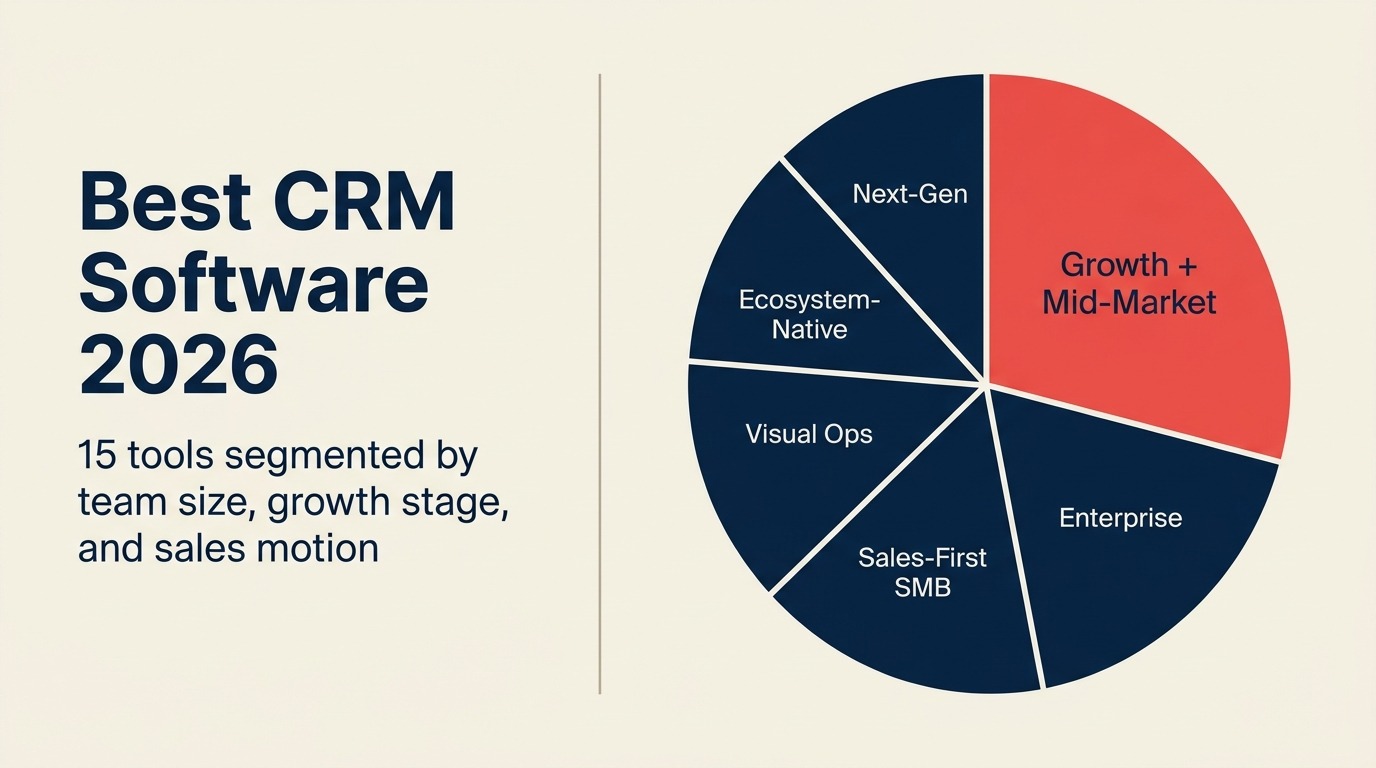
O mercado de CRM em 2026 tem mais opções do que nunca, mas a maioria dos compradores ainda escolhe errado porque avalia recursos em vez de adequação. Eles comparam dashboards e integrações sem antes perguntar: qual é o meu modelo de vendas? Qual é o tamanho da minha equipe? Em que estágio de crescimento estou?
Este guia segmenta 15 plataformas de CRM não pela quantidade de recursos, mas pela adequação. Cada ferramenta é avaliada conforme o estágio da empresa, o tamanho da equipe, o modelo de vendas e o perfil do comprador. Se você está entrando na categoria de CRM pela primeira vez ou reavaliando após superar a capacidade da ferramenta atual, este é o guia que você precisa.
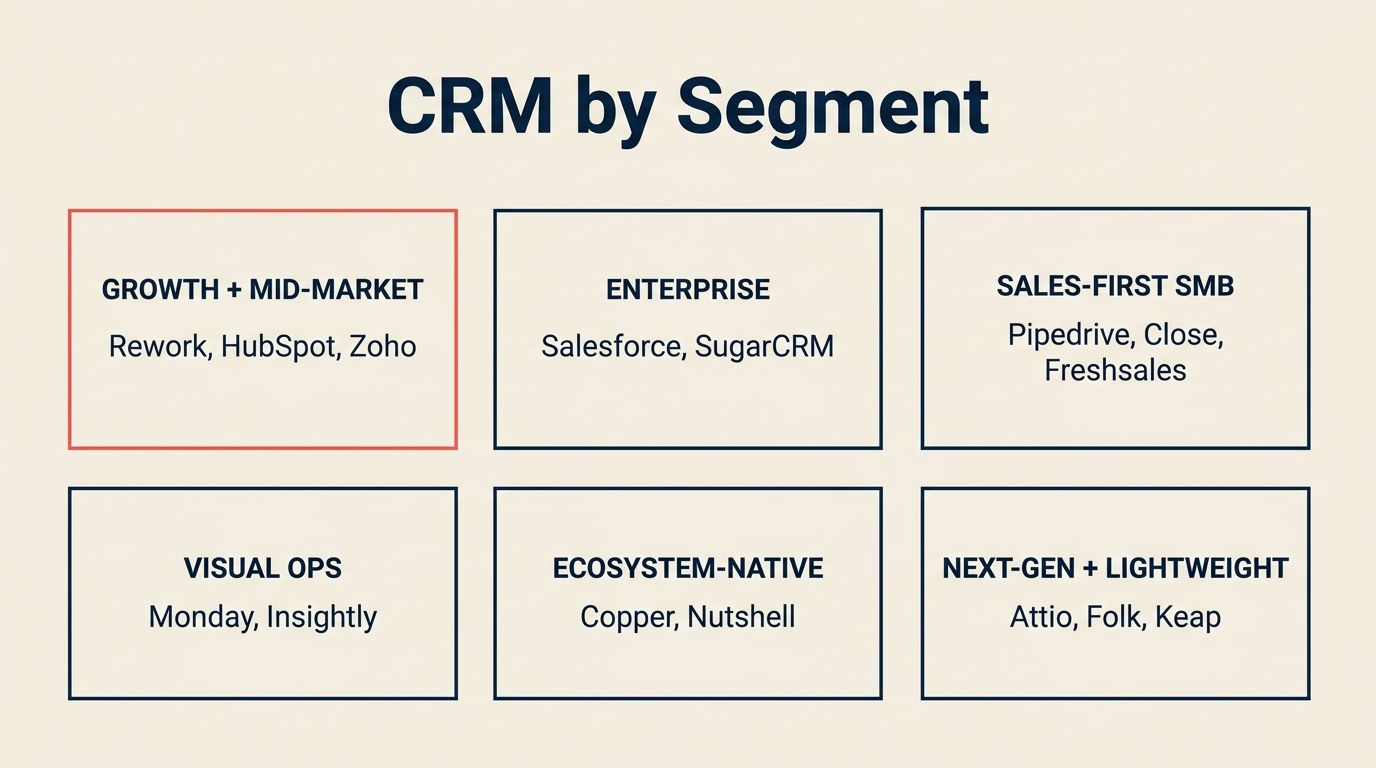
Tabela Comparativa Rápida
| Segmento | Ferramenta | Melhor Para | Preço Inicial | Principal Vantagem | Principal Limitação |
|---|---|---|---|---|---|
| Crescimento + Mid-Market | HubSpot CRM | Crescimento liderado por marketing, mid-market | Gratuito; Sales Hub a partir de $15/mês/usuário | Melhor ecossistema, forte automação de marketing | Fica caro rapidamente; a divisão entre marketing e vendas pode fragmentar os dados |
| Crescimento + Mid-Market | Rework | Equipes de operações multifuncionais de médio porte | Sales Engine a partir de $69/mês com cobrança anual (5 assentos); Revenue Engine com inbox $159/mês | CRM unificado + gestão de leads + inbox multicanal | Menos ideal para equipes muito pequenas ou grandes empresas F500 |
| Crescimento + Mid-Market | Zoho CRM | Equipes que precisam de escala com custo controlado | $14/usuário/mês | Ecossistema com 45+ apps, menor custo na escala | Complexidade de interface; qualidade varia entre módulos |
| Enterprise | Salesforce | Organizações complexas em escala enterprise | Starter $25/usuário/mês | Personalização mais profunda, Agentforce AI | Custo de implementação elevado e curva de aprendizado acentuada |
| Enterprise | SugarCRM | Instalação on-premise, setores regulamentados | $49/usuário/mês | Opção self-hosted, controles de conformidade | Alto overhead de implementação |
| PME Focada em Vendas | Pipedrive | PMEs e equipes de crescimento com foco em vendas | $14/usuário/mês | Melhor UX de pipeline visual | Marketing nativo limitado; gestão de leads é superficial |
| PME Focada em Vendas | Close | Vendas internas, discagem em alto volume | $49/mês (base) | Discador automático, SMS e sequências de email integrados | Não é uma plataforma CRM completa; camada de marketing superficial |
| PME Focada em Vendas | Freshsales | Equipes em crescimento que querem UX limpa | $9/usuário/mês | Freddy AI, ecossistema Freshworks | Limitado para modelos de vendas complexos |
| Operações Visuais e Híbridas | Monday Sales CRM | Equipes visuais com operações híbridas | $12/usuário/mês | Boards flexíveis, clareza visual | Profundidade nativa de CRM superficial |
| Operações Visuais e Híbridas | Insightly | Combinação de CRM + gerenciamento de projetos | $29/usuário/mês | Integração nativa com gerenciamento de projetos | UX complexa; interface desatualizada |
| Nativo do Ecossistema | Copper | Equipes nativas do Google Workspace | $9/usuário/mês | Integração mais profunda com Gmail + Drive | Limitado fora do ecossistema Google |
| Nativo do Ecossistema | Nutshell | PMEs que querem CRM + email marketing | $16/usuário/mês | Email marketing incluído, onboarding fácil | Personalização limitada em escala |
| Nova Geração / Moderno | Attio | Operações de relacionamento flexíveis, equipes modernas | $29/usuário/mês | Modelo de dados de nova geração, CRM como plataforma | Produto em maturação; profundidade enterprise ainda em desenvolvimento |
| Leve / Pessoal | Folk | CRM leve e pessoal, agências | $20/usuário/mês | Gestão de relacionamentos simples | Não foi criado para fluxos completos de operações de vendas |
| Solopreneur | Keap | Solopreneurs, micro-empresas | $249/mês (até 2 usuários) | Pacote de CRM + automação de marketing | Preço por contato escala mal |
Como Escolher um CRM em 2026
A maioria dos erros de compra de CRM acontece nos primeiros cinco minutos de pesquisa, quando as equipes vão direto para comparações de recursos em vez de dar um passo atrás e responder a três perguntas:
- Qual é o tamanho da sua equipe e trajetória de crescimento? Uma equipe de vendas de 5 pessoas e uma organização de receita de 150 pessoas têm necessidades fundamentalmente diferentes.
- Qual é o seu modelo de vendas? Vendas internas de alto volume (muitas ligações, ciclos curtos) precisam de ferramentas diferentes das negociações enterprise complexas com ciclos de 6 meses e 8 stakeholders.
- Em que estágio está a sua empresa? Startups em fase inicial precisam de agilidade e simplicidade. Empresas em estágio de crescimento precisam de estrutura e handoffs. Empresas de médio porte precisam de dados unificados entre equipes.
Responda essas três perguntas antes de ler uma única especificação de recurso. Segundo o Guia de Mercado de CRM da Gartner, implementações de CRM que começam com a definição de processos antes da seleção de ferramentas têm taxas de adoção significativamente maiores do que as que começam pela seleção de fornecedor. Também é útil pensar nos estágios do pipeline que correspondem ao processo de vendas antes de começar a comparar ferramentas.
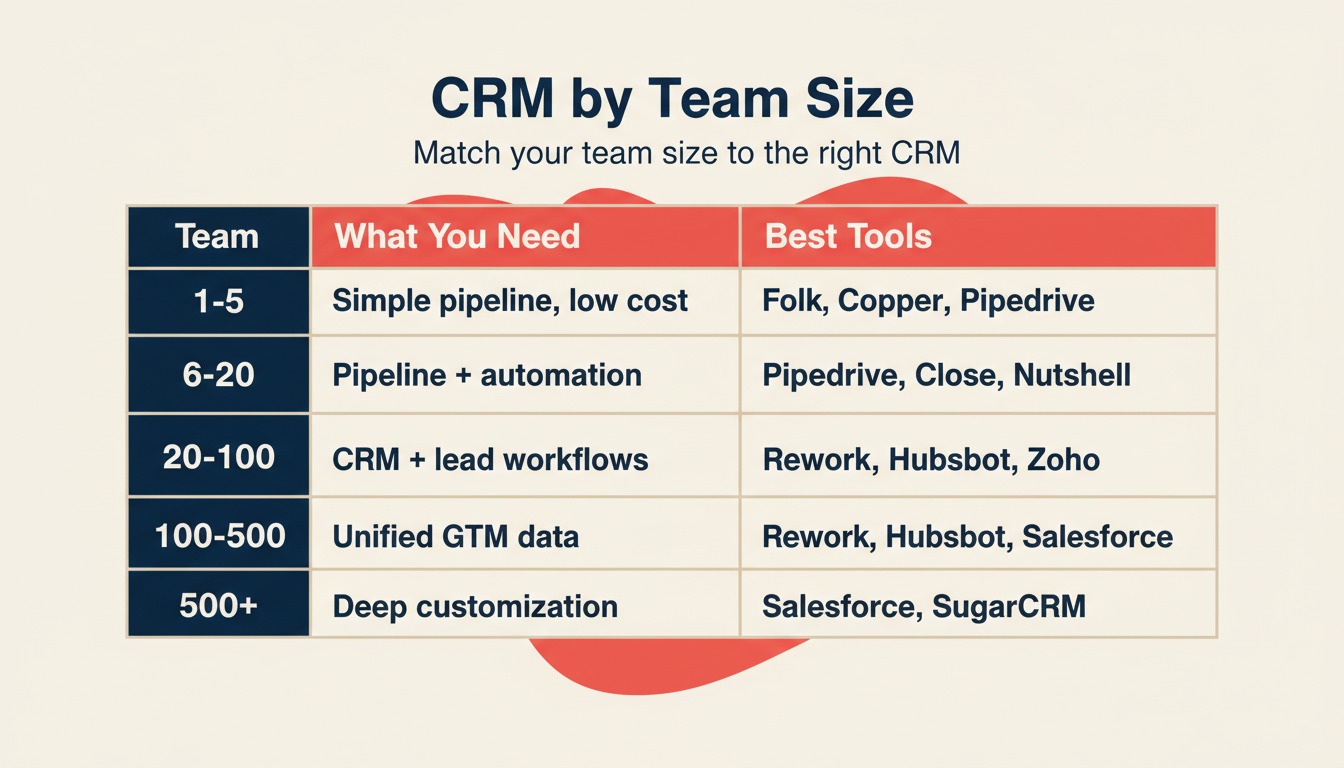
Framework: Por Tamanho de Equipe
| Tamanho da Equipe | O que Você Precisa | Melhores Opções |
|---|---|---|
| 1-5 pessoas | Pipeline simples, configuração rápida, baixo custo | Folk, Keap, Copper, Pipedrive Essential |
| 6-20 pessoas | Pipeline estruturado + automação básica | Pipedrive, Nutshell, Close, Freshsales |
| 20-100 pessoas | CRM completo + gestão de leads + workflows de equipe | HubSpot, Rework, Zoho, Monday Sales |
| 100-500 pessoas | Dados unificados entre vendas + marketing + CS | HubSpot Enterprise, Salesforce, Rework |
| 500+ pessoas | Personalização profunda, governança, ecossistema de parceiros | Salesforce, SugarCRM |
Framework: Por Modelo de Vendas
| Modelo de Vendas | O que Mais Importa | Melhores Opções |
|---|---|---|
| Vendas internas / alto volume | Discador, sequências de email, velocidade | Close, Freshsales, Rework |
| Prospecção outbound | Captura de leads, pontuação, distribuição | Rework, HubSpot, Salesforce |
| Inbound liderado por marketing | Formulários de leads, nutrição, atribuição | HubSpot, Zoho, Rework |
| Vendas de campo / território | Gerenciamento de território, mobile | Salesforce, Zoho CRM |
| Vendas por canal / parceiros | Portais de parceiros, registro de negócios | Salesforce, Zoho |
| Crescimento liderado por produto | Integração de dados de uso, onboarding self-serve | HubSpot, Attio |
| Agência / relacional | Profundidade de relacionamento, pipeline leve | Folk, Copper, Nutshell |
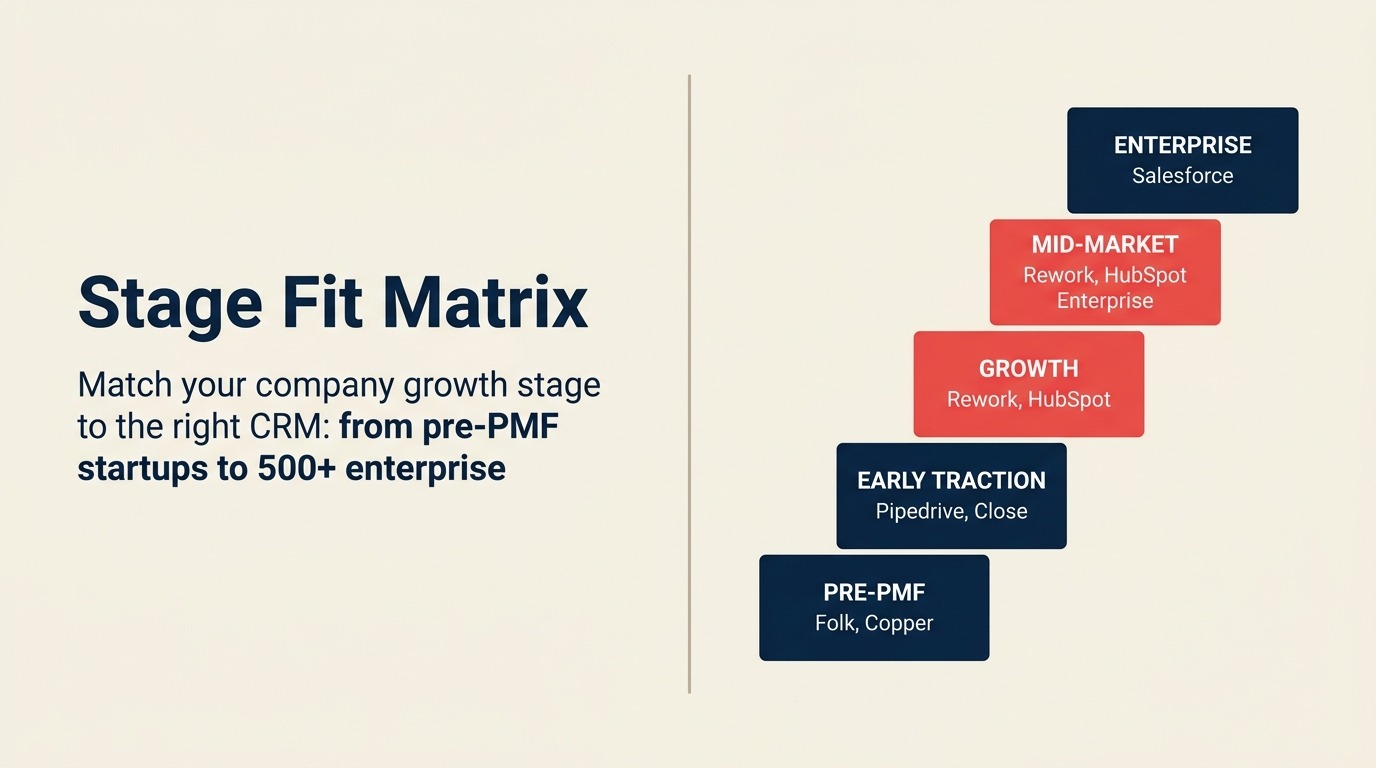
Framework: Por Estágio de Crescimento
| Estágio | Sinal | Melhores Opções |
|---|---|---|
| Pré-PMF (1-15 funcionários) | Validando o modelo GTM, sem operações de vendas | Folk, Copper, Pipedrive |
| Tração inicial (15-50) | Primeiros representantes contratados, precisa de pipeline estruturado | Pipedrive, Close, Freshsales, Nutshell |
| Crescimento (50-200) | Handoffs entre marketing e vendas estão quebrando | HubSpot, Rework, Zoho CRM |
| Mid-market (200-500) | RevOps necessário, dados unificados em todo o GTM | HubSpot Enterprise, Salesforce, Rework |
| Enterprise (500+) | Objetos personalizados, governança, AppExchange | Salesforce, SugarCRM |
Matriz de Adequação por Estágio
| Ferramenta | Pré-PMF | Tração Inicial | Crescimento | Mid-Market | Enterprise |
|---|---|---|---|---|---|
| HubSpot | Possível | Muito adequado | Muito adequado | Muito adequado | Possível |
| Salesforce | Não recomendado | Não recomendado | Possível | Muito adequado | Muito adequado |
| Rework | Não recomendado | Possível | Muito adequado | Muito adequado | Possível |
| Pipedrive | Muito adequado | Muito adequado | Possível | Não recomendado | Não recomendado |
| Zoho CRM | Possível | Muito adequado | Muito adequado | Muito adequado | Possível |
| Monday Sales | Possível | Possível | Muito adequado | Possível | Não recomendado |
| Freshsales | Possível | Muito adequado | Muito adequado | Possível | Não recomendado |
| Close | Não recomendado | Muito adequado | Muito adequado | Possível | Não recomendado |
| Copper | Muito adequado | Muito adequado | Possível | Não recomendado | Não recomendado |
| Attio | Muito adequado | Muito adequado | Muito adequado | Possível | Não recomendado |
| Folk | Muito adequado | Possível | Não recomendado | Não recomendado | Não recomendado |
| Nutshell | Muito adequado | Muito adequado | Possível | Não recomendado | Não recomendado |
| Insightly | Não recomendado | Possível | Muito adequado | Possível | Não recomendado |
| Keap | Muito adequado | Possível | Não recomendado | Não recomendado | Não recomendado |
| SugarCRM | Não recomendado | Não recomendado | Possível | Muito adequado | Muito adequado |
Tabela de Tamanho e Perfil
| Ferramenta | Tamanho de Equipe Ideal | Perfil Principal do Comprador |
|---|---|---|
| HubSpot | 10-1.000 funcionários | CMO, VP de Marketing, VP de Vendas, Sales Ops |
| Salesforce | 100-10.000+ funcionários | CIO, VP de Vendas, RevOps, líderes de TI |
| Rework | 20-500 funcionários | COO, Head de RevOps, Head de Receita, Founder-operador |
| Pipedrive | 5-100 funcionários | Gerente de Vendas, Founder, líder de equipe BDR |
| Zoho CRM | 10-500 funcionários | Gerente de TI, líder de Ops, Gerente de Vendas |
| Monday Sales CRM | 10-200 funcionários | Gerente de Operações, PMO, Líder de Equipe |
| Freshsales | 10-300 funcionários | Gerente de Vendas, Head de Crescimento |
| Close | 5-100 funcionários | Gerente de Vendas Internas, líder de equipe SDR |
| Copper | 5-50 funcionários | Gerente de Contas, Founder, líder de Customer Success |
| Attio | 5-200 funcionários | Founder, RevOps, Head de Crescimento |
| Folk | 1-30 funcionários | Founder, líder de agência, consultor |
| Nutshell | 5-100 funcionários | Gerente de Vendas, dono de pequena empresa |
| Insightly | 10-200 funcionários | Gerente de Ops, Gerente de Contas |
| Keap | 1-10 funcionários | Solopreneur, dono de micro-empresa |
| SugarCRM | 50-1.000 funcionários | Diretor de TI, Sales Ops, responsável por conformidade |
1. HubSpot CRM: Melhor Ecossistema de Marketing + Vendas
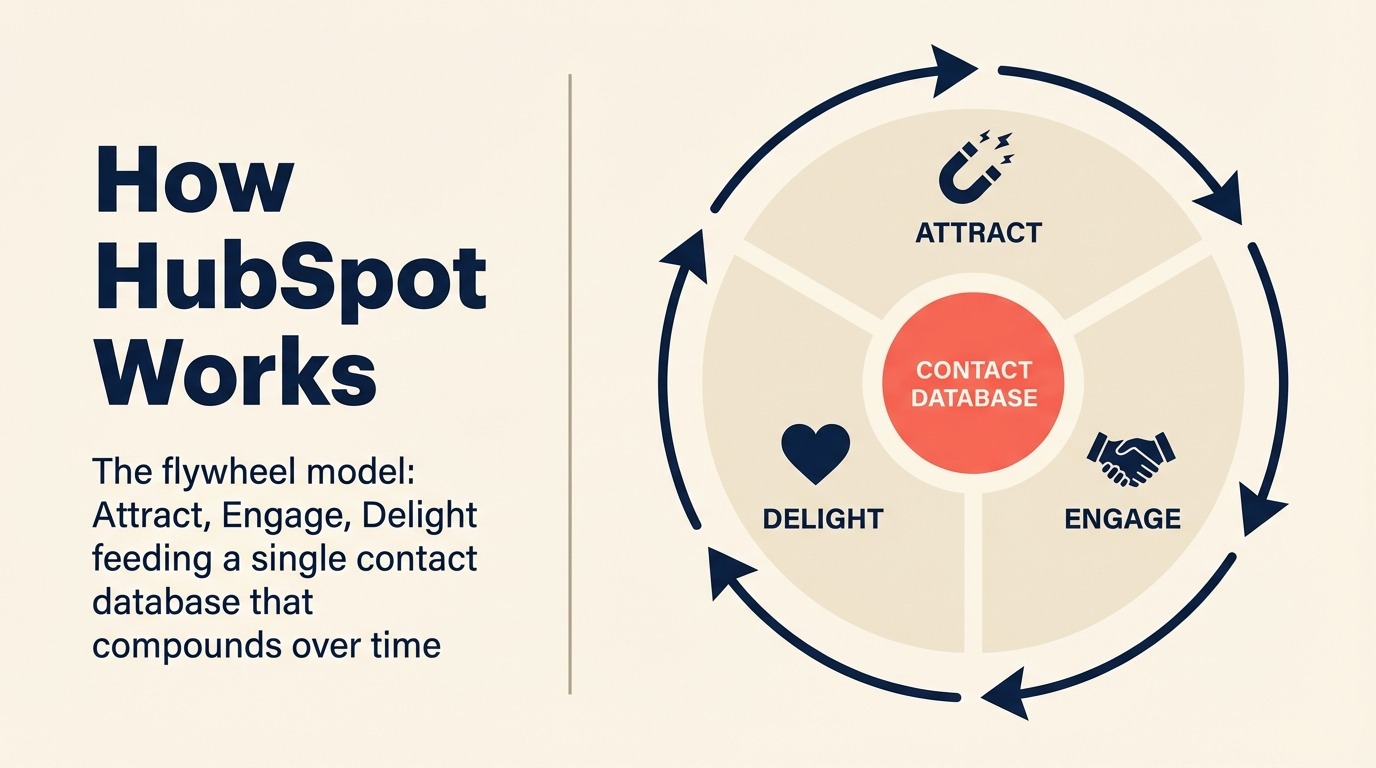
A filosofia de produto do HubSpot é o flywheel: atrair, engajar, encantar. Cada produto (Marketing Hub, Sales Hub, Service Hub, CMS Hub) foi criado para alimentar um único banco de dados de contatos que se valoriza com o tempo. Essa aposta no banco de dados unificado é o motivo pelo qual o HubSpot se tornou o CRM padrão para equipes de crescimento lideradas por inbound.
O plano gratuito é genuinamente bom para pequenas equipes que estão começando. Mas o valor real aparece quando você está executando um modelo de marketing + vendas: landing pages, nutrição por email, atribuição de anúncios, pipeline e automação de negócios, todos se comunicando entre si sem middleware.
O atrito está no preço. Migrar do plano gratuito para uma configuração real de Marketing Hub + Sales Hub com 50 assentos pode facilmente chegar a $30.000-$50.000 por ano. Equipes que precisam apenas de pipeline de vendas, não de automação de marketing, muitas vezes acabam pagando por recursos que não usam. Os dados da categoria CRM do G2 consistentemente mostram o HubSpot como líder em facilidade de uso e amplitude, embora compradores de mid-market citem regularmente o custo como uma barreira. Se o custo é uma preocupação, veja nossas melhores alternativas ao HubSpot para ferramentas que cobrem território semelhante por um preço menor. E se você está decidindo especificamente entre HubSpot e Rework, o comparativo Rework vs HubSpot CRM aborda as principais diferenças.
| O que você obtém | O que você não obtém |
|---|---|
| Ferramentas de marketing inbound de melhor qualidade | Pode ficar muito caro com muitos assentos |
| Ecossistema enorme (App Marketplace, 1.500+ integrações) | Sales Hub e Marketing Hub são SKUs separados, não verdadeiramente unificados |
| Fortes recursos de onboarding e comunidade | Distribuição nativa de leads é fraca sem configurações alternativas |
| O plano gratuito é um ponto de partida real | Negociações enterprise complexas precisam do Sales Hub Enterprise ($150/usuário/mês) |
Preço: Plano gratuito disponível; Sales Hub Starter $15/usuário/mês; Sales Hub Professional $90/usuário/mês; Enterprise $150/usuário/mês (cobrado anualmente)
Melhor para: empresas com crescimento liderado por marketing, equipes focadas em inbound, empresas que constroem sobre o ecossistema HubSpot.
2. Salesforce: Profundidade Enterprise + Agentforce AI
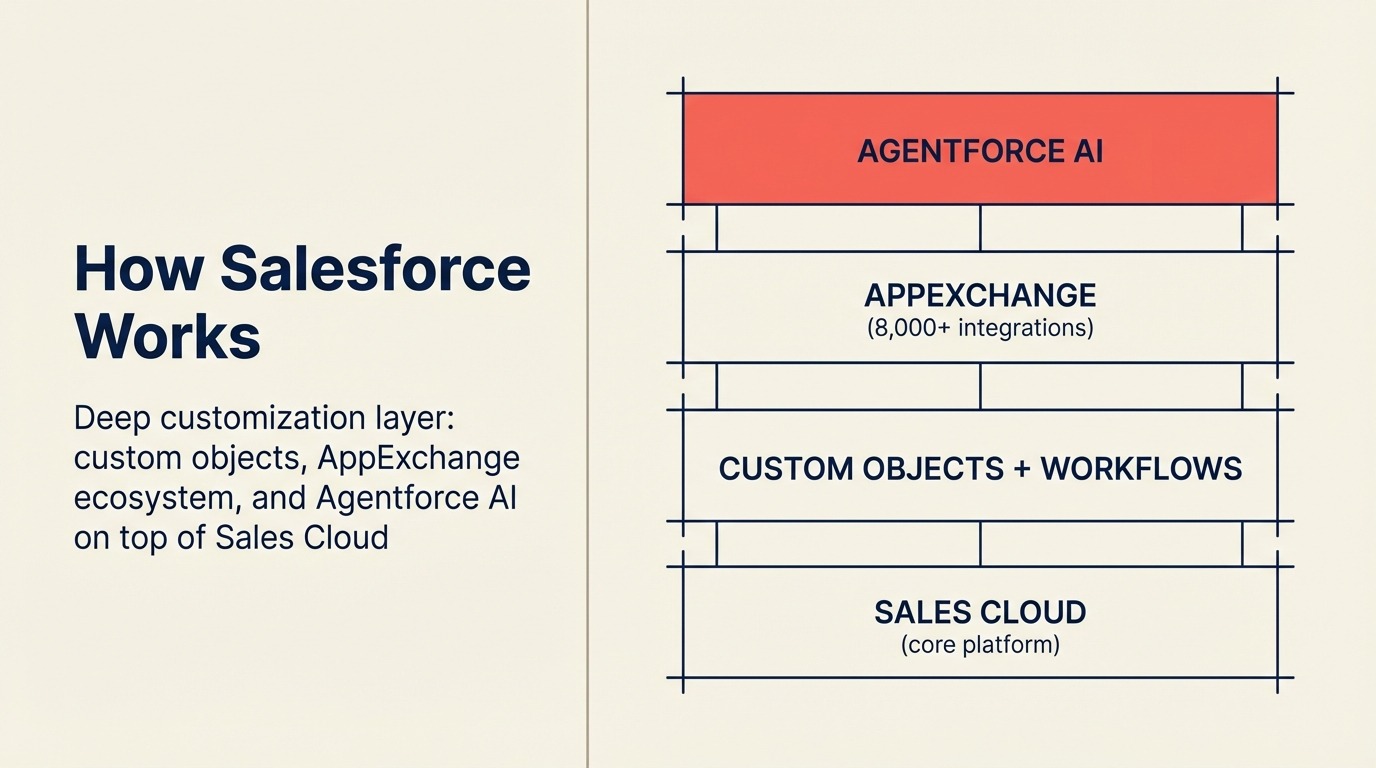
A aposta do Salesforce sempre foi a mesma: você pode personalizar qualquer coisa, conectar a tudo e construir o que o seu processo de vendas exigir. Em 2026, essa aposta passa pelo Agentforce, sua camada de agentes de AI que automatiza o outreach de SDR, resumo de negócios, previsão de pipeline e resolução de atendimento ao cliente na plataforma Einstein.
Nenhum outro CRM se aproxima da profundidade do Salesforce para workflows enterprise complexos. Objetos personalizados, configurações multi-org, hierarquias de território, portais de parceiros e o ecossistema AppExchange (8.000+ integrações) oferecem às equipes de ops e TI enterprise um teto que nenhum outro fornecedor alcança.
O custo dessa profundidade é real: a implementação normalmente leva de 3 a 9 meses para uma implantação significativa, é necessário headcount administrativo para mantê-la, e o custo total de propriedade a 100 assentos frequentemente fica entre $150.000-$300.000 por ano, considerando licenças, implementação e administração. Os estudos de Impacto Econômico Total do Salesforce da Forrester destacam repetidamente essa diferença entre o custo de licenciamento e o custo real de implantação. Se você não tem certeza se o Salesforce é a escolha certa, nosso comparativo Rework vs Salesforce mostra onde a complexidade vale a pena e onde não vale. Ou se você está avaliando o campo mais amplamente, veja as melhores alternativas ao Salesforce.
| O que você obtém | O que você não obtém |
|---|---|
| Personalização mais profunda de qualquer CRM | Alto custo de implementação e complexidade |
| Agentforce AI para pipeline automatizado e CS | Requer um administrador Salesforce dedicado para manutenção |
| AppExchange: 8.000+ integrações de parceiros | Caro mesmo nos tiers iniciais; recursos reais precisam do Enterprise/Unlimited |
| Clouds por setor (Financeiro, Saúde, etc.) | Excessivo para equipes abaixo de 100 pessoas |
Preço: Starter Suite $25/usuário/mês; Pro Suite $100/usuário/mês; Enterprise $165/usuário/mês; Unlimited $330/usuário/mês (cobrado anualmente)
Melhor para: empresas enterprise com 200+ pessoas, vendas complexas multi-org, setores regulamentados, empresas investindo em personalização profunda de CRM.
3. Rework: CRM Unificado + Gestão de Leads + Inbox Multicanal para Operações de Médio Porte
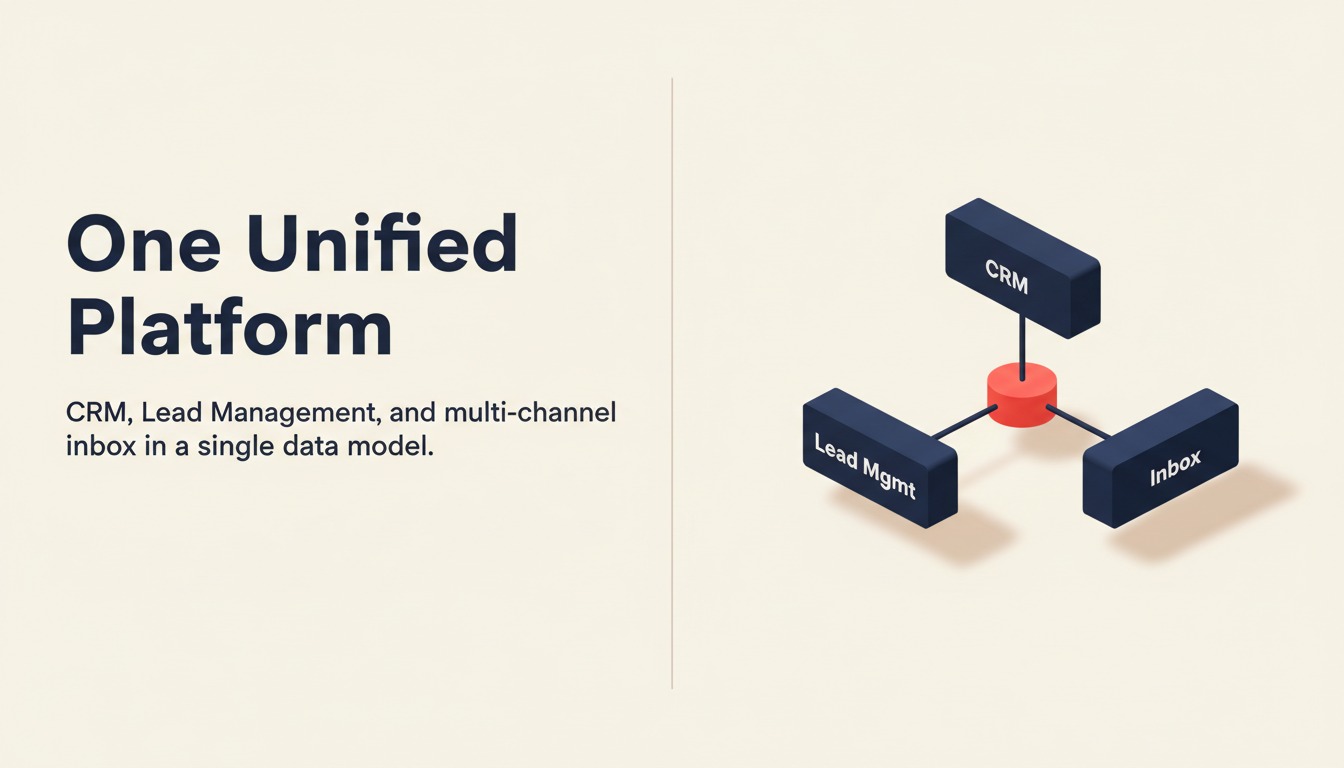
O Rework foi construído para a lacuna entre crescimento e mid-market que a maioria dos CRMs ignora: empresas que superaram um simples rastreador de pipeline, mas ainda não estão prontas para o custo de implementação e a complexidade do Salesforce. A filosofia do produto é que CRM, gestão de leads e comunicações multicanal devem ser um modelo de dados unificado, não três ferramentas costuradas com Zapier.
O principal diferencial é a gestão de leads como módulo nativo de primeira classe. Enquanto o Pipedrive trata os leads como um complemento opcional e o HubSpot divide o Marketing Hub e o Sales Hub em SKUs separados, o Rework entrega todo o ciclo de vida do lead em um único produto: captura de formulários, anúncios, chat e API; enriquecimento e pontuação; distribuição round-robin e baseada em regras com regras de SLA; nutrição de marketing; e criação de pipeline no momento da qualificação, tudo vinculado ao mesmo registro de contato.
O segundo diferencial é o inbox unificado. WhatsApp, Messenger, Instagram DM, TikTok, Telegram, LINE, Zalo e chat no site chegam em uma única linha do tempo de contato sem conectores de terceiros. Para equipes em setores onde os compradores vivem em aplicativos de mensagens (imóveis, educação, D2C, saúde), isso por si só substitui toda uma categoria de ferramentas pontuais.
| O que você obtém | O que você não obtém |
|---|---|
| CRM completo + gestão de leads em um único produto | Não é ideal para operadores solo ou equipes abaixo de 10 pessoas |
| Inbox multicanal nativo (WhatsApp, Messenger, IG DM, Zalo, chat no site) | Não substitui o Salesforce para empresas F500 |
| Roteamento de leads round-robin, baseado em regras e com SLA integrado | Não é uma suíte completa de automação de marketing (sem geração de demanda no nível do Marketo) |
| Workflows cross-team de aprovação e de processos (Process Engine, vendido separadamente) | Ecossistema limitado de parceiros no estilo AppExchange |
| Preços publicados até a edição Advanced (apenas a Enterprise é sob cotação) | Menos personalizável que o Salesforce para objetos complexos |
Preço: O Sales Engine (CRM) custa $69/mês com cobrança anual, ou $80 com cobrança mensal, com 5 assentos de vendas incluídos; assentos adicionais vêm em blocos de 5 ($21/mês por bloco na cobrança anual). O Revenue Engine ($159/mês com cobrança anual) adiciona a caixa de entrada multicanal e a captação de leads. Consulte rework.com/pricing.
Melhor para: equipes de 20-500 pessoas que gerenciam vendas + marketing + CS em workflows compartilhados, especialmente em B2B SaaS, serviços profissionais, imóveis, educação e e-commerce.
4. Pipedrive: Simplicidade Focada em Vendas, Melhor UX de Pipeline
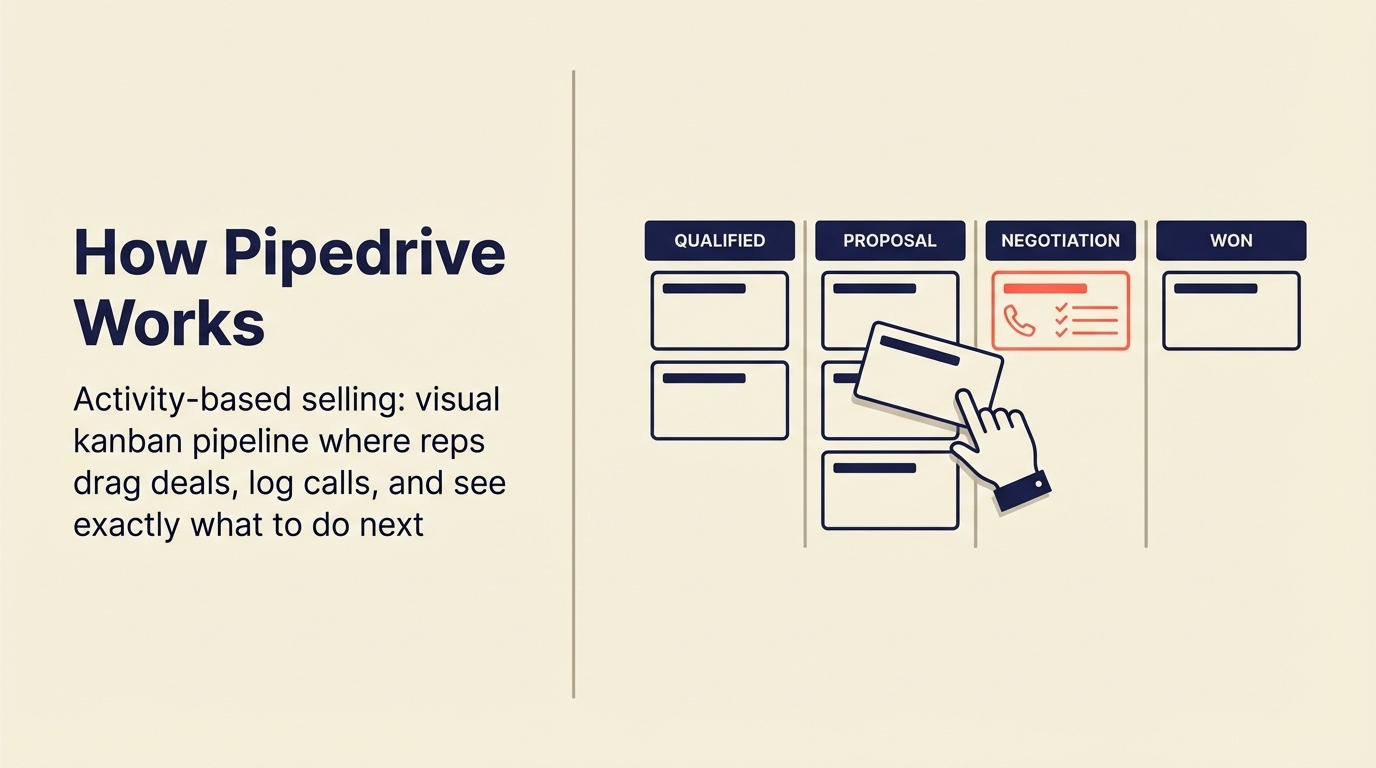
O Pipedrive foi construído com uma convicção: vendas são sobre atividades, não burocracia. O pipeline visual (arraste negócios de estágio em estágio, registre ligações, configure tarefas de acompanhamento e veja exatamente o que precisa acontecer para fechar a semana) ainda é a melhor UX de vendas pura do mercado.
Esse foco faz do Pipedrive o primeiro CRM padrão para equipes de vendas. A configuração leva horas, não semanas. Os representantes o adotam sem precisar de orientação. E para equipes cuja principal necessidade é "quais são meus negócios e o que devo fazer a seguir", o Pipedrive entrega sem sobrecarga cognitiva.
O limite aparece em escala. A distribuição nativa de leads requer alternativas ou tiers premium. A automação de marketing é um complemento (Campaigns), não um produto central. Os relatórios são sólidos, mas não sofisticados o suficiente para RevOps em escala de mid-market. Se você está comparando com alternativas, veja nosso comparativo Rework vs Pipedrive para uma análise direta de onde ele se encaixa e onde não se encaixa. Ou navegue pela lista completa de melhores alternativas ao Pipedrive se você já atingiu o limite do Pipedrive.
| O que você obtém | O que você não obtém |
|---|---|
| Melhor UX de pipeline visual do mercado | Módulo nativo de gestão de leads superficial |
| Configuração rápida; alta adoção pelos representantes | Automação de marketing é um complemento, não nativo |
| Automação de workflow em todos os planos pagos | Roteamento de leads requer configurações alternativas no mid-market |
| 400+ integrações | Limitado para workflows de operações cross-functional |
Preço: Essential $14/usuário/mês; Advanced $29/usuário/mês; Professional $59/usuário/mês; Power $69/usuário/mês; Enterprise $99/usuário/mês (cobrado anualmente)
Melhor para: equipes de vendas de 5-100 pessoas, modelos SDR/AE, empresas que querem um pipeline limpo sem complexidade.
5. Zoho CRM: Mais Econômico em Escala, Ecossistema com 45+ Apps
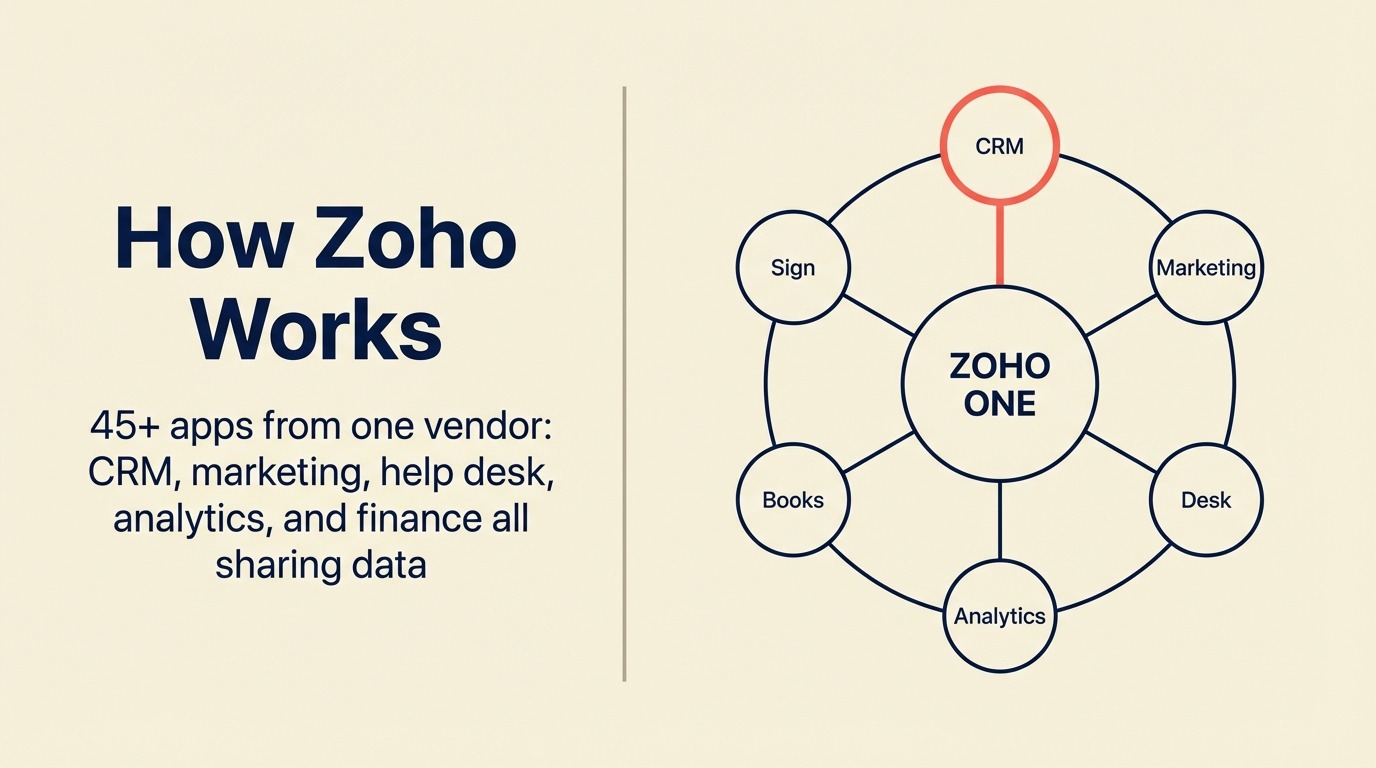
A filosofia de produto do Zoho é amplitude com valor. O ecossistema com 45 apps (do Zoho CRM ao Zoho Books, Zoho Desk, Zoho Campaigns, Zoho Analytics, Zoho Sign) cria um sistema operacional completo para empresas com custo controlado. O Zia AI cuida de pontuação de leads, previsões de negócios e análise de sentimento de email em toda a plataforma.
Para equipes que querem a amplitude do HubSpot a um custo significativamente menor, o Zoho CRM Plus (que inclui CRM, automação de marketing, análise e help desk) a $57/usuário/mês é genuinamente competitivo em comparação com pacotes do HubSpot que custam $90-$150/assento por recursos equivalentes.
O tradeoff honesto: os módulos individuais não são os melhores em nenhuma função específica. A interface é mais complexa do que a do Pipedrive. Os recursos de suporte e implementação enterprise são mais escassos do que os do Salesforce. Equipes que precisam de profundidade de melhor qualidade em uma área específica podem achar que a amplitude do Zoho parece "razoável, mas não excelente". Se você não está convencido de que o Zoho é a escolha certa, as melhores alternativas ao Zoho apresenta plataformas com posicionamento semelhante de custo-benefício.
| O que você obtém | O que você não obtém |
|---|---|
| 45+ integrações de apps do Zoho, um único fornecedor | Módulos individuais não são os melhores em nenhuma categoria |
| Menor custo em escala vs equivalentes de recursos | Complexidade de interface ao ativar mais módulos |
| Zia AI para pontuação, previsões e sentimento | Ecossistema de parceiros de implementação mais escasso |
| Gerenciamento de território, SalesSignals, Blueprint | Suporte enterprise é mais fraco do que o do Salesforce |
Preço: Standard $14/usuário/mês; Professional $23/usuário/mês; Enterprise $40/usuário/mês; Ultimate $52/usuário/mês (cobrado anualmente)
Melhor para: equipes de crescimento com custo controlado, empresas que querem um stack completo de um único fornecedor, equipes na Ásia-Pacífico e mercados emergentes.
6. Monday Sales CRM: Boards Visuais + CRM Híbrido
A filosofia de produto do Monday é o gerenciamento visual de trabalho, e o Monday Sales CRM traz essa filosofia para o pipeline. Cada negócio, contato e atividade é um item de board que você pode visualizar como kanban, tabela, cronograma ou Gantt. Para equipes operacionais que vivem no Monday para gerenciamento de projetos, estender para CRM reduz o número de ferramentas no stack.
O tradeoff é a profundidade. O Monday Sales CRM é genuinamente bom para casos de uso de CRM mais simples: gestão de contatos, rastreamento de negócios, registro de atividades, automação básica. Mas não foi construído para distribuição avançada de leads, modelos complexos de pontuação ou análise profunda de vendas. Equipes que precisam de previsão séria de pipeline ou atribuição multicanal atingirão seu limite. Se a profundidade de automação é importante para sua equipe, o guia de automação de workflow de CRM aborda o que procurar antes de se comprometer.
| O que você obtém | O que você não obtém |
|---|---|
| UX visual familiar para equipes já no Monday | Profundidade nativa de CRM superficial vs CRMs dedicados |
| Flexível: as visualizações se adaptam ao modo de trabalho da equipe | Não é ideal para vendas internas de alto volume |
| Boa integração com as ferramentas de projetos do Monday | Módulo de gestão de leads é limitado |
| Automações e integrações em planos pagos | Previsão avançada requer configurações alternativas |
Preço: Basic $12/usuário/mês; Standard $17/usuário/mês; Pro $28/usuário/mês; Enterprise (consultar vendas), cobrado anualmente, mínimo de 3 assentos.
Melhor para: equipes já usando Monday.com para gerenciamento de projetos, casos de uso híbridos de ops + CRM, organizações com foco visual.
7. Freshsales: Freddy AI, UX Limpa, Ecossistema Freshworks
O Freshsales é a camada de CRM do Freshworks em uma suíte que também inclui Freshdesk (help desk), Freshchat (mensagens) e Freshmarketer (automação de marketing). A filosofia do produto é UX limpa com AI integrada. O Freddy AI faz pontuação de leads, insights de negócios, pontuação preditiva de contatos e sugestões de resposta por email prontos para uso, sem configuração adicional.
Para equipes em crescimento que não querem a complexidade do Salesforce mas querem mais automação de AI do que o Pipedrive oferece, o Freshsales é uma forte opção intermediária. O tier Growth ($9/usuário/mês) é um dos melhores pontos de valor do mercado para um CRM totalmente funcional com telefone integrado, sequências de email e gestão de negócios.
O limite honesto: workflows complexos de múltiplas equipes e roteamento sofisticado de leads ainda requerem a suíte Freshworks (Freshsales + Freshmarketer + Freshchat), o que aumenta o custo. E se você não está no ecossistema Freshworks, algumas integrações parecem menos refinadas do que as do HubSpot. Veja Rework vs Freshsales para uma comparação direta, ou confira as melhores alternativas ao Freshsales se quiser ver o que mais compete nessa faixa de preço.
| O que você obtém | O que você não obtém |
|---|---|
| Freddy AI integrado (pontuação, insights, previsões) | Melhor valor dentro do ecossistema Freshworks; mais caro fora dele |
| UX limpa e rápida, alta adoção pelos representantes | Roteamento complexo de leads ainda requer configuração |
| Telefone integrado (VoIP) e sequências de email | Integrações menos refinadas fora do stack Freshworks |
| Suíte Freshworks para cobertura GTM completa | Profundidade de relatórios abaixo do HubSpot ou Salesforce |
Preço: Growth $9/usuário/mês; Pro $39/usuário/mês; Enterprise $59/usuário/mês (cobrado anualmente)
Melhor para: equipes em crescimento de 10-300 pessoas que buscam CRM acessível com assistência de AI, usuários do ecossistema Freshworks, equipes que querem telefone integrado sem o preço do Close.
8. Close: Discador Integrado, Velocidade nas Vendas Internas
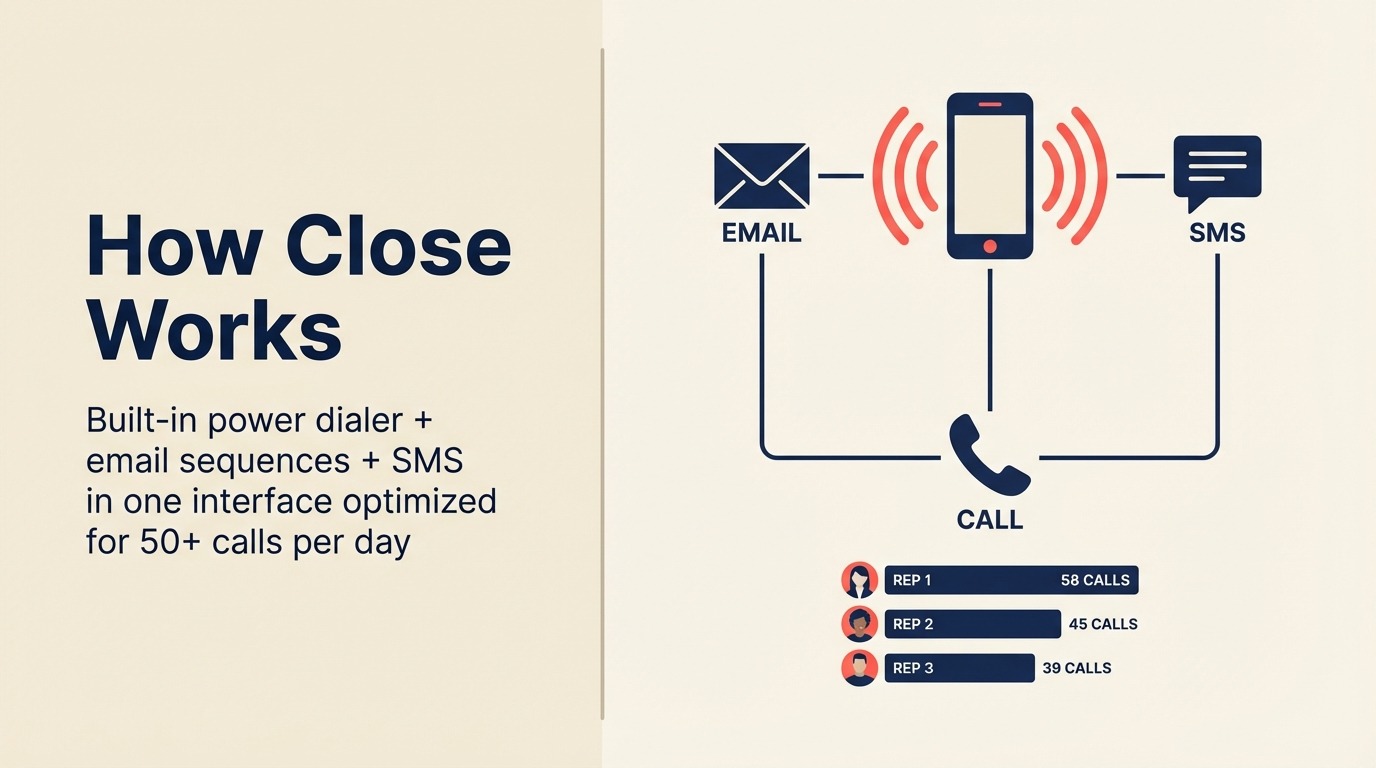
O Close foi construído para um modelo específico: vendas internas de alto volume em que os representantes vivem ao telefone. O discador automático, o discador preditivo, as sequências de email e o SMS são todos integrados, sem necessidade de integrações. Tudo no Close é otimizado para velocidade: quantas ligações sua equipe pode fazer, com que rapidez pode dar seguimento e com que velocidade pode mover um lead por um ciclo de vendas curto.
Esse foco singular faz do Close o melhor CRM para equipes que fazem 50+ ligações outbound por dia, executam modelos de SDR ou vendem produtos de baixo ACV em alto volume. As métricas de atividade e os rankings são os melhores do mercado para treinar equipes de vendas internas.
A limitação é igualmente clara: o Close não é uma plataforma CRM completa. Tem funcionalidade de marketing limitada, captura básica de leads e sem inbox social multicanal nativo. Para equipes que precisam de marketing + vendas em um único produto, é incompleto. Se você está avaliando o Close em relação a outras opções, veja nossas melhores alternativas ao Close para ferramentas que cobrem casos de uso similares de vendas internas.
| O que você obtém | O que você não obtém |
|---|---|
| Melhor discador integrado do mercado (automático + preditivo) | Sem automação de marketing nativa |
| SMS, sequências de email e ligações em uma única interface | Captura e pontuação de leads são básicas |
| UX otimizada para velocidade no outbound de alto volume | Não foi construído para negócios complexos ou ciclos longos |
| Rankings de atividade para coaching de vendas | Personalização limitada para workflows não relacionados a vendas |
Preço: Startup $49/mês (1 usuário); Professional $329/mês (até 5 usuários); Enterprise $749/mês (até 10 usuários), cobrado anualmente.
Melhor para: equipes de vendas internas, operações de SDR/BDR, empresas SaaS com modelos de vendas de alto volume e baixo ACV, equipes com forte atividade de ligações outbound.
9. Copper: Integração Mais Profunda com Google Workspace
A filosofia de produto do Copper é que o seu CRM deve viver onde sua equipe já trabalha e, para equipes no Google Workspace, isso significa Gmail, Google Calendar e Google Drive. O Copper registra automaticamente os emails, cria contatos a partir de conversas do Gmail, anexa arquivos do Drive e exibe o contexto do negócio nas barras laterais do Gmail sem precisar trocar de contexto.
Para empresas de gerenciamento de contas, agências e equipes de serviços profissionais que gerenciam relacionamentos principalmente por email e vivem no Google Workspace, o Copper remove o maior obstáculo à adoção de CRM: a entrada manual de dados. Representantes que detestam registrar atividades simplesmente não precisam fazer isso. Veja Rework vs Copper para uma comparação de como eles se encaixam em diferentes tipos de equipe.
O tradeoff é que a força do Copper é também sua limitação. Fora do Google Workspace, é apenas mais um CRM de nível médio. E sua profundidade de pipeline e automação ficam atrás do Pipedrive ou do HubSpot para equipes que executam operações de vendas estruturadas.
| O que você obtém | O que você não obtém |
|---|---|
| Registra automaticamente dados do Gmail e Calendar nos registros de CRM | Valor limitado fora do Google Workspace |
| Anexos nativos de arquivos do Drive nos registros de contato | Pipeline e automação mais fracos do que o Pipedrive |
| Baixo atrito de adoção para equipes nativas do Google | Menos personalizável do que alternativas de mid-market |
| UI limpa e simples | Não foi projetado para outbound de alto volume ou operações complexas |
Preço: Starter $9/usuário/mês; Basic $23/usuário/mês; Professional $59/usuário/mês; Business $99/usuário/mês (cobrado anualmente, mínimo de 3 assentos)
Melhor para: equipes no Google Workspace, agências, gerentes de contas, empresas de serviços profissionais que gerenciam relacionamentos por email.
10. Attio: Modelo de Dados Flexível de Nova Geração
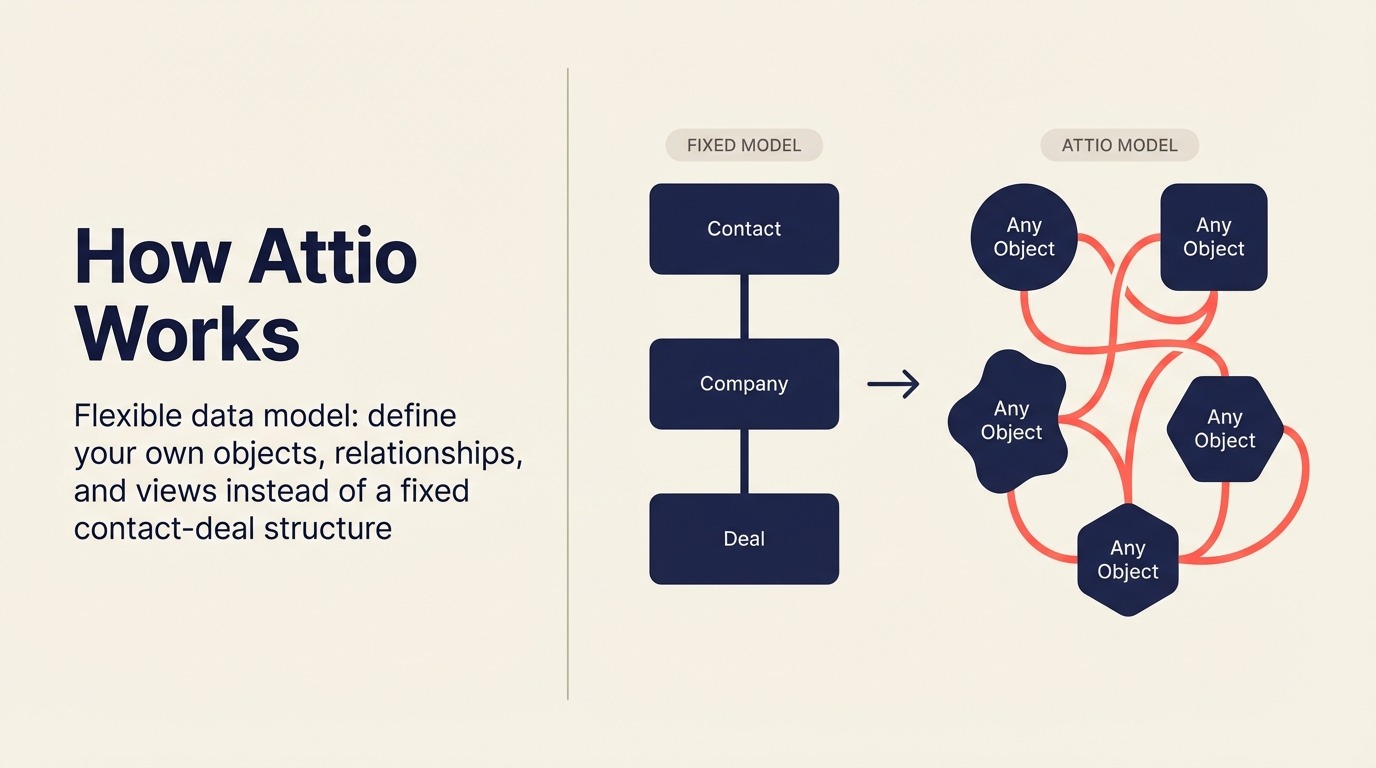
A filosofia de produto do Attio é que o CRM deve ser tão flexível quanto uma planilha, mas tão poderoso quanto uma plataforma enterprise. Em vez de um modelo fixo de contato-empresa-negócio, o Attio permite que você defina seus próprios objetos, relacionamentos e visualizações. Uma startup pode modelar seu CRM como um roadmap de produto; um fundo pode modelá-lo como um rastreador de fluxo de negócios; uma agência pode modelá-lo como um sistema de entrega para clientes.
A visão de "CRM como plataforma" merece ser levada a sério, e o Attio é o CRM tecnicamente mais moderno desta lista. O modelo de dados é genuinamente superior à maioria dos incumbentes. A camada de sincronização e enriquecimento é robusta. Se você está pensando cuidadosamente em como estruturar seus dados antes de escolher uma plataforma, o guia de design do modelo de dados de CRM vale a pena ser lido primeiro.
Mas o Attio ainda está amadurecendo. Governança enterprise, automação avançada de workflow e análise profunda de vendas não estão no nível do HubSpot ou Salesforce. Equipes que precisam de relatórios maduros ou automação em larga escala devem ser pacientes. Nosso guia de melhores alternativas ao Attio apresenta as opções se você estiver avaliando-o em relação a concorrentes de nova geração.
| O que você obtém | O que você não obtém |
|---|---|
| Modelo de dados flexível de nova geração: defina seus próprios objetos | Profundidade enterprise ainda em maturação |
| UI limpa e moderna que desenvolvedores e ops adoram | Automação complexa de workflow é limitada |
| Forte sincronização e enriquecimento de dados | Menos testado em escala vs HubSpot ou Salesforce |
| Bom para crescimento liderado por produto + ops de relacionamento | Ecossistema de parceiros e implementação limitado |
Preço: Gratuito (até 3 assentos); Plus $29/usuário/mês; Pro $69/usuário/mês; Enterprise (consultar vendas), cobrado anualmente.
Melhor para: startups modernas e empresas em crescimento, equipes de PLG, founders que querem flexibilidade em vez de opiniões rígidas, equipes que superaram o modelo de dados fixo do HubSpot.
11. Folk: CRM de Relacionamento Leve
O Folk é construído na convicção de que a maioria das pessoas não precisa de um CRM; elas precisam de uma maneira melhor de gerenciar relacionamentos. É uma ferramenta leve e bem projetada que fica entre uma planilha e um CRM completo. Enriquecimento de contatos, visualizações simples de pipeline, sequências de email e notas de equipe estão presentes, mas deliberadamente não tenta ser uma plataforma de vendas completa.
Para founders, agências, investidores e profissionais de desenvolvimento de negócios que gerenciam uma rede de relacionamentos sem um modelo de vendas formal, o Folk é genuinamente excelente. É o que você escolhe quando o HubSpot parece excessivo, mas uma planilha não é mais suficiente.
| O que você obtém | O que você não obtém |
|---|---|
| UI de gestão de relacionamentos bonita e rápida | Não foi construído para operações de vendas estruturadas ou RevOps |
| Enriquecimento de AI e dados de contato integrados | Automação e profundidade de workflow limitadas |
| Onboarding simples e rápido | Não é uma plataforma escalável para equipes de vendas em crescimento |
| Bom para gerenciar redes, não pipelines | Sem discador nativo ou sequenciamento profundo de email |
Preço: Standard $20/usuário/mês; Premium $40/usuário/mês; Custom (consultar vendas), cobrado anualmente.
Melhor para: founders, agências, investidores, profissionais de BD, qualquer pessoa que gerencia relacionamentos sem um modelo de vendas formal.
12. Nutshell: CRM Simples + Pacote de Email Marketing
A aposta do Nutshell é que pequenas empresas não deveriam ter que comprar e conectar um CRM e uma ferramenta de email marketing separadamente. A plataforma inclui gerenciamento de pipeline, formulários de leads, automação básica e email marketing (Nutshell Campaigns) em um único produto a um preço genuinamente competitivo.
Para PMEs que querem um único fornecedor, onboarding fácil e uma equipe de suporte sólida baseada nos EUA, sem a complexidade enterprise, o Nutshell supera suas expectativas para o preço. Não é a ferramenta mais poderosa desta lista, mas está entre as mais fáceis de colocar em funcionamento.
| O que você obtém | O que você não obtém |
|---|---|
| CRM + email marketing incluídos, um preço único | Personalização limitada para equipes de ops em crescimento |
| Onboarding rápido e administração fácil | Relatórios são básicos vs HubSpot ou Salesforce |
| Boa equipe de suporte baseada nos EUA | Não foi projetado para modelos de vendas complexos |
| UI simples e limpa | Não escala bem acima de ~100 assentos |
Preço: Foundation $16/usuário/mês; Pro $42/usuário/mês; Pro+ $52/usuário/mês; Business $67/usuário/mês; Enterprise $79/usuário/mês, cobrado anualmente.
Melhor para: PMEs que querem um pacote completo de CRM + email marketing, equipes baseadas nos EUA que priorizam suporte, empresas migrando de planilhas pela primeira vez.
13. Insightly: Combinação de CRM + Gerenciamento de Projetos
O Insightly resolve um problema específico: empresas que fecham negócios e depois precisam entregá-los sem mudar para uma ferramenta de gerenciamento de projetos separada. O pipeline de CRM passa diretamente para um registro de projeto com tarefas, marcos e atribuições de equipe. Para agências, consultorias e empresas de serviços profissionais, essa transição entre o fechamento da venda e a entrega do projeto é a lacuna que custa clientes. Veja nossa lista de melhores alternativas ao Insightly se você estiver procurando ferramentas com um workflow semelhante de CRM para entrega.
A UX está desatualizada em comparação com alternativas modernas, e a complexidade da interface é maior do que deveria ser para a profundidade de recursos. Mas o workflow nativo de CRM para entrega de projeto ainda é genuinamente único no mercado.
| O que você obtém | O que você não obtém |
|---|---|
| CRM + gerenciamento de projetos nativos em um único produto | UI desatualizada e complexa em comparação com ferramentas modernas |
| Handoff de negócio para projeto integrado | Não é a melhor ferramenta pura de CRM ou de PM |
| Insightly Marketing para campanhas de nutrição | Limitado para modelos de vendas de alto volume |
| Objetos personalizados e integrações de apps | Atrito de adoção devido à complexidade da interface |
Preço: Plus $29/usuário/mês; Professional $49/usuário/mês; Enterprise $99/usuário/mês, cobrado anualmente.
Melhor para: agências, consultorias e empresas de serviços profissionais que precisam de CRM + entrega de projetos em um único lugar.
14. Keap: CRM + Automação de Marketing para Solopreneurs
O Keap (anteriormente Infusionsoft) foi criado especificamente para solopreneurs e empresas muito pequenas que precisam de CRM + automação de marketing em um único produto sem uma equipe para gerenciá-lo. Sequências de acompanhamento automatizadas, agendamento de compromissos, faturamento e gerenciamento básico de pipeline estão todos incluídos.
A limitação honesta é a estrutura de preços. A $249/mês para 2 usuários e 1.500 contatos, o modelo por contato escala mal conforme as listas crescem. Equipes com mais de 10 pessoas ou 5.000 contatos encontrarão melhor valor em outro lugar.
| O que você obtém | O que você não obtém |
|---|---|
| CRM completo + email marketing + faturamento em pacote | Preço por contato escala mal acima de 2.000 contatos |
| Agendamento de compromissos e marketing por texto integrados | Não foi projetado para equipes acima de 10 pessoas |
| Forte automação para operadores solo | UX desatualizada em comparação com alternativas modernas |
| Produto maduro com ecossistema profundo para PMEs | Caro em relação às alternativas na pequena escala |
Preço: Ignite $249/mês (2 usuários, 1.500 contatos); Grow $329/mês (3 usuários, 2.500 contatos); Scale $499/mês (5 usuários, 5.000 contatos), cobrado anualmente.
Melhor para: solopreneurs, coaches, consultores, micro-empresas que querem automação sem contratar uma pessoa de ops de marketing.
15. SugarCRM: Opção On-Premise para Setores Regulamentados
O diferencial do SugarCRM em 2026 é que ele pode ser hospedado localmente. Para empresas em setores regulamentados (contratantes governamentais, organizações de saúde, empresas de serviços financeiros com requisitos de residência de dados), a capacidade de executar o CRM inteiramente dentro de sua própria infraestrutura é um requisito obrigatório, não um diferencial opcional.
Além da conformidade, o SugarCRM oferece forte previsão de vendas, suporte a múltiplas moedas e automação profunda de workflow. Mas o overhead de implementação é significativo, e o produto parece mais um software enterprise do que um SaaS moderno.
| O que você obtém | O que você não obtém |
|---|---|
| Opção de implantação on-premise para residência de dados | Alto overhead de implementação |
| Fortes controles de conformidade e logs de auditoria | UX desatualizada em comparação com ferramentas SaaS modernas |
| Suporte multi-moeda, multi-idioma e global | Ecossistema limitado vs AppExchange do Salesforce |
| Automação avançada de workflow e previsão | Não é um produto de rápida entrega de valor |
Preço: Essentials $49/usuário/mês; Advanced $85/usuário/mês; Premier $135/usuário/mês, cobrado anualmente (preços on-premise à parte).
Melhor para: contratantes governamentais, serviços financeiros regulamentados, organizações de saúde com requisitos de soberania de dados, empresas que não podem usar CRM hospedado na nuvem.
Erros de Compra de CRM a Evitar
A maioria das implementações de CRM falha dentro de 12 meses. A causa quase nunca é o software. Pesquisas da McKinsey sobre adoção de tecnologia de vendas descobriram que a má gestão de mudança e a baixa adoção são modos de falha muito maiores do que a escolha da ferramenta em si. Antes de mergulhar na lista abaixo, é útil saber onde sua equipe está no modelo de maturidade de RevOps, pois isso muda quais ferramentas valem a pena avaliar. Aqui estão os erros de compra mais comuns e o que fazer em vez disso.
| Erro | Como Parece | O que Fazer em Vez Disso |
|---|---|---|
| Comprar por recursos que você ainda não precisa | Escolher o Salesforce com 20 pessoas porque "vamos crescer nele" | Compre para o seu estágio atual + 18 meses de crescimento |
| Ignorar o atrito de adoção | Selecionar a ferramenta mais poderosa, não a que os representantes vão realmente usar | Envolva os representantes de vendas na shortlist; faça um piloto antes de se comprometer |
| Subestimar o custo de implementação | Orçar apenas para licenças, não para configuração, migração e treinamento | Adicione 3x o custo anual da licença como orçamento de implementação para ferramentas complexas |
| Escolher uma ferramenta de marketing quando você precisa de uma ferramenta de vendas | HubSpot quando a sua principal dor é o gerenciamento de pipeline, não a nutrição de leads | Identifique sua principal dor antes de avaliar |
| Não modelar seu modelo de vendas | Escolher uma ferramenta de pipeline genérica para um modelo de ligações outbound | Mapeie suas atividades diárias de vendas e depois encontre a ferramenta construída para elas |
| Dividir os dados de marketing e vendas | Comprar HubSpot Marketing + Salesforce Sales + uma ferramenta de inbox separada | Priorize plataformas onde o ciclo de lead para fechamento vive em um único modelo de dados |
| Ignorar o custo total de propriedade | Comparar apenas o preço por assento | Calcule: licenças + implementação + headcount administrativo + integrações |
| Trocar de plataforma com muita frequência | Mudar de CRM a cada 18 meses conforme você atinge o limite de cada ferramenta | Pense 3 anos à frente: escolha uma plataforma com espaço para crescer |
Antes de finalizar sua shortlist, vale a pena trabalhar com o checklist do comprador de CRM que preparamos. Ele percorre as principais perguntas a responder antes de agendar seu primeiro demo.
Estrutura de Decisão
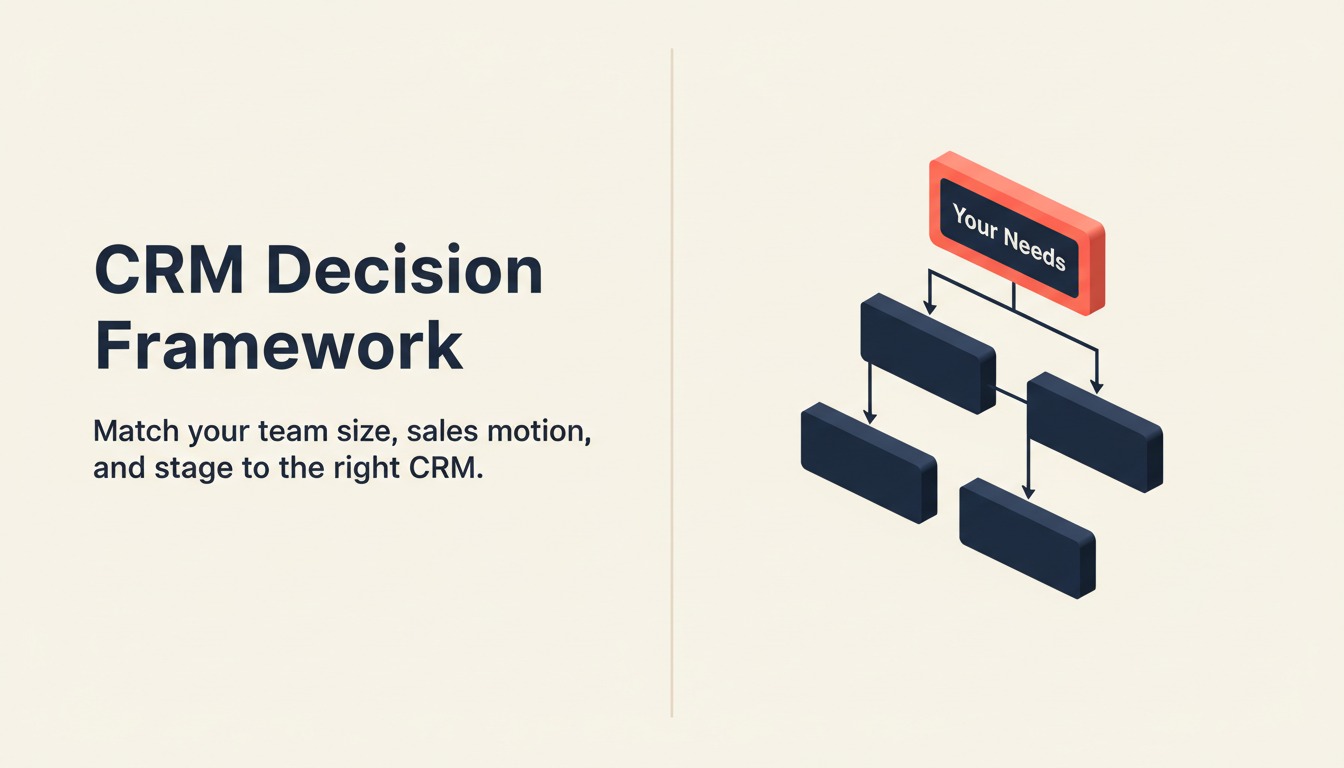
Use esta tabela como filtro final. Identifique sua situação para encontrar a ferramenta certa.
| Se você precisa de... | Escolha... | Por quê |
|---|---|---|
| O melhor ecossistema de marketing + vendas para crescimento inbound | HubSpot | Abordagem flywheel; 1.500+ integrações; plano gratuito robusto para começar |
| Máxima personalização para uma org enterprise complexa | Salesforce | Objetos personalizados, AppExchange, Agentforce AI; nada mais se aproxima |
| CRM completo + gestão de leads + inbox multicanal em um único produto | Rework | Modelo de dados unificado; sem necessidade de integração |
| A UX de pipeline mais limpa para uma equipe focada em vendas | Pipedrive | Venda baseada em atividades; configuração mais rápida; maior adoção pelos representantes |
| O CRM mais econômico em escala | Zoho CRM | 45+ apps, Zia AI, menor custo por assento vs recursos comparáveis |
| Gerenciamento visual de trabalho + CRM leve para equipes no Monday | Monday Sales CRM | Um único fornecedor para ops + pipeline |
| CRM acessível com assistência de AI e telefone integrado | Freshsales | Freddy AI; melhor custo-benefício no tier Growth |
| O melhor discador integrado para vendas internas | Close | Discador automático + preditivo; UX otimizada para velocidade; imbatível em volume |
| CRM que vive dentro do Gmail / Google Workspace | Copper | Registro automático pelo Gmail; sem entrada manual |
| Um CRM moderno e flexível com modelo de dados personalizado | Attio | Plataforma de nova geração; ideal para startups modernas |
| Gestão leve de relacionamentos, não um CRM completo | Folk | Melhor para founders, agências, BD; não é uma plataforma de vendas |
| CRM + email marketing em um único pacote para pequenas equipes | Nutshell | Melhor all-in-one para PMEs que não querem fornecedores separados |
| CRM que passa diretamente para a entrega de projetos | Insightly | Workflow nativo de negócio para projeto; único no mercado |
| CRM + automação de marketing em pacote para operador solo | Keap | Construído para solopreneurs; agendamento de compromissos + faturamento incluídos |
| CRM on-premise para setores regulamentados | SugarCRM | Único CRM importante com opção self-hosted |
O que Fazer a Seguir
Reduza sua lista para duas ferramentas antes de agendar um demo. Use os frameworks acima para eliminar opções que não se encaixam no seu estágio, tamanho de equipe ou modelo de vendas, depois execute um piloto de 2 semanas com negócios reais e representantes reais. A ferramenta que é adotada é a que vence, não a que tem mais recursos em uma ficha técnica. E se sua equipe ainda não alinhou como qualifica negócios, o guia de frameworks de qualificação é um bom ponto de partida antes do seu piloto.
E se você quiser aprofundar a implementação depois de escolher uma ferramenta, nosso guia de rollout e adoção de CRM aborda como executar um piloto, medir a adoção e evitar as armadilhas comuns de onboarding.
Se você está gerenciando uma equipe de 20-500 pessoas com vendas, marketing e customer success em workflows compartilhados, e quer o ciclo de lead para fechamento em um único modelo de dados sem precisar unir cinco ferramentas, coloque o Rework nessa shortlist de duas ferramentas.

Head of Enterprise Solutions
On this page
- Tabela Comparativa Rápida
- Como Escolher um CRM em 2026
- Framework: Por Tamanho de Equipe
- Framework: Por Modelo de Vendas
- Framework: Por Estágio de Crescimento
- Matriz de Adequação por Estágio
- Tabela de Tamanho e Perfil
- 1. HubSpot CRM: Melhor Ecossistema de Marketing + Vendas
- 2. Salesforce: Profundidade Enterprise + Agentforce AI
- 3. Rework: CRM Unificado + Gestão de Leads + Inbox Multicanal para Operações de Médio Porte
- 4. Pipedrive: Simplicidade Focada em Vendas, Melhor UX de Pipeline
- 5. Zoho CRM: Mais Econômico em Escala, Ecossistema com 45+ Apps
- 6. Monday Sales CRM: Boards Visuais + CRM Híbrido
- 7. Freshsales: Freddy AI, UX Limpa, Ecossistema Freshworks
- 8. Close: Discador Integrado, Velocidade nas Vendas Internas
- 9. Copper: Integração Mais Profunda com Google Workspace
- 10. Attio: Modelo de Dados Flexível de Nova Geração
- 11. Folk: CRM de Relacionamento Leve
- 12. Nutshell: CRM Simples + Pacote de Email Marketing
- 13. Insightly: Combinação de CRM + Gerenciamento de Projetos
- 14. Keap: CRM + Automação de Marketing para Solopreneurs
- 15. SugarCRM: Opção On-Premise para Setores Regulamentados
- Erros de Compra de CRM a Evitar
- Estrutura de Decisão
- O que Fazer a Seguir