Best Salesforce Alternatives in 2026: 12 Tools for Mid-Size Sales Teams
Turn this article into takeaways for your work.


Each assistant summarizes the article only for you and suggests best practices for your work.
Salesforce is the CRM the whole industry benchmarks against. It's powerful, it's customizable, and it has an AppExchange ecosystem that can theoretically do anything. But if you're running a sales team of 20 to 200 people, "theoretically do anything" often means "requires a dedicated Salesforce admin, a six-month implementation, and a bill that hits $175/seat/mo on the Enterprise plan, up 6% from August 2025."
For most mid-size sales teams, the cost and complexity of Salesforce isn't a feature. It's a tax. Teams spend more time managing the CRM than working in it. Admins become bottlenecks. Reps log activity because they have to, not because it helps them close. If any of that sounds familiar, this guide is for you. We've evaluated 12 alternatives across pricing, CRM depth, lead management, ease of use, and fit for teams in the 20-500 employee range.
Key Facts: Salesforce Alternatives
- Salesforce Enterprise costs $175/seat/mo after a 6% price increase in August 2025. A 50-seat team pays $285,000-$330,000+ per year all-in, including admin and implementation costs. (Salesforce, method.me, 2025)
- 55% of CRM implementations fail to meet their objectives, with poor user adoption cited as the #1 cause above any technical issue. (Johnny Grow, 2025)
- 76% of CRM users report that less than half of their organization's CRM data is accurate and complete, undermining the reporting that justified the CRM investment. (CRM.org, 2025)
- 32% of sales reps spend over 1 hour per day on manual data entry instead of selling, a problem that worsens with complex CRMs that prioritize admin compliance over rep usability. (CRM.org, 2025)
- Salesforce holds 20.7% of the global CRM market (IDC, 2025), meaning 79.3% of companies are running something else. The alternatives market is large, mature, and well-supported.
Quick Comparison Table
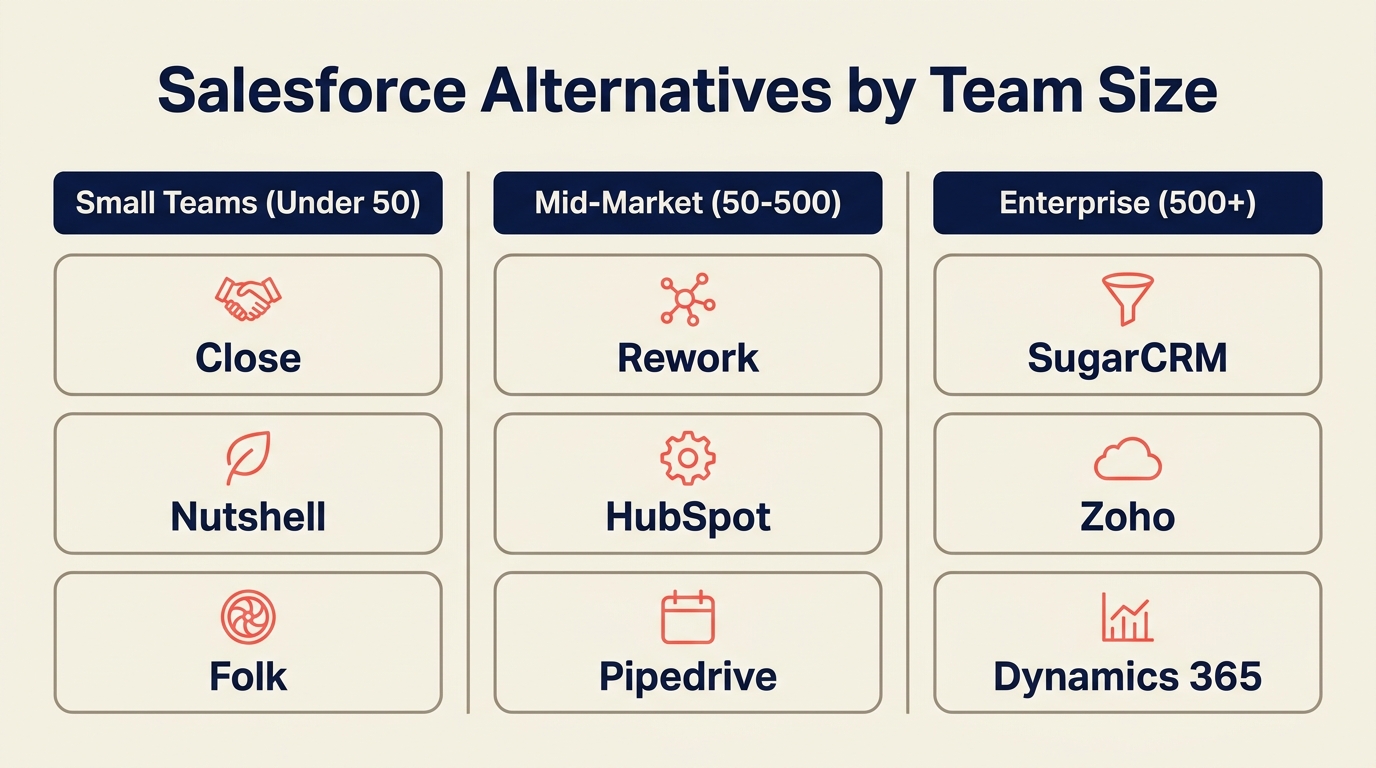
Use this table to compare Salesforce alternatives by the kind of complexity you are trying to remove. The right answer changes depending on whether the pain is cost, implementation overhead, rep adoption, or enterprise governance.
| Tool | Best For | Starting Price (per seat/mo) | Key Strength | Key Limitation |
|---|---|---|---|---|
| Rework | Mid-size teams needing CRM + lead management + multi-channel inbox | From $69/mo billed yearly for 5 seats; $159/mo with lead management and the inbox (rework.com/pricing) | Unified CRM + lead lifecycle + WhatsApp/Messenger/IG DM in one product | Not ideal for solo founders or enterprise-scale custom objects |
| HubSpot CRM | Teams wanting marketing + sales in one ecosystem | Free tier; Sales Hub Pro ~$90/seat/mo | Deep marketing + sales integration, huge ecosystem | Costs compound fast as you add hubs and seats |
| Pipedrive | Sales teams that want pipeline-first simplicity | $14/seat/mo (Essential, annual) | Clean pipeline UX, fast setup | Limited lead distribution; marketing automation is thin |
| Zoho CRM | Budget-conscious teams needing breadth | $14/seat/mo (Standard, annual) | Massive feature set at low price | UX is dense; quality uneven across modules |
| Monday Sales CRM | Teams already using Monday for work management | ~$15/seat/mo (Basic CRM, annual) | Flexible board-style views, native work management | Limited CRM depth compared to dedicated tools |
| Freshsales | Teams in Freshworks ecosystem wanting AI features | Free tier; Growth ~$9/seat/mo | Freddy AI, strong auto-enrichment | Best features gated behind higher tiers |
| Close | Inside sales teams that live on the phone | $49/seat/mo (Startup, annual) | Built-in power dialer + call coaching | Weak marketing automation; not ideal for complex pipelines |
| Copper | Teams living in Google Workspace | $9/seat/mo (Starter, annual) | Deepest Gmail/Google Calendar native integration | Gmail-centric UX, limited outside Google stack |
| Attio | Teams wanting a modern flexible data model | Free tier; Plus ~$34/seat/mo | Highly configurable object model, fast-growing feature set | Still maturing; some enterprise features not yet built |
| Nutshell | SMBs wanting CRM + email marketing in one bill | $16/seat/mo (Foundation, annual) | Email marketing + CRM bundled, no extra cost | Less scalable for complex sales orgs |
| Folk | Relationship-driven, low-volume sales or partnerships | Free tier; Standard ~$20/seat/mo | Lightweight, fast, great for relationship tracking | Too simple for high-volume pipelines |
| Insightly | Teams needing CRM + project delivery in one tool | $29/seat/mo (Plus, annual) | CRM + project management combined | Not a great fit for volume-driven inside sales |
1. Rework: Unified CRM + Lead Management + Multi-Channel Inbox
Rework is the most relevant alternative for mid-size teams that need more than a lightweight CRM but do not need the admin load, customization burden, or ecosystem cost of Salesforce.
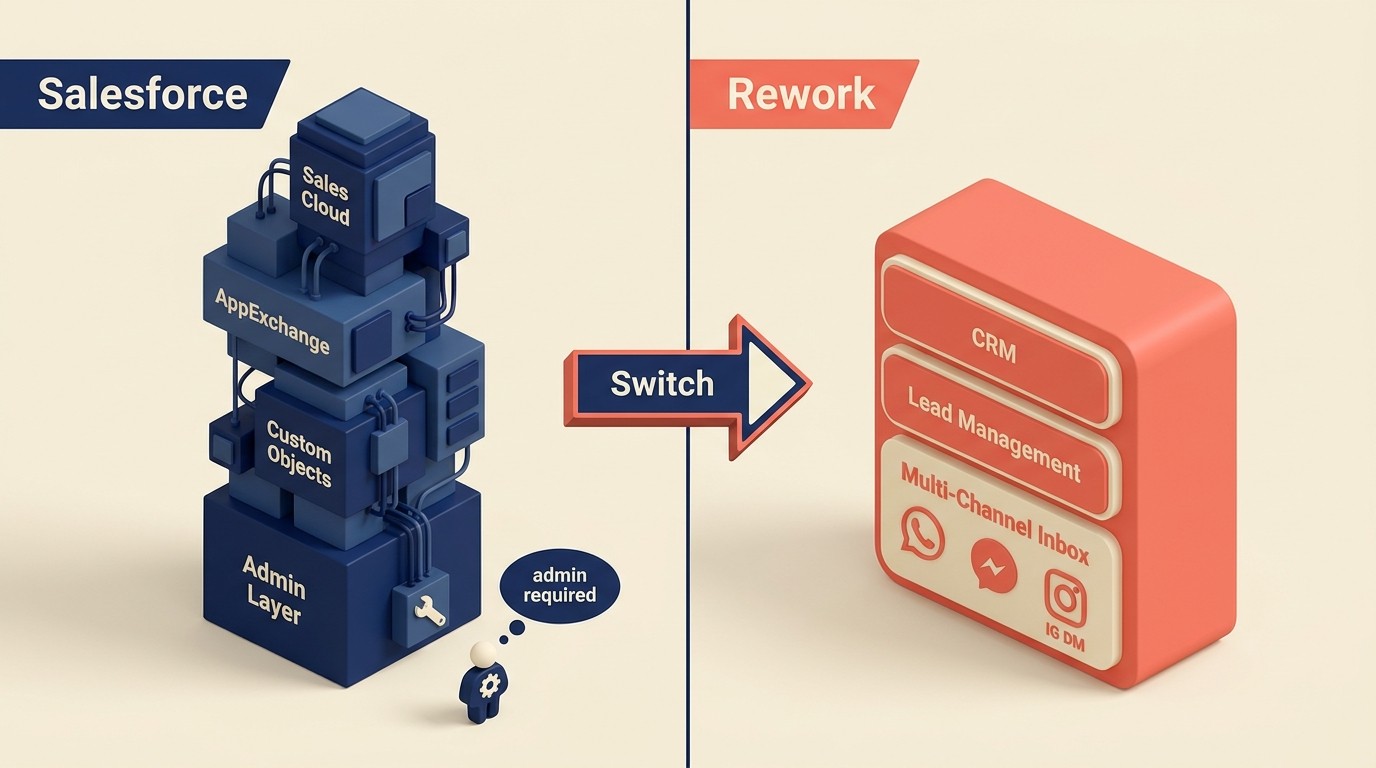
Rework is built for the gap most mid-size teams fall into: you've outgrown a simple pipeline tracker, but you don't need (or want to pay for) Salesforce-level complexity. For a side-by-side breakdown on the specific differences, see the Rework vs Salesforce comparison. The product ships CRM, lead management, and a multi-channel chat inbox as one integrated system, not three different products stitched together with Zapier.
Where Rework stands out specifically in the Salesforce comparison is lead distribution. Round-robin assignment, rule-based territory routing, a claim-based lead pool, and SLA rules are built into the Lead app (Marketing or Revenue Engine). In Salesforce, that's either manual configuration or a third-party tool. Rework also pulls WhatsApp, Messenger, Instagram DM, TikTok, Telegram, LINE, Zalo, and web chat into a single contact timeline, so reps see the full conversation history regardless of which channel the lead used. If you're also evaluating Salesforce's AI layer, the Rework vs Salesforce Agentforce breakdown covers where each product stands on agentic automation.
| What you get | What you don't |
|---|---|
| Full CRM + pipeline with quota and forecasting | Deep custom object builder (Salesforce-level) |
| Native lead capture, scoring, and distribution | AppExchange-style partner ecosystem |
| Multi-channel inbox: WhatsApp, Messenger, IG DM, Zalo, web chat | A free solo-founder tier |
| Marketing-to-sales handoff and nurture workflows | FedRAMP or HIPAA BAA (check current roadmap) |
| Cross-team ops workflows and process templates | Fit for 500+ seat enterprise governance needs |
Pricing: The Sales Engine (CRM) is $69/month billed yearly, or $80 month to month, with 5 sales seats included; extra seats come in blocks of 5 ($21/month per block on yearly billing). The Revenue Engine ($159/month billed yearly) adds the multi-channel inbox and lead capture. See rework.com/pricing.
Best for: Mid-size sales, marketing, and ops teams (20-500 employees) that want lead capture through close in one product without a dedicated Salesforce admin.
Not ideal for: Solo founders, small startups under 10 people, or enterprises already deeply customized on Salesforce.
2. HubSpot CRM: Marketing + Sales Suite With Deep Ecosystem
HubSpot built its reputation on inbound marketing, and that heritage shows in the product. The CRM is genuinely good, the marketing tools are polished, and the ecosystem of integrations is vast. For teams that run both marketing campaigns and a sales pipeline, HubSpot's promise of "one platform" is more credible than most. See our Rework vs HubSpot CRM breakdown if you want a direct feature comparison before committing. And if you're evaluating HubSpot as a standalone option, our best HubSpot alternatives guide covers what to consider if the pricing doesn't work out.

The catch is pricing. The free CRM tier is real but limited. Once you start adding Sales Hub, Marketing Hub, and Service Hub seats for a 50-person team, the bill climbs fast. At the Pro tier across hubs, mid-size teams commonly hit $5,000-$10,000+ per month. That's closer to Salesforce territory than most buyers expect.
| What you get | What you don't |
|---|---|
| Excellent marketing automation and nurture flows | Affordable pricing at scale: costs compound with each hub |
| Strong ecosystem (1,000+ integrations) | Native WhatsApp or Instagram DM (paid add-ons or workarounds) |
| Pipeline CRM with deal forecasting | Deep lead distribution rules without Operations Hub |
| A/B testing, landing pages, lead scoring | Cost transparency: the pricing calculator is complex |
Pricing: Free CRM tier available. Sales Hub Starter ~$20/seat/mo, Professional ~$90/seat/mo (annual). Operations Hub and Service Hub are separate line items.
Best for: Growth-stage B2B companies where marketing and sales are tightly coupled and the team plans to grow into the full HubSpot suite.
3. Pipedrive: Pipeline-First CRM for Sales Teams That Want Simplicity
Pipedrive does one thing very well: it makes your pipeline visual, fast, and easy to update. Reps actually log activity because the UX doesn't fight them. Setup is measured in hours, not weeks. For teams that have struggled with Salesforce adoption because it's too complex, Pipedrive is the opposite experience.
The tradeoff is depth. Lead distribution is manual or requires third-party tools. Marketing automation is limited to its Campaigns add-on. And if your sales cycle is complex (multiple stakeholders, linked accounts, multi-product deals), Pipedrive starts to strain. If Pipedrive looks like a fit but you want to see the full option set, our best Pipedrive alternatives guide covers the closest comparisons.
| What you get | What you don't |
|---|---|
| Fast, visual pipeline that reps actually use | Built-in lead routing and territory assignment |
| Quick setup, live in a day | Meaningful marketing automation without add-ons |
| Activity-based selling workflows | Multi-channel inbox (requires integrations) |
| Affordable entry price | Deep reporting without the Advanced/Professional tier |
Pricing: Essential $14/seat/mo, Advanced $29/seat/mo, Professional $59/seat/mo (annual).
Best for: Small-to-mid sales teams where the primary need is pipeline visibility and rep activity tracking, not marketing-sales integration.
4. Zoho CRM: Affordable Depth With a Massive App Ecosystem
Zoho CRM is the most feature-complete tool in this price range. At $14/seat/mo on the Standard plan, you get a sales pipeline, lead scoring, workflow automation, and integration with the broader Zoho ecosystem (Zoho Campaigns, Zoho Desk, Zoho Books). If budget is a hard constraint, the price-per-feature math is hard to beat. See our best Zoho alternatives if you want to compare it against similar tools before deciding.

The honest downside is UX quality. Zoho has added so many features over the years that navigating the product can feel like spelunking. Some modules are polished; others feel like they haven't been updated since 2018. Teams that need a fast ramp will find the learning curve steeper than Pipedrive or HubSpot.
| What you get | What you don't |
|---|---|
| Exceptional price-to-feature ratio | A clean, modern UX across all modules |
| Deep Zoho ecosystem integration (campaigns, desk, analytics) | Fast onboarding without dedicated training |
| AI assistant (Zia) for scoring and predictions | Enterprise reliability: support quality is inconsistent |
| Custom modules and fields at low tiers | Polished mobile experience |
Pricing: Free tier (up to 3 users), Standard $14/seat/mo, Professional $23/seat/mo, Enterprise $40/seat/mo (annual).
Best for: Cost-conscious mid-size teams already in or willing to adopt the broader Zoho ecosystem.
5. Monday Sales CRM: Flexible Boards With CRM Features Built On Top
Monday.com started as a work management platform and added CRM functionality to it, and that origin story shapes the product. The board-based interface is flexible and visually clear. Teams that already use Monday for project management can extend it to sales pipelines without switching tools.
But "CRM features built on top of a work board" is also the limitation. Lead capture, distribution, and nurture aren't native. Reporting is more limited than purpose-built CRMs. If your team's primary need is a sales CRM with deep pipeline analytics and lead management, you'll hit the ceiling faster here than with Salesforce alternatives that started as CRMs.
| What you get | What you don't |
|---|---|
| Flexible, visual pipeline views your team will actually customize | Deep CRM-native lead management and distribution |
| Native integration with Monday work management | Advanced sales forecasting without custom dashboards |
| Fast setup with lots of templates | Built-in calling or email sequencing |
| Good automation for handoffs and reminders | Purpose-built sales rep coaching tools |
Pricing: Basic CRM ~$15/seat/mo, Standard ~$20/seat/mo, Pro ~$33/seat/mo (annual, minimum 3 seats).
Best for: Teams already using Monday.com for operations who want to extend it into sales without a full CRM migration.
6. Freshsales: Freddy AI and the Freshworks Ecosystem
Freshsales leads with Freddy AI, which handles contact scoring, deal insights, and next-step recommendations. The AI layer is more integrated than most competitors at this price point. If you're also using Freshdesk for support or Freshmarketer for campaigns, the Freshworks ecosystem creates a coherent cross-team data model.
The honest caveat is that the most useful Freddy AI features are gated behind the Pro tier ($39/seat/mo). The Growth tier ($9/seat/mo) gives you the CRM basics but the AI differentiation is limited. Teams choosing Freshsales for the AI angle should budget for the Pro tier from day one.
| What you get | What you don't |
|---|---|
| Freddy AI for scoring, insights, and deal recommendations | Full AI features on entry-tier pricing |
| Built-in phone + email with auto-activity logging | Deep lead distribution rules |
| Freshworks ecosystem for support + marketing cross-team | A polished mobile experience compared to competitors |
| Solid pipeline and forecasting tools | Responsive support on lower tiers |
Pricing: Free tier available. Growth $9/seat/mo, Pro $39/seat/mo, Enterprise $59/seat/mo (annual).
Best for: Teams in the Freshworks ecosystem, or teams that want a good mid-range CRM with an AI layer without Salesforce complexity.
7. Close: Best-in-Class Built-In Dialer for Inside Sales
Close is purpose-built for inside sales teams that move fast on the phone. The power dialer, predictive dialer, and built-in call recording are genuinely best-in-class, not bolted on but designed as core product. Call coaching, voicemail drops, and SMS sequences are all native. For teams where reps are making 50-100+ calls per day, Close removes the friction that most CRMs add. Our best Close alternatives guide is worth checking if you want to see how it stacks up against similar tools before committing.

What Close isn't is a full-stack revenue platform. Marketing automation is minimal. Lead capture from inbound sources requires integrations. Account-based selling with complex org structures gets messy. It's a specialist tool that excels in one context.
| What you get | What you don't |
|---|---|
| Built-in power dialer + predictive dialer + call recording | Marketing automation without third-party tools |
| Native SMS sequencing and voicemail drops | Complex account hierarchy management |
| Pipeline built for high-velocity sales cycles | Multi-channel inbox (chat, social) |
| Excellent reporting on call activity and outcomes | Low entry-tier pricing: starts at $49/seat/mo |
Pricing: Startup $49/seat/mo (up to 3 users), Professional $99/seat/mo, Enterprise $139/seat/mo (annual).
Best for: Inside sales teams that dial heavily and need call infrastructure as a first-class CRM feature, not an add-on.
8. Copper: Deepest Google Workspace CRM Integration
If your team lives in Gmail and Google Calendar, Copper is worth a close look. It embeds directly in Gmail so reps log activity, view contact records, and move deals forward without leaving their inbox. There's no separate app to train the team on. It's just there, inside the tools they already use.
The flip side is that Copper's value proposition collapses outside the Google stack. If any significant part of your team uses Outlook or needs integrations beyond the Google ecosystem, the native advantage disappears. It's a focused bet on Google Workspace.
| What you get | What you don't |
|---|---|
| Native Gmail sidebar with full CRM context | Any real advantage outside Google Workspace |
| Auto-logging of emails, meetings, and files | Deep pipeline analytics or forecasting |
| Simple pipeline management with good UX | Advanced automation without higher tiers |
| Fast setup for Google-native teams | Multi-channel inbox or social selling features |
Pricing: Starter $9/seat/mo, Basic $23/seat/mo, Professional $59/seat/mo, Business $99/seat/mo (annual).
Best for: Teams that are fully on Google Workspace and want the lightest possible CRM footprint inside their existing tools.
9. Attio: Next-Gen Flexible Data Model CRM
Attio is building what the CRM category looks like if you design it from scratch in 2025. The data model is highly configurable: objects, attributes, relationships, and views are all first-class and customizable without needing to write code or hire an admin. The UI is fast and modern. And it's already attracting adoption from product-led growth companies and tech-forward sales orgs.

The honest caveat is maturity. Attio is still building out some enterprise-grade features. Teams with complex multi-product sales motions or strict data governance requirements may hit gaps. But if you're evaluating Salesforce because you want flexibility, not because you need 20-year-old enterprise reliability, Attio is worth running a pilot.
| What you get | What you don't |
|---|---|
| Highly configurable data model without admin overhead | Full enterprise feature parity with Salesforce or HubSpot |
| Modern, fast UI that actually feels good to use | Deep native automation (still building this out) |
| Strong flexibility for product-led + sales-led hybrid motions | Large customer base as proof of enterprise reliability |
| Active development pace with frequent releases | Pricing transparency at larger seat counts |
Pricing: Free tier available. Plus ~$34/seat/mo, Pro ~$59/seat/mo (annual; verify on attio.com).
Best for: Tech-forward sales orgs that want Salesforce-level flexibility without the admin overhead, and are comfortable adopting a faster-moving product.
10. Nutshell: Simple CRM + Email Marketing Bundle
Nutshell targets the problem of SMBs paying separately for a CRM and an email marketing tool. It bundles both into one price, which makes the total cost of ownership genuinely competitive. The CRM is capable (pipeline views, contact management, basic automation), and the email marketing module handles newsletters and drip sequences without needing a Mailchimp subscription.
For teams above ~50 seats running complex sales motions, Nutshell will start to feel limited. But for teams where the priority is simplicity and a manageable monthly bill, it delivers what it promises.
| What you get | What you don't |
|---|---|
| CRM + email marketing in one subscription | Depth for complex enterprise pipelines |
| Simple, approachable pipeline UX | Advanced lead scoring or distribution |
| Good reporting for a tool in this price range | AI-driven features or predictive analytics |
| Responsive support team | Large integration library |
Pricing: Foundation $16/seat/mo, Pro $42/seat/mo (annual). Email marketing included.
Best for: SMBs and small mid-size teams that need a combined CRM + email marketing tool and want to keep the vendor list short.
11. Folk: Lightweight Relationship CRM
Folk is for teams where relationships are the sales motion: partnerships, executive selling, investor relations, recruiting pipelines, or small account lists where depth of relationship matters more than volume. It's not trying to be a high-volume pipeline tool, and that focus shows in the UX.
If you're running a high-velocity inside sales team with hundreds of leads per month, Folk will frustrate you. But if your "CRM" is currently a combination of LinkedIn, a spreadsheet, and a shared contacts app, Folk is a significant upgrade that takes an afternoon to set up.
| What you get | What you don't |
|---|---|
| Fast, lightweight interface for relationship tracking | High-volume pipeline management |
| Good enrichment from LinkedIn and email | Built-in calling, sequencing, or automation at scale |
| Easy setup, no admin required | Reporting for sales ops or forecasting |
| Templates for common relationship-based workflows | A replacement for a full CRM |
Pricing: Free tier available. Standard ~$20/seat/mo, Premium ~$40/seat/mo (annual).
Best for: Small teams, founders, or partnership-focused orgs where relationship depth matters more than pipeline volume.
12. Insightly: CRM + Project Management Combo
Insightly is the tool to consider when sales and delivery are tightly linked. It combines a CRM pipeline with project management, so when a deal closes, you can convert it directly into a project with tasks, milestones, and assigned owners. For professional services firms, agencies, and consultancies, that handoff from sales to delivery is often the messiest part of the business.
Insightly is a weaker fit as a pure sales CRM. The pipeline features are solid but not differentiated against Pipedrive or HubSpot. Where it earns its place is the post-sale continuity.
| What you get | What you don't |
|---|---|
| CRM + project delivery in a single product | Best-in-class pipeline features vs. pure CRM tools |
| Clean deal-to-project conversion workflow | Advanced marketing automation |
| Reasonable pricing for the combined feature set | Built-in calling or multi-channel inbox |
| Good integration with Google Workspace + Microsoft 365 | Strong AI or predictive features |
Pricing: Plus $29/seat/mo, Professional $49/seat/mo (annual).
Best for: Professional services firms, agencies, and consultancies where winning the deal and delivering the work are two sides of the same team's workflow.
How to Choose: Decision Framework
Before you shortlist tools, it helps to document your actual requirements. How to Pick a CRM in 2026 walks through the key decisions: pipeline structure, lead routing rules, integration needs, so you don't discover deal-breakers after a demo. For teams moving off Salesforce, CRM Data Model Design is worth reading before you migrate anything. And once you've picked a tool, CRM rollout and adoption covers the change management side that most evaluations skip.

| If your team needs... | Best pick |
|---|---|
| Full CRM + lead management + multi-channel inbox (WhatsApp, Messenger, IG DM) in one product | Rework |
| Strong marketing automation tightly coupled with CRM | HubSpot |
| Simple pipeline that reps actually adopt, fast to set up | Pipedrive |
| Maximum features at minimum cost, willing to invest in onboarding | Zoho CRM |
| A CRM that extends naturally from your existing Monday.com workflows | Monday Sales CRM |
| High-velocity inside sales with heavy phone calling | Close |
| The most native Gmail/Google Workspace CRM experience | Copper |
| A modern, flexible data model without a Salesforce admin | Attio |
| CRM + email marketing bundled, low team count | Nutshell |
| Relationship-driven sales, partnerships, or low-volume exec selling | Folk |
| Sales + project delivery in one tool, professional services focus | Insightly |
| A well-known ecosystem with maximum customization ceiling | Salesforce (stay or evaluate Enterprise CRMs) |
Why Teams Leave Salesforce (and When They Should Stay)
Salesforce can be the right answer for complex enterprises, but many teams adopt it before they have enterprise-level requirements. The diagrams below frame when the ecosystem helps and when it becomes overhead.
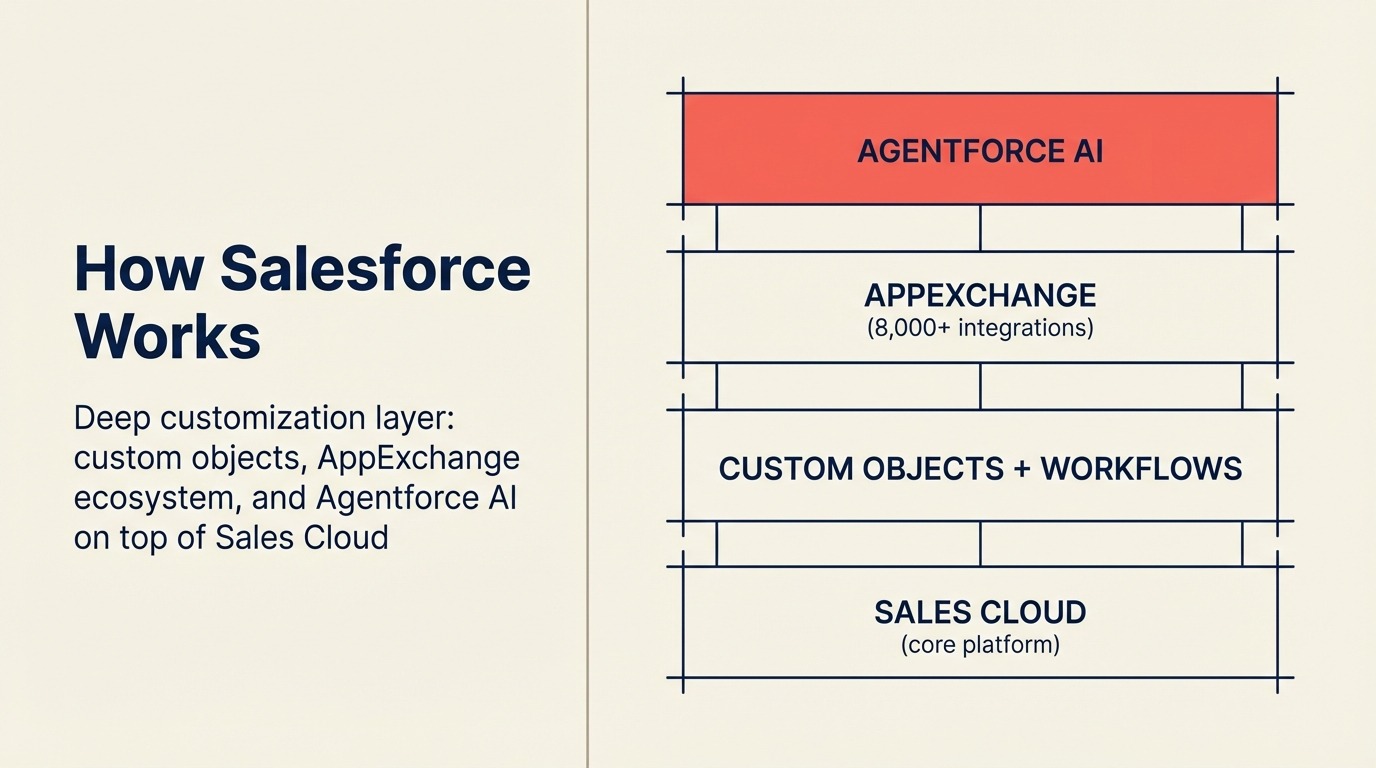
The most common reasons mid-size teams evaluate alternatives to Salesforce follow a consistent pattern we call the Salesforce Cost Trap: licensing costs trigger the evaluation, but it's the hidden costs of admin dependency and low adoption that determine whether the switch actually saves money.
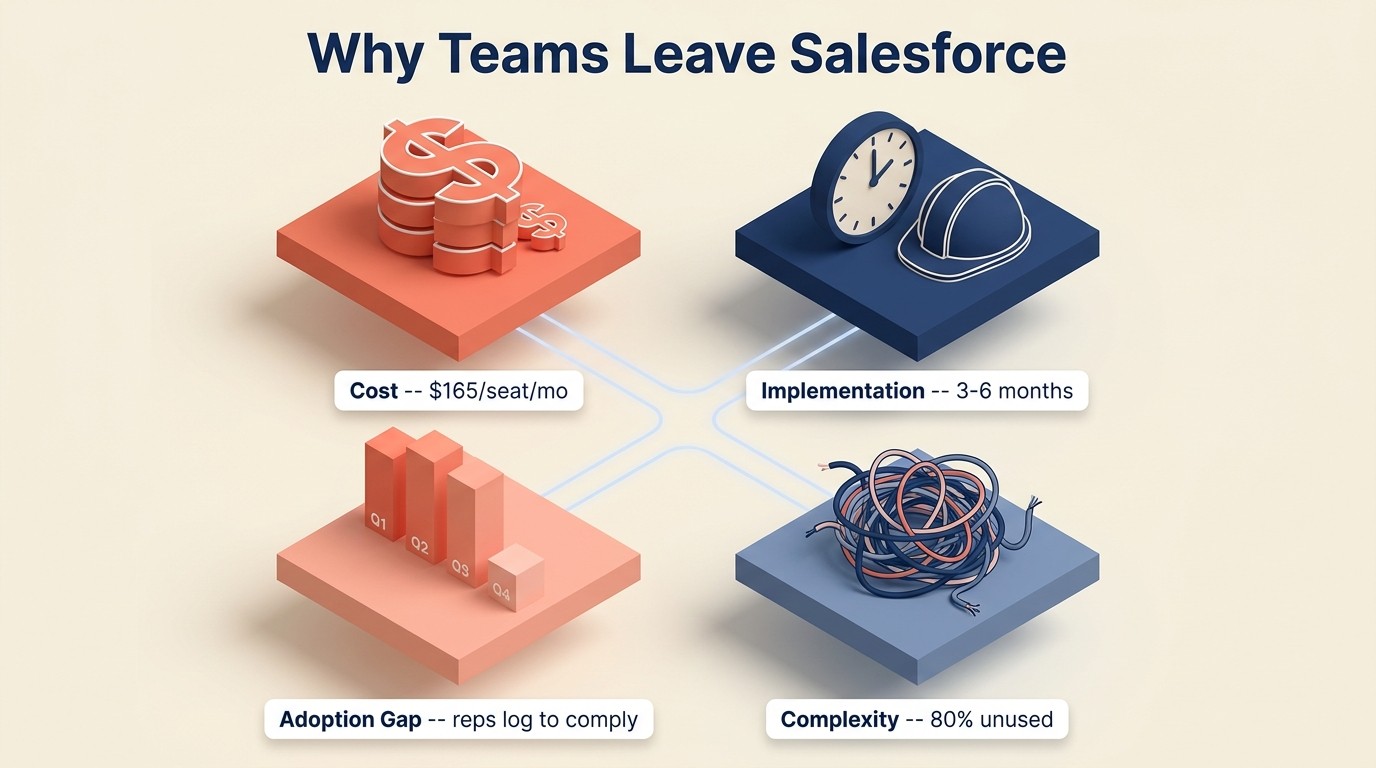
- Cost: The Enterprise plan rose to $175/seat/mo after a 6% increase in August 2025, with another 5-7% hike projected for 2026 (tech.co). For a 50-person sales team, all-in cost including implementation and a dedicated admin runs $285,000-$330,000+ per year. (method.me, 2025)
- Implementation overhead: The most common Salesforce implementation timeframe is 3-6 months for mid-size orgs (40% of implementations), with 20% taking 6-12 months. (SalesforceBen, 2025) And the system keeps requiring maintenance: fields, flows, permission sets, and integrations all need ongoing admin attention.
- Adoption gap: 76% of CRM users report that less than half of their organization's CRM data is accurate and complete. (CRM.org, 2025) Reps log activity because they're required to, not because the CRM makes them more effective. Low data quality then undermines the reporting that justified the investment.
- Overkill complexity: Most mid-size teams use 20% of Salesforce's capabilities. The rest is configuration debt that requires a dedicated Salesforce admin at an average U.S. salary of $98,862/year. (ZipRecruiter, 2026)
Mid-size teams running 20-200 seats and paying $175/seat/mo often spend more on their CRM admin than on the licenses themselves, and still end up with data quality problems that make the reporting unreliable.
Rework Analysis: A 50-seat sales team on Salesforce Enterprise pays approximately $105,000/year in license fees alone (at $175/seat/mo). Add a dedicated admin at median U.S. salary ($98,862) and a mid-market implementation ($20,000-$50,000 one-time), and the first-year total cost exceeds $223,000 before a single integration or add-on. The same team on Rework's Sales Engine (Standard edition, 50 seats, billed yearly: $69/month plus nine 5-seat blocks at $21/month) pays about $3,096/year in licenses, with no dedicated admin required for standard configurations.
That said, there are clear cases where Salesforce is the right answer: enterprises with deep custom objects and AppExchange dependencies, regulated industries that need Salesforce's compliance certifications, and organizations where the Salesforce admin investment is already made and embedded. If you're already on Salesforce and deeply customized, the migration cost will often outweigh the pain.
But if you're evaluating Salesforce for the first time, or you're six months into implementation and wondering why it's taking this long, the alternatives above are worth a genuine pilot before you commit. G2's CRM category rankings and Gartner's CRM reviews are also worth scanning for crowd-sourced signal on which tools hold up at scale.
Frequently Asked Questions
How much does Salesforce Enterprise actually cost for a mid-size team?
Salesforce Enterprise is priced at $175/seat/mo as of August 2025, following a 6% price increase. A 50-seat team pays roughly $105,000/year in licensing alone. All-in costs including implementation ($20,000-$50,000) and a dedicated Salesforce admin (median U.S. salary $98,862) push first-year spend past $220,000. (Sources: method.me, SalesforceBen, ZipRecruiter, 2025-2026)
What percentage of CRM implementations fail?
55% of CRM implementations fail to meet their stated objectives, according to 2025 research from Johnny Grow. Poor user adoption is the #1 cause, outranking technical issues and data migration problems. An additional 42% of businesses cite lack of training or CRM expertise as the biggest adoption barrier.
Why do sales reps resist using Salesforce?
Complex CRMs like Salesforce create friction that drives low adoption: 32% of sales reps spend over 1 hour per day on manual data entry instead of selling, and 76% of CRM users report that less than half of their organization's CRM data is accurate. (CRM.org, 2025) When reps log activity to satisfy managers rather than because the tool helps them close, the data quality spirals and reporting becomes unreliable.
What is the best Salesforce alternative for a 50-person sales team?
The best Salesforce alternative for a 50-person team depends on your primary constraint. Rework fits teams that need CRM, lead management, and multi-channel inbox in one product, with the Sales Engine from $69/month billed yearly (5 seats) and the Revenue Engine, which adds the inbox, at $159/month billed yearly. HubSpot fits teams where marketing and sales are tightly coupled and willing to invest in the full suite. Pipedrive fits teams whose primary need is pipeline visibility with fast setup and rep adoption. All three are significantly cheaper than Salesforce Enterprise at $175/seat/mo.
How long does it take to switch from Salesforce to an alternative?
Most Salesforce alternatives take days to weeks to set up, compared to 3-6 months for the average Salesforce mid-market implementation. (SalesforceBen, 2025) The migration complexity depends on how many custom objects, flows, and AppExchange integrations your Salesforce instance uses. Teams with heavily customized Salesforce orgs should budget 4-8 weeks for data migration and validation regardless of the destination tool.
Is Salesforce losing market share?
Salesforce still leads the CRM market with a 20.7% share (IDC, 2025), but its share declined from 21.7% in the prior study while the overall CRM market grew 12.8% in 2024 versus Salesforce's 9.5% revenue growth. The alternatives market is growing faster than Salesforce itself, and the 79.3% of companies not using Salesforce are running a mature, well-supported set of tools.
What features do Salesforce alternatives typically lack?
The most common gaps in Salesforce alternatives are deep custom objects (Salesforce's core enterprise differentiator), AppExchange ecosystem depth (thousands of pre-built integrations), and FedRAMP/HIPAA compliance certifications required by regulated industries. Teams that genuinely need these capabilities should stay on Salesforce or evaluate other enterprise-tier CRMs like Microsoft Dynamics or Oracle.
What to Do Next
Pick your top two alternatives from the decision framework above and run a two-week pilot with 3-5 reps from your actual sales team. Don't evaluate in a demo environment. Import 50-100 real leads, run a real pipeline cycle, and see which tool your reps actually want to open in the morning. That two-week signal is worth more than any feature comparison matrix, including this one.
Before you start, work through our CRM buyer's checklist to document your must-have requirements. It takes 20 minutes and surfaces the deal-breakers that most teams only discover after signing. If you're migrating data off Salesforce, Data Cleaning for CRM Migration will save you a lot of pain. And if you want to understand how your CRM setup fits into a broader revenue ops picture, the RevOps Maturity Model is worth 10 minutes before you finalize the decision.

Head of Enterprise Solutions
On this page
- Quick Comparison Table
- 1. Rework: Unified CRM + Lead Management + Multi-Channel Inbox
- 2. HubSpot CRM: Marketing + Sales Suite With Deep Ecosystem
- 3. Pipedrive: Pipeline-First CRM for Sales Teams That Want Simplicity
- 4. Zoho CRM: Affordable Depth With a Massive App Ecosystem
- 5. Monday Sales CRM: Flexible Boards With CRM Features Built On Top
- 6. Freshsales: Freddy AI and the Freshworks Ecosystem
- 7. Close: Best-in-Class Built-In Dialer for Inside Sales
- 8. Copper: Deepest Google Workspace CRM Integration
- 9. Attio: Next-Gen Flexible Data Model CRM
- 10. Nutshell: Simple CRM + Email Marketing Bundle
- 11. Folk: Lightweight Relationship CRM
- 12. Insightly: CRM + Project Management Combo
- How to Choose: Decision Framework
- Why Teams Leave Salesforce (and When They Should Stay)
- Frequently Asked Questions
- How much does Salesforce Enterprise actually cost for a mid-size team?
- What percentage of CRM implementations fail?
- Why do sales reps resist using Salesforce?
- What is the best Salesforce alternative for a 50-person sales team?
- How long does it take to switch from Salesforce to an alternative?
- Is Salesforce losing market share?
- What features do Salesforce alternatives typically lack?
- What to Do Next