Best Copper CRM Alternatives in 2026: 10 Tools for Google Workspace Teams That Need More
Turn this article into takeaways for your work.


Each assistant summarizes the article only for you and suggests best practices for your work.
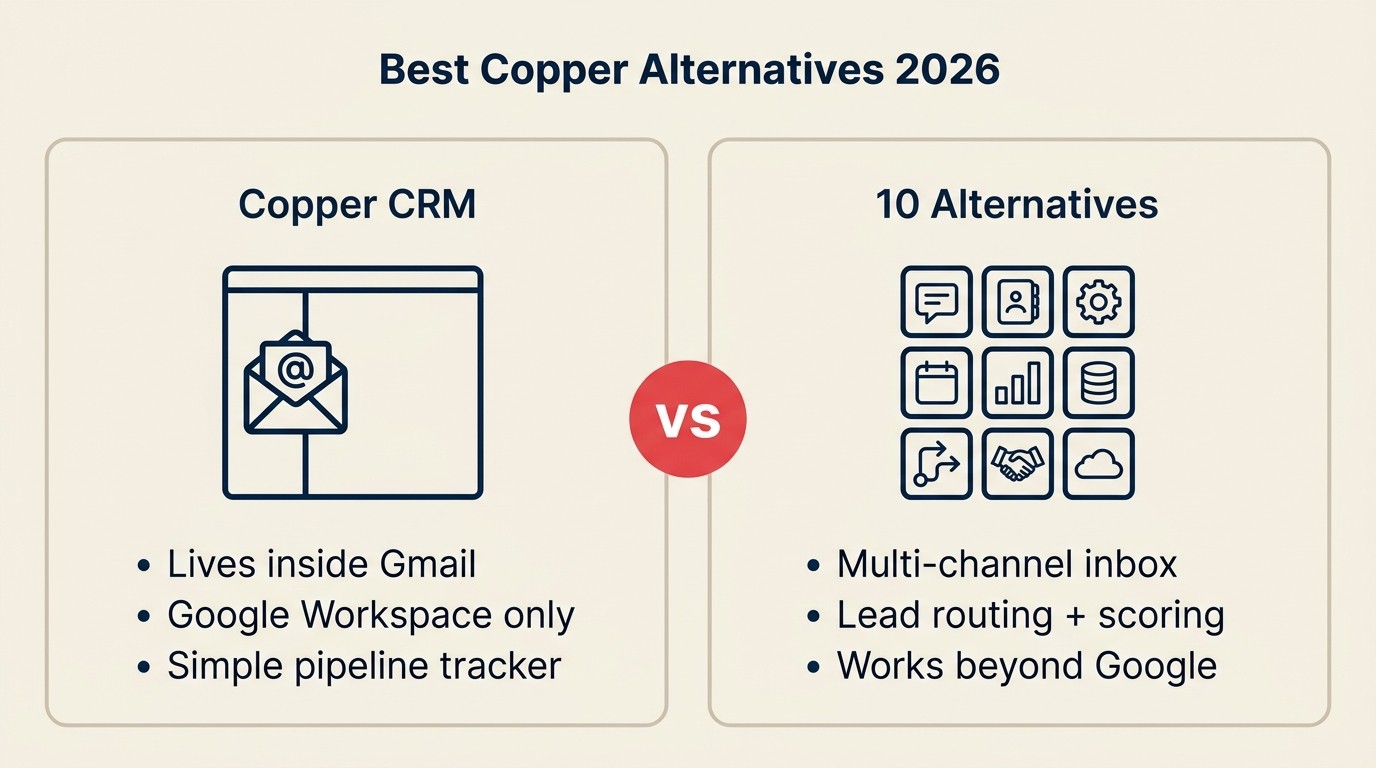
The best CRM for a Google Workspace team that has outgrown Copper depends on the gap you hit first. Rework is the strongest pick when you need native lead routing plus a multi-channel inbox beyond Gmail, HubSpot when marketing and sales must share one system, and Pipedrive when you want a clean sales-only pipeline with reliable Gmail sync. The 10 tools below cover every budget and team size from startup to mid-market.
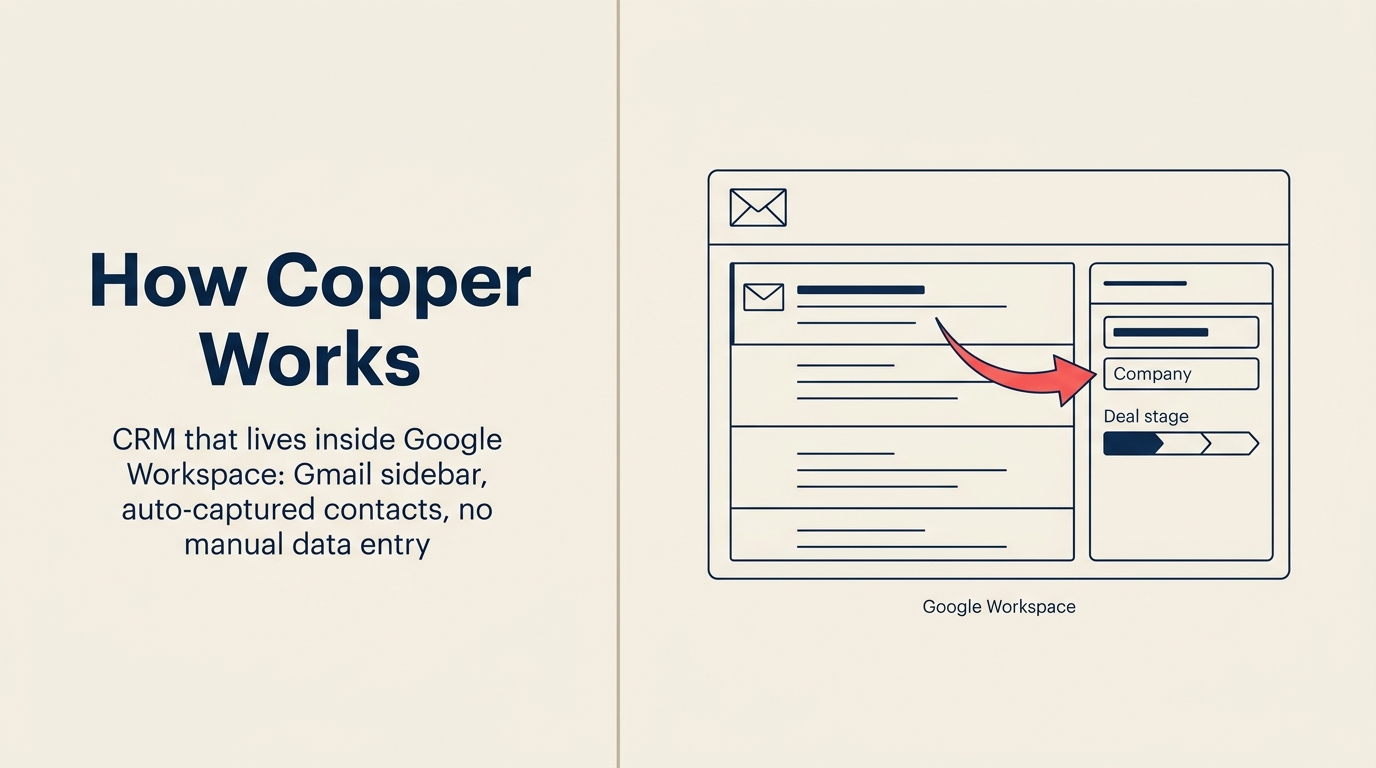
Copper earned its reputation honestly. If your team lives in Gmail, Google Calendar, and Google Drive, Copper is genuinely the fastest CRM to set up: contacts auto-populate from your inbox, meetings sync without a single click, and the pipeline shows up as a sidebar while you're writing an email. For a 5-20 person agency or consulting firm that wants zero friction, that's a hard pitch to argue with.
Key Facts: CRM Switching in 2026
- Over 40% of businesses have abandoned a previous CRM because it lacked the features they needed as they grew. (CRM Switch)
- 91% of companies with 10 or more employees now use a CRM, meaning the competitive baseline has shifted. A basic CRM no longer differentiates. (Nucleus Research)
- Copper's Business plan runs $134/seat/month. A 40-person team on that tier pays $64,320/year before any add-ons. (Copper pricing)
- WhatsApp messages are read within 5 minutes by roughly 80% of recipients, making it a lead channel no Gmail-only CRM can capture natively. (Infobip, 2025)
- CRM adoption drives a 29% increase in sales revenue and a 34% improvement in sales productivity on average. (Nucleus Research)
But there's a ceiling, and teams hit it faster than they expect. Copper works inside Google Workspace. That's also the only place it works. If any part of your revenue operation runs outside Google (a lead through WhatsApp, a rep on Outlook, a CS team on a different platform) Copper's native advantage disappears. Add in limited automation on the lower tiers, weak lead management compared to dedicated CRM platforms, expensive per-seat pricing when the team grows past 30-40 people, and a data model that isn't built for cross-team ops, and you have the four most common reasons teams start looking elsewhere. This list covers 10 alternatives built for Google Workspace teams that have outgrown what Copper can do. If you want a structured approach to picking between them, the How to Pick a CRM in 2026 guide walks through the evaluation criteria worth checking before you commit.
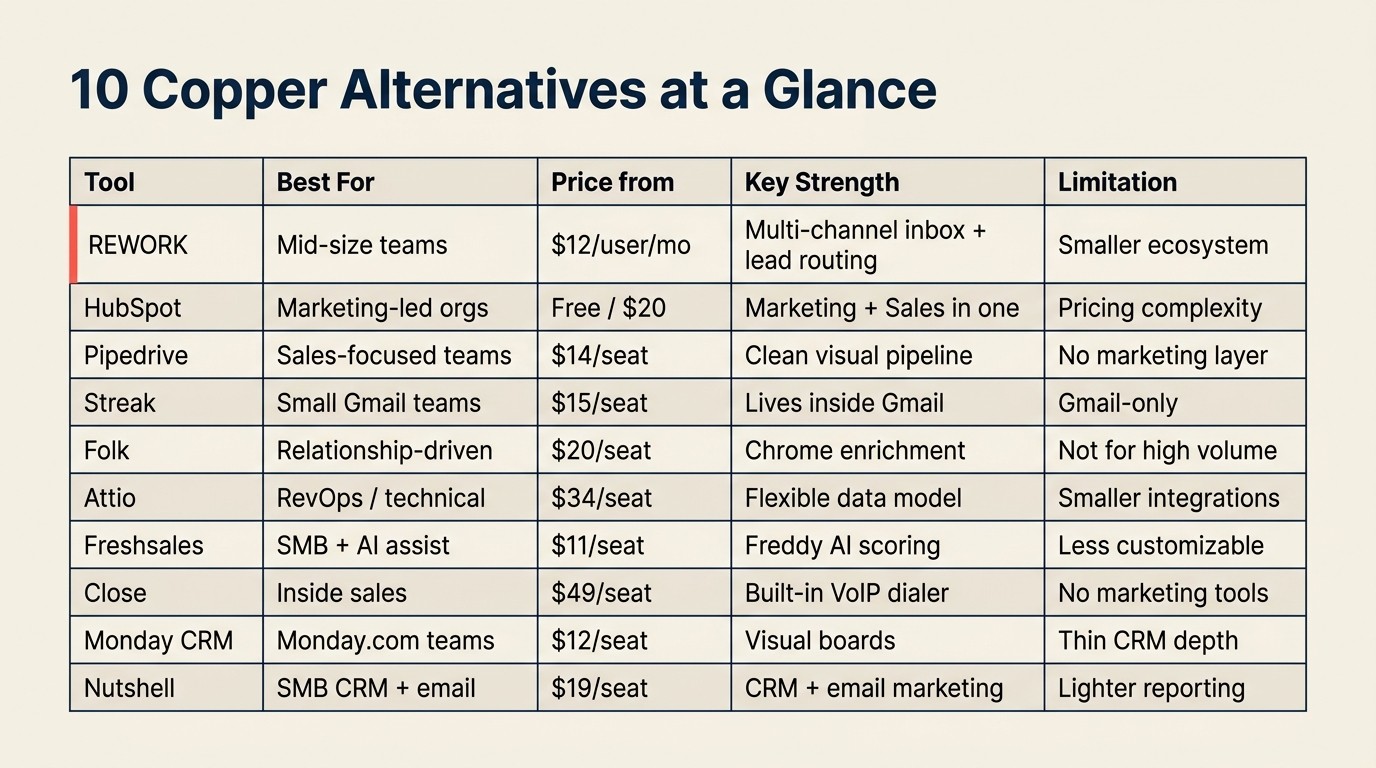
Quick Comparison Table
| Tool | Best For | Starting Price (per seat/mo) | Key Strength | Key Limitation |
|---|---|---|---|---|
| Rework | Mid-size teams needing CRM + Lead Management + multi-channel inbox | From $159/mo billed yearly for the Revenue Engine, 5 marketing + 5 sales seats (rework.com/pricing) | Unified CRM, lead distribution, WhatsApp/IG/Messenger native | Less known, smaller integration ecosystem |
| HubSpot CRM | Marketing-led orgs scaling from startup to mid-market | Free tier; Sales Hub from $20/seat | Marketing + Sales in one suite, Google Workspace connector | Gets expensive fast with contact growth |
| Pipedrive | Sales-focused teams wanting clean pipeline + Gmail sync | From $14/seat | Fast onboarding, visual pipeline, native Google sync | Weak marketing tools, no native multi-channel chat |
| Streak | Teams wanting CRM entirely inside Gmail | From $15/seat | Lives in Gmail inbox, no context switching | Very limited outside Gmail, thin automation |
| Folk | Lightweight relationship CRM with Chrome extension | From $20/seat | Clean UX, Chrome enrichment extension, collaborative | Not built for high-volume transactional pipelines |
| Attio | Ops-heavy teams wanting a flexible data model | From $34/seat | Best-in-class data model, relationship intelligence | Newer, smaller integration library |
| Freshsales | Budget-conscious teams wanting AI assist + Google connector | From $11/seat | Freddy AI, Google Workspace connector, affordable | Less customizable at scale |
| Close | Inside sales teams with high call volume + Gmail sync | From $49/seat | Built-in VoIP dialer, fastest email sync in class | Minimal marketing tools |
| Monday Sales CRM | Visual-first teams who live in Monday.com boards | From $12/seat | Highly visual, flexible boards, Google Drive integration | Thin native CRM depth |
| Nutshell | SMBs needing CRM + email marketing with Google sync | From $19/seat | CRM + email marketing in one affordable package | Limited AI, lighter enterprise reporting |
Stage Fit Matrix
The stage fit matters because Copper's strengths are concentrated in smaller Google Workspace teams. Once routing, reporting, or multi-channel conversations become central to the sales motion, the best replacement usually changes by company size.
| Tool | Startup (1-20) | Growth (20-80) | Mid-Market (80-300) | Enterprise (300+) |
|---|---|---|---|---|
| Rework | Possible | Strong fit | Strong fit | Partial |
| HubSpot CRM | Strong fit | Strong fit | Strong fit | Strong fit |
| Pipedrive | Strong fit | Strong fit | Partial | Weak |
| Streak | Strong fit | Possible | Weak | Not recommended |
| Folk | Strong fit | Possible | Weak | Not recommended |
| Attio | Strong fit | Strong fit | Strong fit | Developing |
| Freshsales | Strong fit | Strong fit | Partial | Partial |
| Close | Strong fit | Strong fit | Partial | Weak |
| Monday Sales CRM | Strong fit | Strong fit | Partial | Weak |
| Nutshell | Strong fit | Strong fit | Partial | Weak |
Sizing and Persona Table
| Tool | Ideal Team Size | Who Buys It | Primary Buyer Persona |
|---|---|---|---|
| Rework | 20-500 | COO, Head of Revenue, RevOps lead | Operator who owns cross-team revenue workflows |
| HubSpot CRM | 10-1,000+ | CMO, Head of Sales, RevOps | Marketing-led growth team with dedicated ops |
| Pipedrive | 5-150 | Head of Sales, Founder | Sales leader who wants fast pipeline setup |
| Streak | 2-30 | Founder, solo operator, small team lead | Google Workspace power user, minimal CRM needs |
| Folk | 5-50 | Founder, BD lead, agency owner | Relationship-first professional, low transaction volume |
| Attio | 10-300 | RevOps, technical founder, CTO-adjacent | Data-forward operator who needs a flexible CRM model |
| Freshsales | 10-200 | Head of Sales, SMB owner | Budget-conscious buyer who wants AI without HubSpot prices |
| Close | 5-100 | Head of Inside Sales, VP Sales | High-activity inside sales team, call-heavy workflows |
| Monday Sales CRM | 10-200 | COO, Ops Manager, team already on Monday | Team that lives in Monday.com and wants CRM embedded |
| Nutshell | 5-100 | SMB owner, Sales Manager | Small business owner who wants CRM + email in one |
1. Rework: Full CRM + Lead Management + Multi-Channel Inbox
Copper's core identity is "the CRM that lives inside Gmail, zero switching." That's genuinely useful for a 10-person team in professional services. But when you outgrow that model and need multi-channel lead capture, distribution logic, and cross-team workflows that span marketing, sales, and customer success, Copper doesn't have the architecture for it.
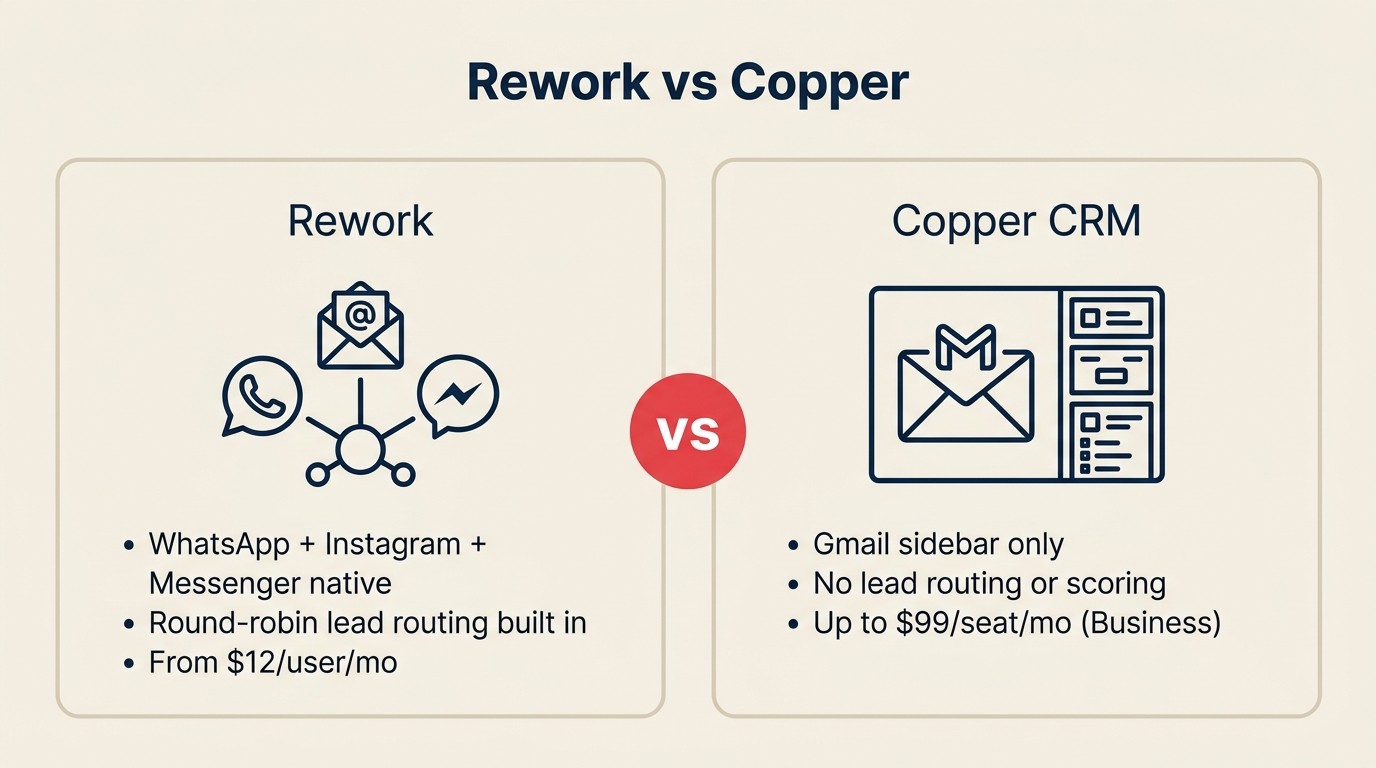
Rework is built for exactly that transition. It's designed for mid-size companies (20 to 500 employees) that need sales, marketing, and operations sharing one system instead of stacking three separate tools. For teams that want to see how Rework compares directly to Copper in a head-to-head, the Rework vs Copper comparison breaks down the specific capability differences across lead management, pipeline depth, and multi-channel inbox coverage. The key differentiator over Copper: Rework ships native Lead Management as a first-class module, with round-robin, territory, and SLA-based lead distribution built in. And where Copper's comms story ends at Gmail, Rework pulls WhatsApp, Messenger, Instagram DM, TikTok, Telegram, LINE, Zalo, and web chat into a single contact timeline, with emails logged on the same record. A lead from a Facebook ad and a follow-up WhatsApp message both live on the same record. No Zapier, no separate inbox tab.
For teams that outgrew Copper because cross-team workflows were falling apart or leads were arriving through channels Copper couldn't touch, Rework is the most direct upgrade. The CRM Workflow Automation guide shows how to set up the distribution and handoff logic once you're in.
| What you get | What you don't |
|---|---|
| CRM + Lead Management in one product | AppExchange-scale integration library |
| Native multi-channel inbox (WhatsApp, IG, Messenger, web chat) | Free solo/startup tier |
| Round-robin, territory-rule, and claim-pool lead routing | Deep customization for Fortune 500 complexity |
| Cross-team ops workflows and process templates | Pure marketing automation (Marketo-depth demand gen) |
| Pipeline, quota tracking, forecasting | Google Workspace-first embedded experience |
Pricing: The Sales Engine (CRM) is $69/month billed yearly, or $80 month to month, with 5 sales seats included; extra seats come in blocks of 5 ($21/month per block on yearly billing). The Revenue Engine ($159/month billed yearly) adds the multi-channel inbox and lead capture. See rework.com/pricing. Methodology: Unified revenue operations. CRM, lead management, and multi-channel inbox as one data model rather than three stitched products. Best for: Mid-size B2B teams, agencies, e-commerce, education, and real estate businesses where leads flow across multiple channels and marketing-to-sales handoffs need to be clean. Not ideal for: Solo founders or teams under 10 people who just need a lightweight pipeline tracker inside Gmail.
2. HubSpot CRM: Marketing + Sales + Google Workspace Integration
HubSpot is the most natural next step for Copper teams that outgrew the sales-only model and need their marketing operation in the same system as pipeline. The HubSpot-Google Workspace connector syncs Gmail, Google Calendar, and Google Drive, so reps don't entirely lose the embedded workflow they built muscle memory around. But HubSpot adds a full marketing layer: landing pages, email campaigns, lead nurturing, and a contact database that the sales pipeline shares natively.

The honest trade-off is pricing complexity. HubSpot's free CRM is useful, but the features that replace Copper's limitations (automation, sequences, lead scoring, multi-channel support) are gated across Marketing Hub and Sales Hub tiers. Teams regularly underestimate the ramp from "free CRM" to "the product that actually does what we need." The jump can hit $1,500-$3,000/month for a 20-person team once you add the hubs you actually need. If you're also weighing HubSpot against other options, the best HubSpot alternatives list covers the main contenders across price points.
| What you get | What you don't |
|---|---|
| Deep marketing automation (workflows, email, landing pages) | Predictable pricing as contacts scale |
| Strong Google Workspace sync (Gmail, Calendar, Drive) | Native WhatsApp / Instagram DM inbox without paid add-ons |
| Large partner and integration ecosystem | Simple lead distribution on base plans |
| Free tier to start evaluating | Transparent, flat pricing as you grow |
Pricing: Free CRM; Sales Hub from $20/seat/mo (Starter) to $100/seat/mo (Enterprise), billed annually. Methodology: Marketing-led growth. The thesis is that marketing and sales data in one database compounds over time and creates compounding attribution visibility. Best for: Marketing-led growth companies scaling from 20 to 500 employees that need content, nurture, and sales pipeline in one place. Not ideal for: Teams that need native multi-channel chat, built-in lead routing without premium upgrades, or predictable flat pricing as headcount grows.
3. Pipedrive: Sales Pipeline + Gmail Sync
Pipedrive sits in a similar market position to Copper but approaches the problem differently. Copper bets on Google-native embedding; Pipedrive bets on a visual sales pipeline that syncs with Gmail without requiring users to live inside it. See the Rework vs Pipedrive comparison for a direct comparison of how the two handle lead distribution and multi-channel workflows for mid-size sales teams. The Gmail integration is solid: two-way email sync, contact timeline, and meeting logging all work reliably. But Pipedrive's primary UI is its own. You use the pipeline in Pipedrive, not as a Gmail sidebar.

For Copper users who liked the Gmail sync but found the sidebar model limiting, Pipedrive is a natural evaluation. It's a purpose-built sales pipeline tool, and for teams with 5-50 reps focused on deal execution rather than marketing-to-sales workflows, it's hard to beat on setup speed and day-to-day usability. The best Pipedrive alternatives list is worth a look if you want to compare Pipedrive against the same tier of competitors before committing.
| What you get | What you don't |
|---|---|
| Visual pipeline with reliable Gmail + Calendar sync | Native marketing automation or lead nurture |
| Fast onboarding, clean rep-facing UI | Multi-channel inbox (WhatsApp, Messenger, Instagram) |
| Good mobile app, strong activity management | Native lead routing or round-robin distribution |
| Affordable entry pricing | Depth needed for 50+ rep sales orgs |
Pricing: From $14/seat/mo (Essential) to $99/seat/mo (Enterprise), billed annually. Methodology: Sales-first simplicity. The thesis is that reps adopt a tool when it gets out of their way. Pipedrive optimizes for pipeline clarity over feature breadth. Best for: B2B sales teams of 5-50 reps who want a clean deal pipeline with reliable Google sync and don't need a marketing layer built in. Not ideal for: Teams that need multi-channel lead capture, marketing-to-sales handoffs, or serious automation beyond deal-stage triggers.
4. Streak: CRM Inside Gmail
Streak is the most direct philosophical heir to Copper's embedded-in-Gmail approach, but it takes the concept further. Where Copper adds a sidebar to Gmail, Streak builds its CRM directly into the Gmail interface itself. Pipelines appear as views within the inbox, contacts are Gmail contacts, and every interaction stays inside Google. There's no separate app to open.
For very small teams, this is a genuine superpower. A founder or 3-person sales team that handles relationships entirely through email can run Streak without ever leaving Gmail. But the tight Gmail dependency becomes a constraint quickly. There's no meaningful multi-channel story, automation is limited compared to dedicated CRM tools, and the architecture doesn't scale well into complex sales processes or cross-team workflows.
| What you get | What you don't |
|---|---|
| CRM entirely inside Gmail, zero context switching | Any CRM function outside the Google ecosystem |
| Pipelines as Gmail views, contacts as Google contacts | Native dialer, sequencing, or lead distribution |
| Shared pipelines, collaborative notes within Gmail | Deep automation or workflow engine |
| Free tier for solo users | Scalability past 20-30 people meaningfully |
Pricing: From $15/seat/mo (Solo) to $129/seat/mo (Enterprise), billed annually. Free plan available. Methodology: Gmail as the operating system. The thesis is that email IS the CRM, and adding a layer on top creates unnecessary friction. Best for: Solo operators, small teams, or early-stage founders who handle all customer communication through Gmail and need minimal CRM overhead. Not ideal for: Teams with more than 20 people, complex deal stages, or any lead source outside of email.
5. Folk: Lightweight Relationship CRM + Chrome Extension
Folk sits at the intersection of a modern CRM and a smart contact manager. It's built for relationship-driven professionals (founders, investors, agency owners, consultants) who care about the quality of their network over the volume of their pipeline. The Chrome extension is genuinely useful: it enriches contacts from LinkedIn profiles and websites without manual data entry, pulling job titles, company info, and email directly into Folk records.
For Copper users who liked the zero-friction contact creation but found Copper's pipeline model too rigid for relationship-based selling, Folk is worth evaluating. It doesn't try to be an enterprise CRM. It's more like an intelligent address book with lightweight pipeline views. That's a feature for the right team and a limitation for anyone running structured sales operations with quotas and territories. If Folk feels too light, the best folk alternatives list covers what to look at next.
| What you get | What you don't |
|---|---|
| Chrome extension for one-click contact enrichment from LinkedIn | High-volume transactional pipeline management |
| Clean, modern UX with collaborative notes | Native dialer, sequencing, or lead routing |
| Lightweight pipeline views, relationship context | Deep automation or workflow engine |
| Good email integration including Gmail | Advanced reporting or forecasting |
Pricing: From $20/seat/mo (Standard) to $40/seat/mo (Premium), billed annually. Methodology: Relationship intelligence. The thesis is that who you know and how warm those relationships are matters more than how many deals are in a funnel. Best for: Founders, BD leads, agency owners, investors, and consultants managing relationship-driven deal flows with small teams. Not ideal for: Sales teams with multiple reps, quota management, territory routing, or structured inbound lead pipelines.
6. Attio: Next-Gen Flexible CRM
Attio is the most technically ambitious CRM on this list. It's built on a flexible, spreadsheet-like data model where contacts, companies, deals, and custom objects relate to each other in ways you define rather than ways the vendor pre-baked. For RevOps teams and technical operators who feel constrained by every CRM's opinionated schema, Attio gives a level of structural control that HubSpot and Salesforce don't offer without significant configuration overhead. The CRM Data Model Design guide is a useful reference for thinking through your object relationships before you start configuring any tool.

The trade-off is that Attio's integration library is still smaller than established players, and some enterprise features are maturing. But for a technical founder or RevOps lead building a CRM model that reflects how their business actually works rather than a vendor's assumptions about how businesses work, Attio is one of the most interesting tools to evaluate right now. The best Attio alternatives list covers what to compare it against if you want to validate the fit.
| What you get | What you don't |
|---|---|
| Best-in-class flexible data model and custom objects | Large pre-built integration catalog |
| Strong relationship intelligence and network mapping | Native dialer or multi-channel inbox |
| Modern API-first architecture, excellent developer docs | Enterprise-level governance and permissions maturity |
| Gmail sync via Google integration | Large native automation library |
Pricing: From $34/seat/mo (Plus) to $119/seat/mo (Enterprise), billed annually. Free tier available. Methodology: CRM as a flexible data layer. The thesis is that a CRM should model the business, not force the business to model itself around the CRM. Best for: RevOps teams, technical operators, and data-forward companies that need a CRM they can shape to fit unusual business models. Not ideal for: Teams that want an opinionated, out-of-the-box setup with zero configuration work, or teams with complex native integrations as the primary requirement.
7. Freshsales: Freddy AI + Google Workspace Connector
Freshsales (part of the Freshworks suite) competes directly with Copper in the Google Workspace segment, with a dedicated Google Workspace connector that syncs Gmail, Google Calendar, and Google Contacts. But where Copper stays lightweight, Freshsales adds Freddy AI for lead scoring, contact enrichment, and deal predictions at a price point that undercuts most of the competition.
The Growth plan at $11/seat/month includes basic AI scoring, email sequences, and pipeline features that most teams need day-to-day. For Copper teams that want to stay inside a Google-friendly workflow but need more automation and AI without jumping to HubSpot pricing, Freshsales is a strong evaluation candidate. If you want to see the full field, the best Freshsales alternatives list shows how it stacks up against comparable options.
| What you get | What you don't |
|---|---|
| Freddy AI lead scoring, contact enrichment, deal predictions | Deep customization for complex processes |
| Google Workspace connector (Gmail, Calendar, Contacts) | Consistent enterprise-grade support at scale |
| Affordable all-in-one (CRM + email + phone) | Marketing automation depth of HubSpot |
| Clean UI, relatively fast onboarding | Strong RevOps reporting and forecasting layer |
Pricing: From $11/seat/mo (Growth) to $71/seat/mo (Enterprise), billed annually. Methodology: AI-assisted sales productivity. The thesis is that AI should surface the right leads and actions so reps spend less time on data entry and more time on conversation. Best for: SMB and early mid-market teams who want AI-assisted CRM with Google Workspace compatibility without the HubSpot price tag. Not ideal for: Larger teams with complex multi-channel workflows or teams that will hit customization and support ceilings.
8. Close: Inside Sales + Gmail Sync
Close is purpose-built for inside sales teams that live on the phone and in the inbox. It ships a VoIP dialer natively (no third-party contract needed) and its Gmail sync is widely considered the fastest and most reliable in this category. Two-way sync, contact timeline, and email tracking all work without configuration.
The trade-off: Close is a sales execution tool, not a full revenue platform. There's no native marketing module. If your growth motion depends on lead nurture campaigns from a marketing team feeding into the pipeline, you're adding external tools and integration overhead. For Copper teams that need a serious upgrade to sales execution capabilities while keeping Google connectivity, Close is worth a direct pilot.
| What you get | What you don't |
|---|---|
| Built-in VoIP dialer with local presence dialing | Marketing automation or lead nurture |
| Best-in-class Gmail sync with two-way tracking | Native WhatsApp, Messenger, or social inbox |
| Sequences for outbound automation | Complex territory or round-robin lead routing |
| Simple, fast UI for high-activity reps | Deep reporting for RevOps at scale |
Pricing: From $49/seat/mo (Startup) to $139/seat/mo (Enterprise), billed annually. Methodology: Activity-based selling. The thesis is that deals close through consistent, high-quality outreach, and the CRM should make logging and executing that outreach completely frictionless. Best for: Inside sales teams at SaaS companies, agencies, or service businesses with high outbound call and email volume. Not ideal for: Teams that need marketing and sales in one system, multi-channel lead conversations, or complex distribution logic.
9. Monday Sales CRM: Visual Boards + Google Drive Integration
Monday.com built its reputation as a work management tool, and Monday Sales CRM extends that visual, board-based approach into pipeline management. It integrates with Google Drive and Calendar, and if your team already uses Monday for project tracking, adding CRM in the same workspace avoids the tool-switching that Copper users often cite as a pain point.

The honest limitation: Monday Sales CRM is thinner on native CRM depth than dedicated sales tools. Lead scoring, round-robin distribution, and advanced forecasting require custom configuration or third-party automations. You're buying a great visual layer on top of a flexible database, not a purpose-built revenue operations platform. For teams that live in Monday and want lightweight pipeline visibility, it's a pragmatic choice. For teams that need serious lead management, it's the wrong foundation. The Pipeline Stages That Match Selling guide helps clarify what "real" pipeline depth actually looks like before you commit to a tool.
| What you get | What you don't |
|---|---|
| Highly visual, intuitive board interface | Deep native CRM features (scoring, routing, forecasting) |
| Google Drive and Calendar integration | Native dialer or email sequencing built in |
| Easy cross-team visibility if the team is already on Monday | Clean lead management module |
| Flexible board customization without code | Clear distinction between CRM and project management |
Pricing: From $12/seat/mo (Basic) to $28/seat/mo (Pro), billed annually (3-seat minimum). Methodology: Visual operations. The thesis is that teams adopt tools they can see and understand at a glance, and a CRM that looks like a spreadsheet on steroids beats a CRM that looks like a CRM. Best for: Teams already on Monday.com who want pipeline management without switching platforms, particularly operations-led organizations. Not ideal for: Teams who need serious lead management, routing logic, built-in dialer, or advanced sales forecasting.
10. Nutshell: Simple CRM + Email Marketing + Google Sync
Nutshell targets the gap between "too simple" and "too complex" for SMBs that outgrow Copper but don't want to land on HubSpot. It packages CRM pipeline management with built-in email marketing, so small teams don't need to buy and sync a separate email platform. The Google Workspace integration covers Gmail sync, Google Calendar, and Google Contacts, which is close to Copper's baseline but with more CRM depth and a bundled email marketing layer.
The ceiling is real: Nutshell's reporting doesn't scale to RevOps needs, AI features are limited compared to Freshsales or HubSpot, and the integration ecosystem is smaller. But for a 5-30 person team that wants CRM, pipeline, and email campaigns without paying HubSpot prices, it's a smart, transparent choice. If you're evaluating similar tools at this price point, the best Insightly alternatives list covers comparable SMB-focused options worth checking.
| What you get | What you don't |
|---|---|
| CRM + email marketing in one affordable package | Advanced AI scoring or lead distribution |
| Google Workspace sync (Gmail, Calendar, Contacts) | Strong RevOps reporting and forecasting |
| Clean, easy-to-learn UI | Large integration ecosystem |
| Transparent, flat pricing with no contact-based tiers | Multi-channel inbox (WhatsApp, Messenger, etc.) |
Pricing: From $19/seat/mo (Foundation) to $79/seat/mo (Enterprise), billed annually. Methodology: Simplicity-first growth. The thesis is that most SMBs don't need enterprise CRM complexity. They need one tool that handles pipeline and outreach without a specialist to run it. Best for: Small and early mid-market B2B teams that want CRM and email marketing without the HubSpot complexity or contact-based billing. Not ideal for: Scaling teams that need serious automation, multi-channel lead handling, or complex territory management.
Why Teams Leave Copper
Before picking a replacement, it helps to name exactly which limitation is driving the switch. The four most common ones are what we call the Copper Ceiling Pattern: Google lock-in, lead management gaps, automation walls, and seat cost compression. Teams rarely hit just one; they hit all four within the same quarter.
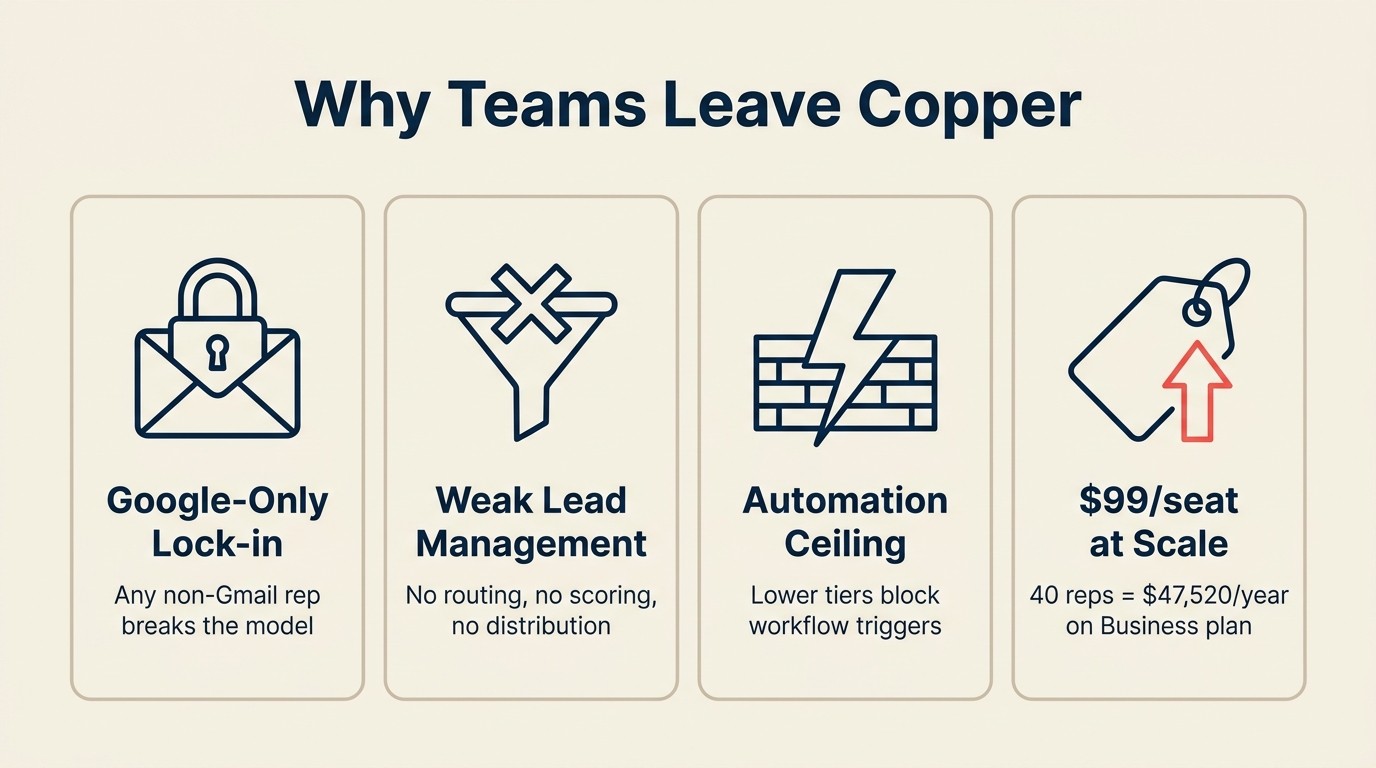
Google Workspace-only lock-in. Copper's native advantage is also its constraint. If your team uses any Outlook users, Microsoft Teams, or non-Google tools in a meaningful way, Copper's integration story falls apart. The moment a single rep on your team doesn't live in Gmail, the embedded experience loses its value proposition.
Weak lead management for growing teams. Copper tracks contacts and deals, but it wasn't built around lead capture, distribution, and scoring as a primary use case. As soon as marketing wants to run campaigns, route inbound leads by territory or availability, or score contacts based on behavior, Copper requires external tools or significant workarounds. G2's CRM category data shows this pattern consistently in user reviews across the Google-native CRM segment. More than 40% of businesses that abandon a CRM cite missing features as the primary reason, and lead routing is the most frequently mentioned gap in the Google-native segment. (CRM Switch)
Automation ceiling on lower tiers. The Starter and Basic plans have limited automation. Teams that want to trigger follow-up tasks on deal stage changes, auto-assign incoming leads, or build nurture sequences hit a wall quickly and face a meaningful price jump to unlock those features. Copper's pricing page makes the tier gaps visible if you map your specific workflow requirements against each plan.
Expensive per seat past 30-40 people. Copper's Business plan runs $134/seat/month for its full feature set. A 40-person sales team fully on Business is $64,320/year, which is hard to justify when platforms like HubSpot, Freshsales, or Pipedrive deliver comparable or deeper feature sets at lower per-seat costs.
Rework Analysis: Across the four Copper Ceiling triggers, the cost cliff is the one that forces the decision. A 40-person team at Copper Business ($134/seat) pays $64,320/year. The same team on Rework's Revenue Engine (Standard edition, billed yearly: $159/month with 5 marketing and 5 sales seats, plus seven 5-seat sales blocks at $21/month each) pays about $3,672/year for a product that includes native lead routing and multi-channel inbox. That's a roughly $60,600 annual gap, enough to hire a RevOps analyst to manage the system.
Multi-Channel Inbox Comparison
WhatsApp Business messages are read within 5 minutes by roughly 80% of recipients and generate click-through rates of 45 to 60% for promotional content, performance no email-only CRM can replicate for those conversations. (Infobip, 2025) For teams that outgrew Copper because leads arrive through channels Gmail can't capture, this table matters.
| Channel | Rework | HubSpot | Pipedrive | Freshsales | Close | Copper |
|---|---|---|---|---|---|---|
| Native | Paid add-on | 3rd party | 3rd party | 3rd party | No | |
| Messenger | Native | Paid add-on | 3rd party | 3rd party | 3rd party | No |
| Instagram DM | Native | Paid add-on | 3rd party | 3rd party | 3rd party | No |
| Live web chat | Native | Native | 3rd party | Native | 3rd party | No |
| Native | Native | Native | Native | Native | Gmail only | |
| SMS | No | Paid add-on | 3rd party | Native | Native | No |
Lead Management Depth Comparison
Companies using CRM systems report a 29% increase in sales revenue and a 42% improvement in sales forecast accuracy on average, but only when the CRM includes native lead scoring and routing, not manual assignment. (Nucleus Research) Copper's lead management gaps put those gains at risk for teams with high inbound volume.
| Capability | Rework | HubSpot | Pipedrive | Copper | Freshsales |
|---|---|---|---|---|---|
| Lead capture (forms, ads, chat, API) | All four | All four | Limited | Email/manual only | Forms + email |
| Lead scoring | Native | Professional+ tier | Add-on | No | Freddy AI |
| Round-robin distribution | Built in (Lead app) | Operations Hub add-on | Manual/Zapier | No | Limited |
| Territory routing | Built in | Professional+ tier | Manual | No | No |
| SLA-based assignment | Built in | Enterprise tier | No | No | No |
| Marketing-to-sales handoff | Native, same product | Requires hub alignment | External tools | No | Partial |
How to Choose: Decision Framework
Start with the limitation forcing change, then shortlist by team size, sales motion, channel needs, and operating depth.

| If your team needs... | Best pick |
|---|---|
| Full CRM + native lead routing + multi-channel inbox beyond Gmail | Rework |
| Marketing automation tightly integrated with sales pipeline | HubSpot CRM |
| Clean visual pipeline with reliable Gmail sync, sales-only | Pipedrive |
| CRM that lives entirely inside the Gmail interface | Streak |
| Lightweight relationship tracking with LinkedIn enrichment | Folk |
| Flexible data model for RevOps with custom objects | Attio |
| AI-assisted CRM with Google Workspace connector at SMB pricing | Freshsales |
| High call volume with built-in dialer and best-in-class email sync | Close |
| Visual boards with Google Drive integration on an existing Monday org | Monday Sales CRM |
| CRM + email marketing in one affordable package with Google sync | Nutshell |
Frequently Asked Questions
What are the main reasons teams switch away from Copper CRM?
The four most common triggers are Google Workspace-only lock-in, weak lead management for teams with inbound volume, automation limits on lower pricing tiers, and high per-seat costs past 30-40 people. More than 40% of businesses that abandon a CRM cite missing features as the primary driver, with lead routing and multi-channel capture consistently at the top of the list. (CRM Switch)
Is Copper CRM good for teams larger than 30 people?
Copper becomes expensive to justify at scale. The Business plan runs $134/seat/month, putting a 40-person team at $64,320/year before add-ons. At that spend, alternatives like Rework (from $69/month billed yearly for 5 seats, or $159 for the Revenue Engine with lead management and the inbox), Freshsales ($11/seat), or HubSpot Sales Hub offer deeper lead management and broader channel coverage.
What is the best Copper CRM alternative for multi-channel lead capture?
Rework is the most direct replacement for teams that need WhatsApp, Instagram DM, Messenger, and web chat in the same system as their CRM (email runs in Rework's separate Mail app). Where Copper is Gmail-only, Rework pulls those chat channels into one contact timeline without requiring third-party connectors or Zapier.
Does HubSpot work as a Copper replacement for Google Workspace teams?
Yes, HubSpot has a dedicated Google Workspace connector that syncs Gmail, Google Calendar, and Google Drive. But the features that replace Copper's limitations (automation, sequences, lead scoring) are gated behind paid Sales Hub and Marketing Hub tiers. A 20-person team can realistically land at $1,500 to $3,000/month once they add the hubs they actually need.
Which Copper alternative is best for small teams under 20 people?
Streak is the closest philosophical match for teams that want to stay inside Gmail entirely. For teams that want more CRM depth while keeping Google sync, Pipedrive ($14/seat) or Freshsales ($11/seat) are strong options at a price point that doesn't require the full feature set of a mid-market platform.
How does Copper's pricing compare to its top alternatives?
Copper's Starter plan begins at $12/seat/month but caps contacts at 1,000 and limits automation. The Professional plan jumps to $69/seat and Business to $134/seat. By comparison: Freshsales starts at $11/seat, Pipedrive at $14/seat, Rework from $69/month billed yearly (5 seats), and HubSpot's free CRM covers basics before paid hubs layer on.
What CRM alternatives support round-robin lead distribution natively?
Rework includes round-robin, territory-based, and SLA-based lead routing in its Lead app (Marketing or Revenue Engine). HubSpot offers round-robin through Operations Hub (a paid add-on). Pipedrive and Copper require manual assignment or third-party automation tools like Zapier to approximate the same outcome.
What to Do Next
Narrow your list to two tools based on the framework above. The fastest way to evaluate: load 50 real contacts, work one week of actual deals, and see which one your team actually opens in the morning. Most tools here have free trials or free tiers. Evaluate on real data, not sandbox demos.
If your primary reason for leaving Copper is that leads are arriving through WhatsApp or Instagram and Copper can't see them, or that your marketing and sales teams need to share one system rather than two, start your pilot with Rework. That's the specific gap it was designed to close for teams that outgrew a Google-only CRM. And before you finalize your configuration, the CRM rollout and adoption guide covers the change management piece that most teams underestimate when switching CRMs.

Head of Enterprise Solutions
On this page
- Quick Comparison Table
- Stage Fit Matrix
- Sizing and Persona Table
- 1. Rework: Full CRM + Lead Management + Multi-Channel Inbox
- 2. HubSpot CRM: Marketing + Sales + Google Workspace Integration
- 3. Pipedrive: Sales Pipeline + Gmail Sync
- 4. Streak: CRM Inside Gmail
- 5. Folk: Lightweight Relationship CRM + Chrome Extension
- 6. Attio: Next-Gen Flexible CRM
- 7. Freshsales: Freddy AI + Google Workspace Connector
- 8. Close: Inside Sales + Gmail Sync
- 9. Monday Sales CRM: Visual Boards + Google Drive Integration
- 10. Nutshell: Simple CRM + Email Marketing + Google Sync
- Why Teams Leave Copper
- Multi-Channel Inbox Comparison
- Lead Management Depth Comparison
- How to Choose: Decision Framework
- Frequently Asked Questions
- What are the main reasons teams switch away from Copper CRM?
- Is Copper CRM good for teams larger than 30 people?
- What is the best Copper CRM alternative for multi-channel lead capture?
- Does HubSpot work as a Copper replacement for Google Workspace teams?
- Which Copper alternative is best for small teams under 20 people?
- How does Copper's pricing compare to its top alternatives?
- What CRM alternatives support round-robin lead distribution natively?
- What to Do Next