More in
Productivity Tool Comparisons
Rework vs Asana: Which Scales Better with Your Team in 2026
Apr 6, 2026
Rework vs ClickUp: The Everything-App vs the Dedicated Ops Platform in 2026
Apr 3, 2026
Rework vs Smartsheet: Spreadsheets vs Work Systems for Mid-Size Operations in 2026
Mar 30, 2026
Rework vs Monday.com: Flexibility vs. Opinionation for Growing Teams
Mar 9, 2026 · Currently reading
Rework vs Notion: Docs and Databases vs Dedicated Workflows in 2026
Mar 2, 2026
Rework vs Wrike: Enterprise Project Management vs Dedicated Ops Platform in 2026
Feb 23, 2026
Rework vs Monday.com: Flexible Canvas vs Dedicated Workflow Software in 2026
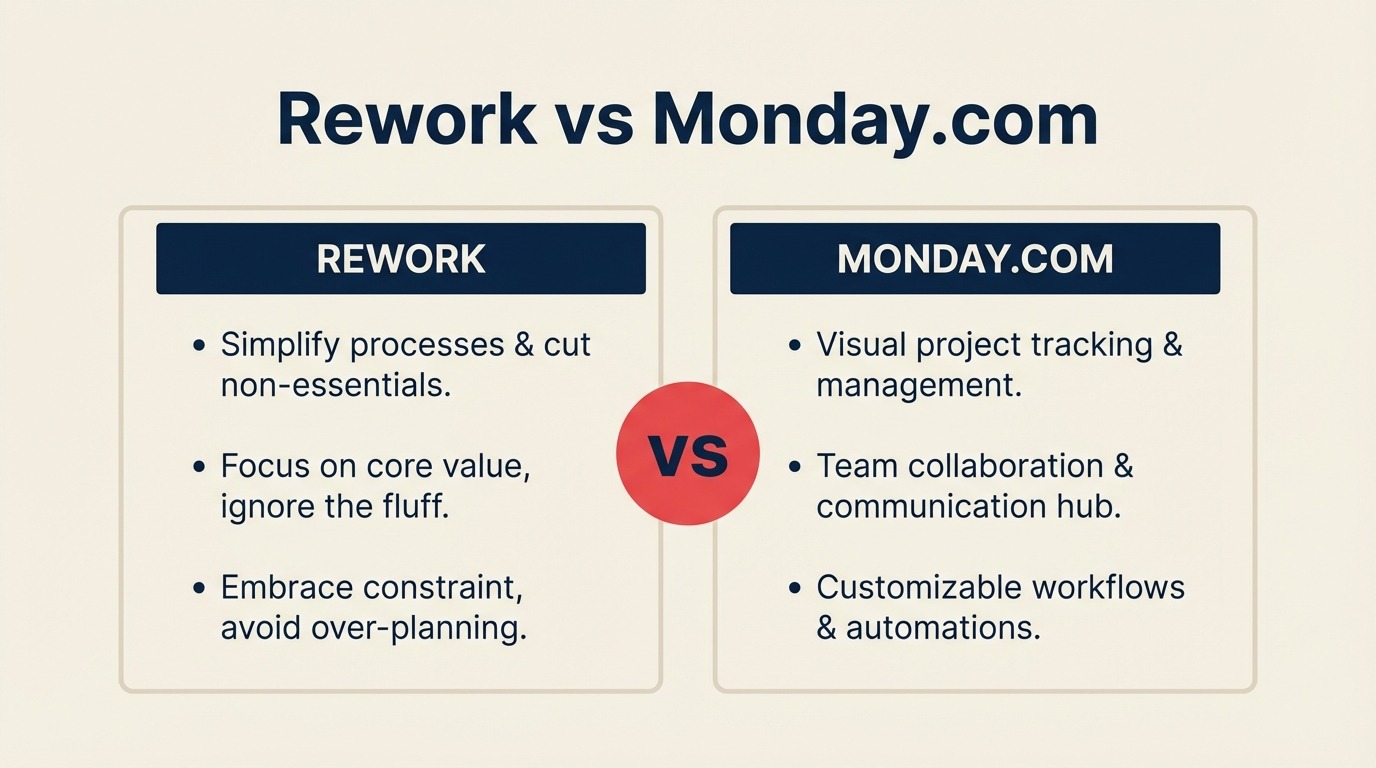
If your team sits somewhere between 20 and 200 people, you've probably landed here after a familiar realization: the spreadsheets stopped scaling, and now you need to decide between a flexible work management platform and a dedicated operations product. That's a real and consequential choice, not just a feature checklist.
Monday.com is the most recognized name in flexible work management for good reason. It's visual, fast to set up for a single project, and bends to almost any workflow you point it at. Rework takes the opposite bet: rather than a blank canvas you configure yourself, it ships with dedicated workflows and cross-team process templates already built in. Both are serious tools aimed at 10-500 person cross-functional ops, sales, and marketing teams. The decision comes down to one question: does your team need maximum flexibility, or does it need the process already assembled?
If you're also evaluating other tools in the category, see our comparisons of Rework vs Asana and Rework vs ClickUp for related trade-offs.
TL;DR
| Rework | Monday.com | |
|---|---|---|
| Core philosophy | Dedicated, opinionated workflows for cross-team ops | Flexible Work OS canvas that adapts to anything |
| ICP | 20-500 person cross-functional ops teams with defined processes | Broad, startups through enterprise, project-driven teams |
| Setup approach | Pre-built process templates; configure users and data | Build boards, columns, automations from scratch |
| CRM included | Yes, full CRM + pipeline built into the same product | Monday Sales CRM is a separate product bundle |
| Automation model | Embedded inside workflow steps; no monthly action caps | Visual rule builder; caps on Standard tier (250/mo) |
| Best for | Teams that want process enforced, not just modeled | Teams with unique workflows and strong admin capacity |
| Starting price | $999/yr Starter (10 users) or $1,999/yr Standard (20 users) + $6/user/mo above | ~$10/user/mo (Basic, billed annually) |
| Mid-tier price | $999/yr Starter (10 users) or $1,999/yr Standard (20 users) + $6/user/mo above | ~$20/user/mo (Pro, billed annually) |
| Support | Email + chat + phone on all plans | Email + chat; phone on Enterprise |
| Not ideal for | 3-person teams who just need a simple kanban board | Teams needing deep native CRM tied to the same workflow engine |
Who Each Tool Is Built For
The fastest way to narrow this comparison is to look at how each product was actually designed, not what the marketing page says, but what problem the product architecture solves.
Monday.com was built to be a Work OS: a horizontal platform flexible enough to replace project management, marketing calendars, client portals, and light CRM across almost any industry. That flexibility is genuine, and it's a genuine trade-off. You get ultimate configurability, but someone on your team has to build and maintain that configuration before the rest of the team can use it.
Rework was built for cross-functional ops teams where sales, marketing, customer success, and operations share workflows and dropped handoffs are the point of failure. Its product bet is that most 20-500 person teams don't need infinite flexibility. They need a working process they didn't have to architect from scratch.
Target Customer Comparison
| Dimension | Rework | Monday.com |
|---|---|---|
| Company size | 20-500 employees | Any size, fits 3 to 5,000+ |
| Revenue range | $2M-$100M ARR | Broad |
| Team maturity | Past spreadsheets, not yet at Salesforce-level governance | Flexible, fits early and mature orgs |
| Org shape | Cross-functional: sales, marketing, CS, ops sharing one process | Project-based, department-by-department, or Work OS |
| Primary pain | Dropped handoffs, disconnected tools, no single source of process truth | Too many tools, need visual coordination and task tracking |
| Decision maker | COO, Head of Ops, RevOps lead, founder-operator | Team lead, PMO, Marketing Ops, CMO, or COO |
Team Fit Matrix
| Team | Rework | Monday.com |
|---|---|---|
| Sales | Full CRM + pipeline, quota tracking, lead distribution, activity logging | Monday Sales CRM (separate bundle), boards-based pipeline |
| Marketing | Lead capture, nurture workflows, campaign attribution, MQL-to-SQL handoff | Strong, marketing boards, campaign calendars, creative workflows |
| Operations | First-class: process templates, approval chains, SLA tracking, cross-team orchestration | Configurable, build what you need from scratch or marketplace templates |
| RevOps | Unified data model across sales + marketing + CS, workflow automation, reporting | Multiple boards required; cross-board reporting on higher tiers |
| Customer Success | Unified contact timeline, handoff from sales, CS process templates | Boards-based; no native CRM timeline tied to contact records |
| HR / People Ops | Shared workflow templates for onboarding, approvals, recurring processes | Solid, HR templates available in the marketplace |
The Core Trade-Off: Flexibility vs Dedicated Process
This is the decision in one sentence: Monday.com lets you build any workflow you can imagine. Rework gives you the workflow already built.
That's not a criticism of either product. It's an honest description of two different product philosophies.
With Monday, a skilled ops person can construct a genuinely sophisticated workflow system. You define the columns, automate the status changes, wire up the integrations, and document the process in a dashboard. The result can be powerful. But someone has to build it, maintain it, and retrain the team every time it changes. Companies with strong in-house ops or RevOps talent who want full ownership of their tooling often thrive here.
Rework's position is that for a 50-person team where the Head of Ops wears five hats, spending six weeks configuring a work OS is not a viable path to value. The platform ships with dedicated process templates for common cross-team workflows: sales ops, client onboarding, procurement approvals, marketing-to-sales handoffs. You configure data and users. The process architecture is already there.
Neither is right for everyone. A marketing agency building bespoke client workflows benefits from Monday's canvas. An operations team running a repeatable delivery process across departments will find Rework's pre-built templates faster to production and easier to maintain.
Cross-Team Operations Fit
Cross-team workflows are where these two products diverge most sharply, and it's worth examining closely if your organization runs on shared handoffs.
In Monday, cross-team operations work by connecting boards. You can automate a status change in Board A to create an item in Board B, assign it to a different team, and fire a notification. It works, but only if someone designed it. The process exists inside the configuration, not the product.
Rework treats cross-team operations as the primary use case, not a configuration exercise. An approval chain that moves from a sales rep to a manager to finance is a native workflow structure. A marketing MQL that routes to an SDR with an SLA clock attached is how the system is built, not a recipe you assembled. The difference shows up in adoption: when the process is already there, teams follow it. When the process requires ongoing maintenance, it drifts.
Teams that are also evaluating CRM consolidation alongside a work management tool should read through the CRM buyer's checklist for mid-size teams before finalizing their shortlist.
If your team runs any of the following, evaluate both products specifically on this dimension:
- Sales-to-CS handoffs at contract close
- Marketing MQL handoff to SDR with SLA enforcement
- Procurement approvals with multi-level sign-off
- Client onboarding spanning sales, delivery, and success
- Monthly operational reviews pulling data across departments
Workflow Templates and Process Fit
| Scenario | Rework | Monday.com |
|---|---|---|
| Sales ops process | Dedicated template: pipeline stages + approvals + CRM linked | Build from Sales CRM bundle boards + custom automations |
| Client onboarding | Pre-built cross-team onboarding workflow | Marketplace template available; requires assembly and testing |
| Marketing to sales handoff | Native MQL-to-SQL workflow with SLA rules built in | Automations across boards; needs manual configuration |
| Procurement approval | Multi-level approval chain template | Configurable via status columns + automation rules |
| HR onboarding | Process template with task assignment and doc tracking | HR templates from marketplace |
| Template maintenance | Platform-managed; updates don't break user workflows | Owner-managed; configuration changes require manual updates |
| Time to first working process | Days, configure users and data into template | Weeks, build, test, and iterate on board structure |
| Admin required | Ops lead with Rework onboarding support | Usually dedicated admin or external consultant |
Automation
Both tools offer automation, but the scope and the model are meaningfully different.
Monday's automation engine is visual and approachable. You can create "when X happens, do Y" rules on any board without writing code. The marketplace extends this with Zapier, Make, and 200+ native integrations. The catch: Standard plan caps you at 250 automation actions per month. A team of 20 with active workflows burns through that in under a week. Pro unlocks 25,000 actions per month, which is enough for most teams, but at a $10/seat price jump.
Rework's automation is embedded inside workflow steps rather than layered on top of boards. Automations fire on workflow state changes. When a deal moves to "Contract Sent," the onboarding workflow auto-creates, assigns the CSM, and sets the SLA clock. That's built into the process definition, not a rule you wrote. And there are no monthly action caps at standard pricing.
| Automation capability | Rework | Monday.com |
|---|---|---|
| Visual rule builder | Yes | Yes (available on all paid plans) |
| Monthly automation cap | No cap at standard pricing | 250/mo on Standard; 25,000/mo on Pro |
| Workflow-embedded triggers | Yes, fires on process state changes | No, rules layered over boards |
| Cross-team automation | Native, workflow spans teams by design | Possible, requires cross-board automation setup |
| Integration marketplace | Core B2B stack (Slack, Google, Microsoft, Salesforce) | 200+ native integrations, Zapier, Make |
| No-code setup | Yes | Yes |
Reporting and Dashboards
Monday's reporting is a genuine strength on higher tiers. Dashboards pull from multiple boards and deliver visual summaries, workload views, chart types, and time tracking. The interface is polished and non-technical users find it navigable. If you're reporting to a VP across a dozen active projects, Monday's cross-board dashboard is hard to match.
Rework's reporting ties to workflow completion and operational metrics: SLA adherence, process stage conversion, team workload, pipeline velocity. The focus is operational reporting rather than project-status dashboards.
| Reporting feature | Rework | Monday.com |
|---|---|---|
| Dashboard builder | Yes | Yes, visual, drag-and-drop (Pro tier) |
| Cross-team reporting | Yes, unified data across workflows | Yes, cross-board dashboards (Pro tier) |
| Operational / SLA metrics | First-class | Configurable via formulas and automations |
| Pipeline / revenue reporting | Built into CRM module | Monday Sales CRM dashboards (separate bundle) |
| Workload view | Yes | Yes |
| Chart variety | Standard, bar, line, pie, table | Broad, 30+ widget types on Pro |
Pricing at 25, 50, and 100 Seats
Monday.com publishes pricing at monday.com/pricing. The tiers are Basic, Standard, Pro, and Enterprise, billed annually per seat.
For most teams that need automation, cross-board dashboards, and meaningful integrations, Pro is the practical minimum. Standard gives you 250 automation actions per month, which is a low ceiling for any team running real workflows. Pro raises it to 25,000 actions and adds time tracking, formula columns, and guest permissions.
Rework pricing
Rework Work Ops has two packages:
- Starter, $999/year for up to 10 users
- Standard, $1,999/year with 20 users included, plus $6/user/month for each additional user
See rework.com/pricing for current details. The starting tier already includes dedicated ops workflow templates, CRM, lead management, and cross-team automation. These are features that Monday spreads across its Work OS base plus the separately priced Monday Sales CRM bundle.
| Seats | Monday Standard (annual) | Monday Pro (annual) | Rework Work Ops |
|---|---|---|---|
| 10 seats | ~$1,200/yr | ~$2,400/yr | $999/yr (Starter) |
| 25 seats | ~$3,000/yr | ~$6,000/yr | $2,359/yr |
| 50 seats | ~$6,000/yr | ~$12,000/yr | $4,159/yr |
| 100 seats | ~$12,000/yr | ~$24,000/yr | $7,759/yr |
Key things to factor into your total cost:
- Monday's automation limits on Standard push most active teams to Pro earlier than expected, which means mid-year budget surprises
- Monday Sales CRM is priced separately from the base Work OS seats; if you need both, model the combined cost
- Rework includes CRM and ops workflow in one product, no separate SKU for CRM
- At 25 seats, Rework Standard ($2,359/yr) undercuts Monday Standard while bundling capabilities that require the Pro tier or the separate Sales CRM add-on
Monday.com's per-seat rates change periodically. Verify current pricing at monday.com/pricing before finalizing any budget.
Implementation and Time-to-Value
| Factor | Rework | Monday.com |
|---|---|---|
| Setup approach | Configure users and data into pre-built templates | Build boards, columns, and automations from scratch |
| Time to first working workflow | 1-2 weeks for core ops setup | 4-8 weeks for a well-configured work OS |
| Who owns implementation | Ops lead with Rework onboarding support | Dedicated admin or external implementation consultant |
| Training load | Moderate, users follow defined processes | Moderate to high, teams learn their custom configuration |
| Change management risk | Lower, process is built in, not documented externally | Higher, process lives in board configuration that drifts |
| Migration complexity | Moderate from spreadsheets or Notion/Asana | Low from other boards tools; moderate from mature Asana orgs |
When Monday.com Is the Right Call
Monday.com wins clearly in specific scenarios, and you should know them before deciding.
Extreme flexibility is the actual requirement. If your workflows are genuinely unique and no pre-built template will fit them without heavy modification, Monday's blank-canvas model is the right match. Creative agencies, design studios, and teams running bespoke delivery processes often extract more value from Monday's configurability than from an opinionated ops tool.
Visual boards are your team's primary collaboration surface. Monday's board interface is well-designed and intuitive. For marketing, creative, and content teams where visual status boards drive daily coordination, Monday's UX is hard to match.
You need a large integration ecosystem. Monday's marketplace includes 200+ native integrations plus Zapier and Make. If your stack is broad and includes niche tools like PandaDoc, Zendesk, or Jira with deep integration requirements, Monday has more coverage today.
You're adopting the Monday Work OS suite. Monday has invested in product bundles: Monday Sales CRM, Monday Dev, Monday Service. If your organization is standardizing on Monday as a platform across multiple functions, the suite economics may work in your favor.
When Rework Is the Right Call
Cross-team operations is your core use case. If your work regularly crosses sales, marketing, ops, and CS in a single workflow, and dropped handoffs are your biggest operational problem, Rework's process-first architecture is built for exactly that. You're not wiring boards together; the cross-team workflow is the product.
You want CRM and ops in the same product. Rework ships a full CRM alongside its workflow engine. Your sales pipeline, lead distribution, contact records, and operational processes live in one data model. That eliminates a layer of integration complexity and gives RevOps a single source of truth. For teams coming from a standalone CRM, it's worth reading how Rework compares to HubSpot CRM before making a final decision.
You want process enforced, not just modeled. Monday can document a process. Rework enforces it. When the process is embedded in the workflow, teams don't need to find the documentation. The tool won't let them skip a step.
Your team has limited admin capacity. If you don't have a dedicated platform admin or a RevOps hire who owns board maintenance, Rework's pre-built templates reduce ongoing maintenance significantly. The process doesn't drift because the team lead stopped updating the automation rules.
Decision Framework
| Pick Monday.com if... | Pick Rework if... |
|---|---|
| Your workflows are genuinely unique and no template fits without heavy build-out | Your workflows match standard ops patterns: sales handoffs, onboarding, approvals, delivery |
| Visual boards are the primary daily collaboration surface for your team | Cross-team handoffs and process enforcement are the core problem to solve |
| You need 200+ integrations including niche tools your stack depends on | You want CRM and workflow in the same product with the same data model |
| You're investing in the Monday Work OS suite across Sales CRM + Dev + Service | You're a 20-500 person ops-heavy team that needs value inside 2 weeks |
| You have admin capacity to build, maintain, and iterate on your configuration | Your ops lead needs the process built and running, not a canvas to configure |
| Your team is primarily project-driven with varied, non-repeating workflows | Your team runs repeatable cross-functional workflows that need to be consistent every time |
What to Do Next
If Monday.com's visual flexibility is appealing, run a two-week internal build on a real workflow, not a demo project. The configuration cost is real, and the best time to find out whether your team has the capacity to maintain a work OS is before you've committed 50 seats.
If Rework's dedicated workflow approach is closer to your problem, ask for a scoped demo focused on your specific cross-team processes, not a product tour. Ask to see a sales-to-CS handoff or a procurement approval chain running on real data. That's the fastest way to validate fit.
For both, model total cost at your actual seat count including the Pro-tier jump if you'll use automation. The per-seat rate on the pricing page is rarely the number that matters.
Monday.com pricing sourced from monday.com/pricing (April 2026). Rework Work Ops: Starter $999/yr (10 users) or Standard $1,999/yr (20 users included) plus $6/user/month above that. See rework.com/pricing for current rates. Verify all pricing before making purchasing decisions.

Principal Product Marketing Strategist
On this page
- TL;DR
- Who Each Tool Is Built For
- Target Customer Comparison
- Team Fit Matrix
- The Core Trade-Off: Flexibility vs Dedicated Process
- Cross-Team Operations Fit
- Workflow Templates and Process Fit
- Automation
- Reporting and Dashboards
- Pricing at 25, 50, and 100 Seats
- Rework pricing
- Implementation and Time-to-Value
- When Monday.com Is the Right Call
- When Rework Is the Right Call
- Decision Framework
- What to Do Next