More in
Productivity Tool Comparisons
Rework vs Asana: Which Scales Better with Your Team in 2026
Apr 6, 2026
Rework vs ClickUp: The Everything-App vs the Dedicated Ops Platform in 2026
Apr 3, 2026 · Currently reading
Rework vs Smartsheet: Spreadsheets vs Work Systems for Mid-Size Operations in 2026
Mar 30, 2026
Rework vs Monday.com: Flexibility vs. Opinionation for Growing Teams
Mar 9, 2026
Rework vs Notion: Docs and Databases vs Dedicated Workflows in 2026
Mar 2, 2026
Rework vs Wrike: Enterprise Project Management vs Dedicated Ops Platform in 2026
Feb 23, 2026
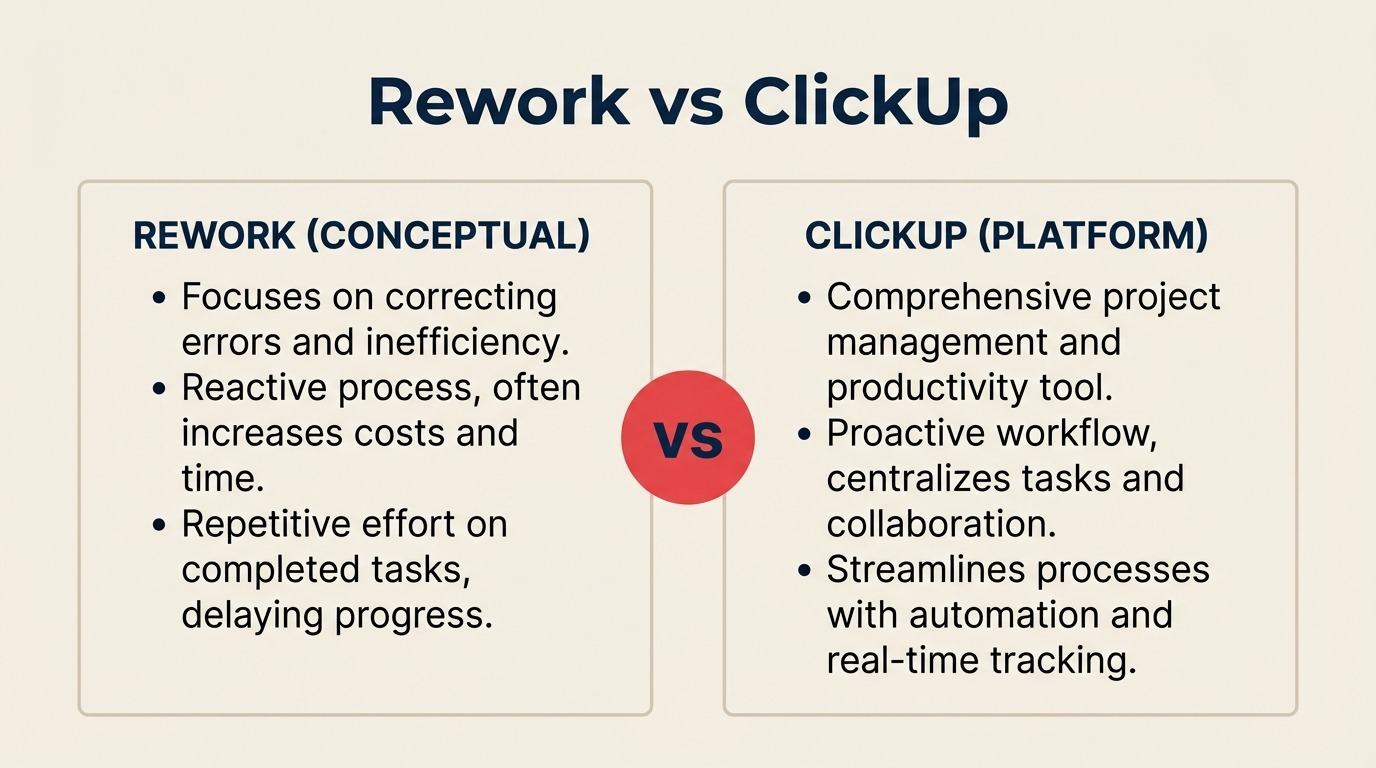
Your operations team runs more than tasks. It runs handoffs, approvals, sales workflows, client delivery pipelines, and cross-team processes that touch sales, marketing, and customer success all at once. When you're evaluating tools to bring that together, you'll hit two very different philosophies.
ClickUp's tagline says it plainly: "one app to replace them all." It's a real promise backed by real breadth: docs, tasks, goals, sprints, time tracking, whiteboards, chat, and an AI assistant baked in. For teams that want maximum flexibility in a single subscription, it's genuinely compelling.
Rework takes the opposite bet. Rather than giving you a blank canvas to build whatever you want, it ships opinionated, pre-built workflows for the operations functions that matter most to mid-size businesses: sales ops, cross-team approvals, CRM-adjacent process, and revenue operations. Less assembly required. More process enforced out of the box.
For context on how this comparison fits the broader market, also see Rework vs Monday.com (the other leading flexible canvas tool) and Rework vs Notion if your team is evaluating ClickUp partly as a docs + tasks alternative.
This comparison is for operations leads, COOs, heads of RevOps, and directors evaluating both options for a team of 20 to 300 people running shared workflows across departments.
TL;DR
| Rework | ClickUp | |
|---|---|---|
| Core identity | Dedicated ops + CRM workflow platform | Everything-app (tasks, docs, goals, chat, AI, all in one) |
| Best for | Mid-size cross-team ops (sales ops, RevOps, process enforcement) | Teams wanting one subscription to cover PM, docs, goals, and chat |
| Ideal team size | 20 to 500 employees | 1 to enterprise (broad range) |
| Workflow philosophy | Opinionated, pre-built, enforced | Flexible, highly customizable, build-it-yourself |
| AI capability | Built-in workflow and CRM automation | ClickUp Brain, AI across tasks, docs, and Q&A |
| Free tier | No | Yes (strong free plan) |
| Starting price | $999/yr Starter (10 users) or $1,999/yr Standard (20 users) + $6/user/mo above | $7/user/mo (Unlimited, billed annually) |
| Mid-tier price | $999/yr Starter (10 users) or $1,999/yr Standard (20 users) + $6/user/mo above | $12/user/mo (Business, billed annually) |
| Support | Email + chat + phone on all plans | Email + chat; phone on Business plan and above |
| Learning curve | Low for ops teams; fast adoption | Steep for non-technical users; heavy configuration upfront |
| CRM integration | Native CRM + pipeline built in | CRM-style views available via customization, not native CRM |
Who Each Tool Is Built For
ClickUp and Rework appeal to overlapping but distinct buyers. Getting this wrong costs you six months of re-implementation.
| Dimension | Rework | ClickUp |
|---|---|---|
| Company size | 20-500 employees | 1-enterprise (scales very wide) |
| Revenue range | $2M-$100M ARR | All ranges, including pre-revenue startups |
| Team maturity | Past spreadsheets, not yet Salesforce-level | Any, from first-time PM tool to mature custom workflows |
| Primary pain | Disconnected handoffs, no process enforcement, CRM + ops split | Too many tools, subscription sprawl, needs one platform |
| Decision maker | COO, Head of Ops, RevOps lead, founder-operator | Engineering leads, PMOs, ops managers, team leads |
| Org shape | Cross-functional: sales, marketing, CS, ops sharing workflows | Product teams, agencies, developers, diverse teams |
Team Fit by Function
| Team | Rework fit | ClickUp fit |
|---|---|---|
| Operations | Strong, dedicated ops workflows pre-built | Strong, fully customizable, but you build the structure |
| Sales Ops / RevOps | Strong, CRM pipeline, quota tracking, lead distribution native | Moderate, CRM views available but not a purpose-built CRM |
| Marketing | Strong, lead capture, nurture workflows, campaign handoffs | Strong, content calendars, campaign management, sprints |
| Customer Success | Strong, unified contact timeline, handoff from sales | Moderate, task-based CS management, not purpose-built |
| Product / Dev | Limited, not the primary use case | Strong, sprints, backlogs, Git integrations, dev workflows |
| HR / People Ops | Good, process templates for onboarding, approvals | Good, HR workflows buildable with custom fields and forms |
The Everything-App Trade-Off: Breadth vs Depth
ClickUp's "one app to replace them all" positioning is honest. In 2026, it genuinely does replace a lot of tools. You can run your sprint board, write your SOPs in ClickUp Docs, track OKRs in Goals, chat with your team in ClickUp Chat, and ask ClickUp Brain why a project slipped. All inside one tab.
The trade-off is assembly time. ClickUp gives you building blocks. Getting those blocks into a working, enforceable workflow for sales ops or cross-team approvals takes configuration. Statuses, custom fields, automations, views, dashboards: all need to be set up. For teams with a dedicated ops admin or a technical project manager, that's fine. For mid-size operations teams that need process enforcement without a full-time ClickUp architect, that overhead is real.
Rework's bet is the opposite: come with the workflow pre-assembled. The process templates for sales operations, client onboarding, approval chains, and cross-team handoffs are opinionated by design. You configure the details; you don't design the structure.
Neither approach is wrong. The question is whether your team has the capacity and appetite to build and maintain a custom ClickUp configuration, or whether you need the tool to enforce the process on day one.
Cross-Team Operations
Cross-team workflows are where the two platforms diverge most sharply. When a task moves from sales to operations to finance to leadership for approval, you need more than a task with a tag.
| Capability | Rework | ClickUp |
|---|---|---|
| Pre-built cross-team process templates | Yes, native ops workflows for approvals, handoffs, escalations | Available via template marketplace; community-built quality varies |
| Process enforcement | Built into the workflow structure; stages gate progress | User-configurable via automations; enforced only if set up correctly |
| Cross-team visibility | Unified dashboard across sales, ops, CS by default | Customizable via dashboards; requires setup per function |
| SLA and deadline tracking | Native SLA rules on workflow stages | Achievable via automations and custom fields; manual configuration |
| Approval chains | Built-in approval workflow templates | Buildable via automations; not a native approval module |
| Handoff notifications | Automatic on stage transitions | Via automations; requires trigger configuration |
For a COO running cross-functional operations, Rework's enforced workflow structure means you spend time managing exceptions, not configuring the tool. ClickUp gives you more control but also more maintenance.
Workflow Templates
Both platforms offer templates, but the template philosophy is different.
ClickUp has a large community template library spanning marketing, product, HR, agile development, and more. Quality is uneven. The best templates are excellent starting points; some are hollow and need significant work. ClickUp also lets you build and share your own templates inside your workspace.
Rework's templates are purpose-built for mid-size operations functions. The emphasis is on process enforcement, not just structure. A sales operations template in Rework doesn't just give you a board layout. It gives you the stages, the automation triggers, the SLA rules, and the handoff logic that makes the process work.
| Template dimension | Rework | ClickUp |
|---|---|---|
| Library size | Focused (ops-specific, CRM-adjacent) | Large (community + official across all functions) |
| Template quality consistency | High, curated for ops use cases | Variable, community templates range from excellent to sparse |
| Out-of-the-box process logic | Included, stages, automations, SLA rules bundled | Template provides structure; automation logic built separately |
| Dev / product / agile templates | Limited | Excellent, Scrum, Kanban, sprint planning built in |
| Marketing / content templates | Moderate | Strong, editorial calendars, content pipelines, launch plans |
| Sales ops templates | Strong, CRM handoffs, pipeline stages, lead distribution | Available but require CRM field customization to match a sales ops setup |
ClickUp Brain vs Rework AI
ClickUp Brain is one of the more mature AI integrations in the work management category. It connects to tasks, docs, and people across your workspace. You can ask it "why did this project slip?" and it pulls from task history. You can generate content in Docs, auto-fill custom fields, and get AI-written status summaries.
Rework AI focuses on workflow and CRM automation. AI in Rework is embedded in the process layer: auto-scoring leads, suggesting next actions on pipeline stages, routing work based on rules, and surfacing exceptions in cross-team workflows. Less content generation, more operational intelligence.
| AI capability | Rework | ClickUp Brain |
|---|---|---|
| AI writing in docs | Limited | Yes, full doc generation, editing, summarization |
| Task summarization | Contextual on workflow stages | Yes, across tasks, comments, threads |
| Natural language Q&A | Operational queries on workflows | Yes, ask anything across workspace |
| Lead / record scoring | Yes, native AI scoring in CRM | Not applicable (no native CRM) |
| Process routing | Yes, AI-assisted rule suggestions | Partial, via automation builder, not AI-native |
| Meeting notes / clip summaries | No | Yes, ClickUp Clips + AI transcription |
| AI-generated subtasks | Limited | Yes |
If your team's primary AI use case is writing assistance, document generation, and meeting summaries, ClickUp Brain is more developed. If your AI use case is operational (routing, scoring, exception surfacing), Rework's AI fits the workflow better.
Docs and Wiki Comparison
ClickUp Docs is a genuine product. It's not a bolt-on. You get real-time collaboration, nested documents, rich text, embeds, comment threads, and AI-assisted editing. It integrates with tasks so a doc can reference related work directly. For teams building SOPs, runbooks, and knowledge bases inside their PM tool, ClickUp Docs removes the need for a separate Notion or Confluence subscription.
Rework has documentation functionality but it's lighter than ClickUp's. Its strength is process documentation within workflow templates, where the "how we run this process" lives alongside the workflow itself, not in a separate doc hierarchy.
| Docs capability | Rework | ClickUp |
|---|---|---|
| Real-time collaborative editing | Basic | Yes, full Google Docs-style collaboration |
| Nested document hierarchy | Limited | Yes, full nesting, linked tasks |
| AI writing assistance | Limited | Yes, ClickUp Brain |
| Task-to-doc linking | Workflow-centric | Yes, native bidirectional linking |
| Knowledge base / wiki | Workflow-embedded docs | Yes, full wiki-style organization |
| SOP library | Process templates (structured) | Free-form docs (flexible) |
If your team is consolidating docs and PM into one tool to eliminate Notion or Confluence, ClickUp wins this section outright.
Automation and Rules Engine
| Automation capability | Rework | ClickUp |
|---|---|---|
| Pre-built automation templates | Yes, ops-specific triggers pre-loaded | Yes, large library across categories |
| Custom automation builder | Yes | Yes, visual builder, highly configurable |
| Cross-workspace automations | Limited | Yes, cross-Space automations |
| Native integrations triggered | Workflow stages, CRM events, SLA breaches | Task events, status changes, dates, custom fields |
| Automation runs per month (free/base tier) | Plan-dependent | 100/month on Free; 1,000+ on paid plans |
| Zapier / Make compatibility | Yes | Yes |
| AI-assisted automation suggestions | Yes (ops context) | Yes (ClickUp Brain) |
Both platforms have mature automation. ClickUp's is broader; Rework's is more opinionated around ops workflows and CRM-triggered events.
Pricing at 25, 50, and 100 Seats
ClickUp pricing from clickup.com/pricing (annual billing, as of early 2026):
- Free: $0, full free tier, 100 automation runs, limited storage
- Unlimited: $7/seat/month, unlimited storage, integrations, dashboards
- Business: $12/seat/month, advanced automations, time tracking, workload views
- Enterprise: Contact sales
Rework pricing
Rework Work Ops has two packages:
- Starter, $999/year for up to 10 users
- Standard, $1,999/year with 20 users included, plus $6/user/month for each additional user
See rework.com/pricing for current details. The starting tier includes dedicated ops workflow templates, a full CRM, lead management, and cross-team automation, consolidating tools that most ClickUp customers also pay for separately.
| Seats | ClickUp Unlimited (annual) | ClickUp Business (annual) | Rework Work Ops |
|---|---|---|---|
| 10 seats | $840/year | $1,440/year | $999/yr (Starter) |
| 25 seats | $2,100/year | $3,600/year | $2,359/year |
| 50 seats | $4,200/year | $7,200/year | $4,159/year |
| 100 seats | $8,400/year | $14,400/year | $7,759/year |
On pure per-seat price, ClickUp Unlimited at $7/user/month looks cheaper than Rework's package pricing. The real cost comparison shifts when you factor in what Rework includes in that base price: a full CRM and lead distribution that ClickUp doesn't offer natively, meaning most ClickUp teams at mid-size also pay for a separate CRM. Rework's value calculation is built around consolidation ROI, replacing CRM + ops tools + process management in one product.
Implementation and Learning Curve
ClickUp's learning curve is real and widely documented. The platform's strength (extreme flexibility) is also its adoption risk. New users face a wall of options: Spaces, Folders, Lists, Views, Statuses, custom fields, automations. Without a dedicated ClickUp admin or a structured rollout, teams often end up with inconsistent setups and low adoption from non-technical members. Implementation typically takes 4 to 12 weeks for a mid-size team to reach stable, consistent use.
Rework's onboarding path is shorter for operations teams. Pre-built workflow templates mean you configure rather than construct. Teams without a technical project manager can be operational within 1 to 3 weeks.
| Implementation factor | Rework | ClickUp |
|---|---|---|
| Time to first productive workflow | 1-3 weeks | 4-12 weeks (varies significantly by setup) |
| Admin expertise required | Low to moderate | Moderate to high |
| Non-technical user adoption | Fast, opinionated structure reduces confusion | Slow without structured onboarding |
| Migration complexity | Moderate, CRM + ops data | Moderate to high, depends on what you're replacing |
| Onboarding support | Guided for ops use cases | Extensive documentation; paid onboarding available |
| Template quality out of the box | High for ops use cases | Variable, depends on template chosen |
When ClickUp Is the Right Call
Be direct here: ClickUp has real advantages that Rework doesn't match.
Feature breadth is unmatched in the category. If you need a single subscription that covers project management, sprint boards, OKRs, docs, chat, time tracking, whiteboards, and AI writing assistance, ClickUp does all of it. No other tool in this category goes this wide while staying coherent.
The free tier is genuinely capable. Startups and small teams can run real operations on ClickUp Free without paying. Rework doesn't have a comparable free entry point.
Docs + Tasks + Goals in one environment. Teams that currently pay separately for Notion, a PM tool, and a goals tracker can consolidate meaningfully onto ClickUp. ClickUp Brain then connects across all three, which is genuinely useful.
ClickUp Brain is the most developed AI layer in work management. If your team wants AI embedded across tasks, docs, and conversations (not just in automations), ClickUp Brain is ahead of most competitors at this writing. For a broader look at how AI is reshaping operational workflows, see AI copilots vs agents: what the distinction means for your ops team.
Highly technical or developer-led teams thrive here. Scrum, backlogs, Git integrations, sprint velocity: ClickUp's dev-first features are strong. If engineering drives your PM tool choice, ClickUp is a natural fit.
When Rework Is the Right Call
Dedicated ops workflows without assembly. If your team needs cross-team process enforcement (not just task management), Rework ships the workflow logic pre-built. You configure the details; you don't hire a ClickUp admin to build the structure.
CRM and operations unified in one product. If your team is currently running a CRM in one tool and operations in another, Rework is the consolidation play. The CRM pipeline, lead distribution, and sales ops workflows share the same data model. ClickUp can approximate CRM with custom fields, but it's not a purpose-built CRM. The CRM buyer's checklist for mid-size teams is a useful reference when you're evaluating whether a native CRM changes the math on your shortlist.
Faster adoption for non-technical ops teams. Operations teams that include non-technical staff (sales coordinators, account managers, CS reps) adopt Rework faster. The opinionated structure reduces the number of decisions users have to make. For teams where low adoption kills ROI, this matters.
Mid-size process enforcement. When a COO needs the tool to enforce the process (not just model it), Rework's workflow structure applies guardrails that ClickUp's flexible setup doesn't enforce without careful configuration. Approvals that must happen before stages advance, SLA rules that escalate automatically, handoffs that trigger the right person without manual tagging.
Decision Framework
| Scenario | Pick ClickUp | Pick Rework |
|---|---|---|
| Primary need | One subscription covering PM, docs, goals, chat, AI writing | Dedicated ops + CRM workflow enforcement |
| Team makeup | Technical users, developers, power users who like to configure | Non-technical ops teams that need process enforced, not built |
| Budget | Need a free tier or want the widest feature set per dollar | Want consolidation ROI, replacing CRM + ops tools with one product |
| CRM requirement | No native CRM needed; will use separate tool or custom views | Native CRM pipeline, lead distribution, and contact timeline required |
| AI priority | AI writing, task summaries, Q&A across workspace | AI in workflow automation, lead scoring, operational routing |
| Docs and wiki | Need full collaborative wiki inside the PM tool | Lightweight docs embedded in workflow is sufficient |
| Learning curve tolerance | Have a dedicated ClickUp admin or strong technical ops lead | Need fast adoption across mixed technical/non-technical team |
| Dev / product teams | Yes, sprints, backlogs, Git integrations matter | No, engineering is not the primary buyer |
For a 50-person company where the COO is evaluating both: if the core pain is "we have too many subscriptions and need one tool," ClickUp probably wins on breadth and price. If the core pain is "our cross-team processes keep breaking at handoffs and we're losing deals because sales ops and CRM are disconnected," Rework is likely the better fit.
What to Do Next
If ClickUp looks right, start with the free tier and run one real process (not a demo process) through it for two weeks. Assign a dedicated admin. If you hit the free tier's limits and the configuration feels manageable, upgrade. But if your team is still setting up statuses after two weeks, that's a signal about adoption.
If Rework looks right, request a demo focused on the specific workflows your team runs today: cross-team approvals, sales ops handoffs, or CRM-adjacent operations. Ask them to walk through a pre-built template that matches your highest-friction process. Time-to-first-productive-workflow is the number to get from the conversation.
Either way, the most expensive outcome is choosing the more flexible tool and then under-adopting it. The second most expensive outcome is choosing the more opinionated tool and finding out your team needed more customization. Both risks are avoidable with a two-week trial on a real workflow before you commit.

Principal Product Marketing Strategist
On this page
- TL;DR
- Who Each Tool Is Built For
- Team Fit by Function
- The Everything-App Trade-Off: Breadth vs Depth
- Cross-Team Operations
- Workflow Templates
- ClickUp Brain vs Rework AI
- Docs and Wiki Comparison
- Automation and Rules Engine
- Pricing at 25, 50, and 100 Seats
- Rework pricing
- Implementation and Learning Curve
- When ClickUp Is the Right Call
- When Rework Is the Right Call
- Decision Framework
- What to Do Next