More in
Productivity Tool Comparisons
Rework vs Asana: Which Scales Better with Your Team in 2026
Apr 6, 2026 · Currently reading
Rework vs ClickUp: The Everything-App vs the Dedicated Ops Platform in 2026
Apr 3, 2026
Rework vs Smartsheet: Spreadsheets vs Work Systems for Mid-Size Operations in 2026
Mar 30, 2026
Rework vs Monday.com: Flexibility vs. Opinionation for Growing Teams
Mar 9, 2026
Rework vs Notion: Docs and Databases vs Dedicated Workflows in 2026
Mar 2, 2026
Rework vs Wrike: Enterprise Project Management vs Dedicated Ops Platform in 2026
Feb 23, 2026
Rework vs Asana: Which Work Management Tool Fits a Mid-Size Operations Team in 2026
If you're the head of ops or the COO at a 30-to-150 person company, you've probably already looked at Asana. It shows up in every "best project management tools" list, the UI is polished, and your marketing team might already be using it.
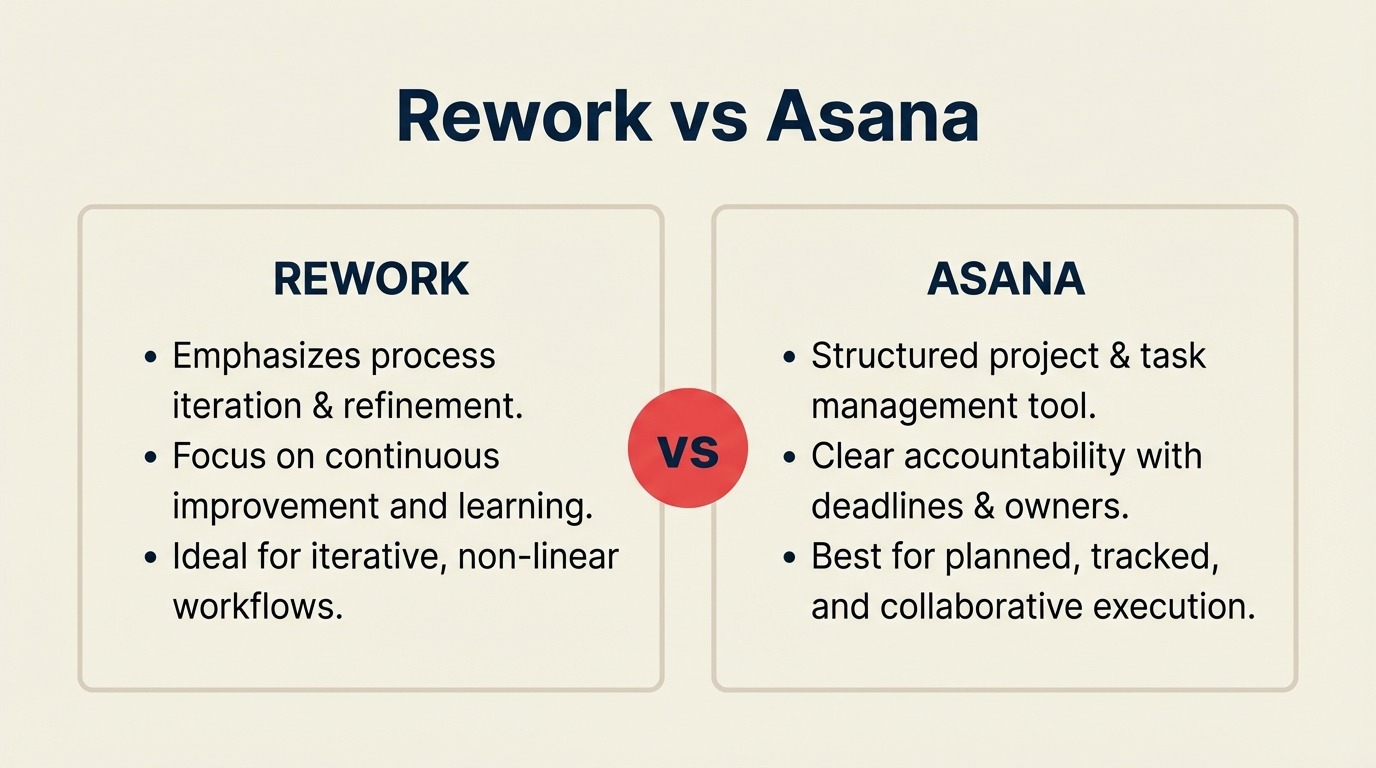
But here's the question worth sitting with before you sign: is your actual problem project management, or is it operations management? They're related, but they're not the same thing. A project ends. An operations process runs every week. Asana was built for the first. Rework was built for the second. And for mid-size cross-functional teams where sales, marketing, customer success, and ops share workflows and handoffs, that distinction changes the answer.
This comparison is for operations leads, COOs, and team managers at 20-to-200 person companies evaluating both tools with real money on the line. We'll give you the honest version.
TL;DR
| Dimension | Asana | Rework |
|---|---|---|
| Core strength | Best-in-class project management | Dedicated operations and process workflows |
| Best for | Project-heavy teams, creative workflows, enterprise PM | Cross-functional ops teams, recurring processes, CRM + workflow in one |
| ICP | Marketing, creative, product, enterprise ops | Sales ops, RevOps, mid-size cross-team operations |
| Starting price | $13.49/user/mo (Starter, billed annually) | $999/yr Starter (10 users) or $1,999/yr Standard (20 users) + $6/user/mo above |
| Mid-tier price | $30.49/user/mo (Advanced, billed annually) | $999/yr Starter (10 users) or $1,999/yr Standard (20 users) + $6/user/mo above |
| Support | Email + chat; phone on Enterprise | Email + chat + phone on all plans |
| Free tier | Yes, up to 10 users | Limited |
| Portfolio view | Advanced only | Not available |
| Goals tracking | Advanced only | Not available |
| Cross-team process templates | Templates marketplace | Dedicated built-in process library |
| Automation monthly cap | Starter: 250 runs/mo; Advanced: unlimited | No monthly cap at standard pricing |
| CRM included | No | Yes |
| Setup effort | Moderate to high | Low to moderate |
Who Each Tool Is Built For
Understanding the intended customer explains more than any feature list.
| Dimension | Asana | Rework |
|---|---|---|
| Company size | Any, free tier to enterprise | 20-500 employees |
| Primary use case | Managing projects with defined start/end dates | Running recurring operational processes across teams |
| Team maturity | Works well for any maturity level | Best for teams past spreadsheets, not yet on Salesforce-level complexity |
| Org shape | Works well for single-department or project-oriented teams | Designed for cross-functional teams, sales, marketing, CS, ops touching shared workflows |
| Primary pain | Visibility into project progress, task accountability | Dropped handoffs, no shared process enforcement, tool sprawl |
| Decision maker | PMO, project manager, marketing ops, team lead | COO, Head of Ops, RevOps lead, founder-operator |
Team fit comparison:
| Team | Asana | Rework |
|---|---|---|
| Marketing / Creative | Strong, campaigns, content calendars, creative production | Functional for campaign ops |
| Product / Engineering | Strong, sprint planning, roadmaps, bug tracking | Not the primary use case |
| Sales | Limited, no native pipeline or CRM | Full CRM, pipeline, quota tracking, activity logging |
| Operations | Good for project tracking | First-class, dedicated process templates, approval chains, SLA tracking |
| Customer Success | Task tracking only | Unified contact timeline, handoff from sales |
| RevOps | Reporting via portfolios (Advanced only) | Unified data model across sales + marketing + CS |
Project Management vs Operations Management (the Core Distinction)
This is the comparison most articles skip. It's also the most important one for a mid-size ops team.
Project management is about one-time or periodic work with a defined scope, timeline, and deliverable. Campaigns, product launches, website redesigns, quarterly business reviews. Asana excels here. Its timeline view with visual dependencies, portfolio rollup across multiple projects, and Goals feature that ties project progress to company OKRs are purpose-built for this kind of work.
Operations management is about repeatable, cross-functional processes that run continuously. New employee onboarding. Sales-to-CS handoffs. Client delivery workflows. Procurement approvals. Lead qualification and routing. These processes don't end, they cycle. And they almost always touch multiple teams.
Asana can model these processes. You can build a template for onboarding and duplicate it each time. But the tool doesn't enforce the process or make it easy to run at scale. It's flexible enough to handle it, which also means every team can configure it differently. And often does.
Rework ships with these processes already structured. The onboarding workflow, the approval chain, the cross-team handoff: these are opinionated templates that teams adopt rather than build. The tradeoff is less flexibility. The benefit is that the process actually gets followed.
For ops leads deciding between multiple tools in this space, the team operating agreement guide covers how high-performing teams define process ownership before selecting software.
For a 50-person company where the ops lead doesn't have bandwidth to be the Asana admin full-time, that distinction is worth $500/month in staff time alone.
Cross-Team Workflow Fit
This is where the practical difference shows up most clearly for ops-led teams.
| Workflow type | Asana | Rework |
|---|---|---|
| One-off project with a clear end date | Excellent | Good |
| Recurring process (weekly, monthly cycles) | Template + duplication required | Built-in process engine |
| Cross-department handoffs (sales → CS, marketing → sales) | Requires setup and process discipline | Dedicated handoff automation |
| Approval chains (finance, legal, HR) | Buildable but not native | Native approval workflow |
| SLA tracking | Advanced only + custom fields | Built-in SLA rules |
| Lead distribution and routing | Not available | Round-robin, territory, skill-based routing |
| Client delivery workflows | Template-based | Structured process templates |
| New hire onboarding (cross-department) | Template library, requires admin config | Pre-built, enforces steps |
| Process compliance (must complete step before next) | Rules-based (Advanced) | First-class enforcement |
The pattern you'll notice: Asana can do most of these things with configuration. Rework does them with less setup. For a team that can dedicate a project manager or ops coordinator to Asana administration, that's fine. For a 40-person company where "ops" is one person wearing four hats, the configuration overhead is a real cost.
Goals and Reporting
This is a category where Asana has a genuine, meaningful advantage.
Asana's Goals feature (Advanced tier) lets you connect company and team OKRs directly to the projects meant to achieve them. You can set a goal, link specific projects as the work that drives it, and track progress in a unified dashboard. Portfolios let you group 5-20 projects and see red/yellow/green health status at a glance. For a Head of Ops managing multiple initiatives and reporting to a VP or board, this is the kind of reporting layer that earns its cost.
Rework's reporting is project-level. You get dashboards on task completion, overdue items, and workload within a project. There's no portfolio rollup or goal-to-project alignment layer.
| Reporting capability | Asana Starter | Asana Advanced | Rework |
|---|---|---|---|
| Project-level dashboards | Basic | Full | Yes |
| Cross-project portfolios | No | Yes | No |
| Goals / OKR tracking | No | Yes | No |
| Workload view (capacity planning) | No | Yes | No |
| Advanced reporting widgets | No | Yes | Limited |
| Real-time status rollup | No | Yes | No |
If you're a COO managing 8+ concurrent projects and presenting status to a board every quarter, Asana Advanced's reporting tools are real features you'd use. If you're running operations within a business unit and need project-level visibility, both tools cover it.
Automation
Both tools automate routine work. The difference is in caps, complexity, and what triggers are available.
| Automation feature | Asana Starter | Asana Advanced | Rework |
|---|---|---|---|
| Status-change triggers | Yes (250 runs/mo) | Yes (unlimited) | Yes (no monthly cap) |
| Due-date reminders | Yes | Yes | Yes |
| Assignment rules | Yes | Yes | Yes |
| Cross-project automation | Limited | Yes | No |
| Rule builder complexity | Moderate | High | Simple |
| Lead routing / round-robin | No | No | Yes (native) |
| SLA escalation rules | No | Partial | Yes |
| Process-step enforcement | Limited | Moderate | Strong |
| Monthly run cap | 250 runs | Unlimited | No cap |
The 250-run cap on Asana Starter catches teams off guard. A 20-person team doing active project work can hit this in a week. Every status change, assignment, or form submission that triggers a rule counts against it. If automation is a meaningful part of how your team works, you're really deciding between Asana Advanced and Rework, not Asana Starter. If you're also weighing a more feature-heavy alternative, Rework vs ClickUp compares the same automation trade-offs against an everything-app model.
Rework's automation engine is simpler. Fewer recipe types, a cleaner editor. But it handles the standard operations use cases (status-change routing, SLA escalation, approval triggers) without counting down a monthly action budget.
Pricing at 25, 50, and 100 Seats
Asana's pricing is per seat, per month, billed annually. All paid plans have a minimum of 2 users. Pricing is published at asana.com/pricing.
Asana 2026 pricing (per seat/month, annual billing):
- Personal: Free, up to 10 users
- Starter: $13.49/seat/mo, timeline, rules (250/mo), 500 custom fields, basic reporting
- Advanced: $30.49/seat/mo, portfolios, goals, workload view, unlimited rules, advanced reporting
- Enterprise / Enterprise+: Custom, security controls, admin APIs, SAML, dedicated support
Rework pricing
Rework Work Ops has two packages:
- Starter, $999/year for up to 10 users
- Standard, $1,999/year with 20 users included, plus $6/user/month for each additional user
See rework.com/pricing for current details. The starting tier includes dedicated cross-team workflow templates, CRM, lead management, and automation with no monthly action cap, features that in Asana require the Advanced tier.
Annual cost comparison:
| Team Size | Asana Starter | Asana Advanced | Rework Work Ops |
|---|---|---|---|
| 10 seats | $1,618.80/yr | $3,658.80/yr | $999/yr (Starter) |
| 25 seats | $4,047/yr | $9,147/yr | $2,359/yr |
| 50 seats | $8,094/yr | $18,294/yr | $4,159/yr |
| 100 seats | $16,188/yr | $36,588/yr | $7,759/yr |
Asana figures are based on published 2026 annual rates at asana.com/pricing.
The Starter-to-Advanced jump is $17/seat/month. At 50 seats, that's $10,200/year difference. Teams routinely underestimate this because they start on Starter, hit the automation cap or discover they need portfolio views, and upgrade mid-contract. That mid-year upgrade creates a prorated invoice and a harder budget conversation than expected.
At 25 seats, Rework Work Ops Standard runs $2,359/year versus $4,047/year for Asana Starter, while including capabilities (dedicated ops process templates, built-in CRM, automation without monthly action caps) that Asana only unlocks at Advanced. If Asana wins for your team, it's usually the Portfolios, Goals, or creative workflow features. Not the price.
One cost factor Asana buyers often miss: if you need to share boards with external clients or contractors as view-only guests, check the guest seat policy for your specific tier. Guest access rules vary by plan and can add unexpected seat costs at scale.
Implementation and Time to Value
How long before your team actually uses the tool? Not just the ops lead, but the sales rep, the CS manager, and the marketing coordinator?
| Dimension | Asana | Rework |
|---|---|---|
| Initial setup time | 1-3 days for basic setup; 1-2 weeks for full org | Half day to 1 day for standard setup |
| Who configures it | Requires dedicated admin or project manager | Ops lead can handle most configuration |
| Training load | High for non-PM users | Moderate, fewer concepts to learn |
| Process template availability | Marketplace templates (not all are maintained) | Built-in, opinionated process library |
| Adoption curve for non-PM users | Steeper, feature density can overwhelm | Shallower, simpler interface |
| Ongoing administration | 3-5 hrs/week for active Asana admin | 1-2 hrs/week |
| Migration complexity | Moderate (CSV import + manual board setup) | Moderate |
| Time to full team adoption | 2-4 weeks | 1-2 weeks |
The ongoing administration gap is where teams feel the real cost. Asana's flexibility means someone has to own the board structure, maintain the automations, and train new users as the team grows. At a 40-person company, that usually lands on one ops person who didn't sign up to be a full-time tool admin.
Rework's opinionated structure means less to configure and less to maintain. The tradeoff is that you occasionally want a feature that doesn't exist in the default setup.
When Asana Is the Right Call
Asana is genuinely best-in-class for several things. Don't pick Rework when Asana is actually the better fit.
Portfolio management across multiple projects. If you're a Head of Ops or PMO lead managing 5-15 concurrent initiatives and need to report health status to senior leadership, Asana's Portfolios feature is purpose-built for this. Rework doesn't have an equivalent.
Goals and OKR tracking. Asana's Goals feature connects company objectives directly to the projects driving them. For organizations running formal OKR cycles, this alignment layer in a single tool is a real advantage.
Creative and marketing team workflows. Campaign management, content calendars, creative production, and editorial workflows are where Asana dominates. The combination of timeline view, task dependencies, and team-specific board structures fits how marketing and creative teams actually think about their work.
Enterprise governance requirements. Asana Enterprise offers SAML, domain control, advanced admin APIs, and priority support. For organizations with IT governance requirements, compliance mandates, or large multi-department rollouts, Asana's enterprise tier is more mature.
Deep integrations with niche tools. Asana connects with 200+ tools including Jira, Tableau, Microsoft Power BI, Salesforce, HubSpot, and many specialized tools. If your stack includes tools outside the standard core suite, Asana's integration library is wider.
Free tier for small or early teams. If you're under 10 people and still validating your process, Asana's free Personal tier is legitimately useful. There's no equivalent starting point with Rework.
When Rework Is the Right Call
Rework wins when the problem is cross-team process enforcement and reducing tool sprawl. Not project-by-project tracking.
Recurring cross-functional processes. If your team runs the same client onboarding, procurement approval, or sales-to-CS handoff process every week, Rework's process engine enforces the workflow rather than relying on team discipline. Asana can model these processes with templates; Rework runs them with less configuration debt.
CRM and workflow in one product. For mid-size teams currently running Asana for project management and a separate CRM for sales, Rework consolidates both. That's not just cost savings. It's eliminating the integration maintenance and data inconsistency between two tools. See the CRM buyer's checklist for mid-size teams if you're evaluating CRM consolidation as part of this decision.
Pricing at 25-100 seats without hitting a tier wall. At 50 seats, Asana Advanced is $18,294/year. Rework Work Ops Standard runs $4,159/year for the same 50 seats. If your team won't use Portfolios or Goals, Asana's tier structure costs significantly more for features you don't need. Rework's starting tier covers the cross-team ops stack without an equivalent unlock wall.
Faster adoption across non-PM roles. Sales reps, customer success managers, and finance coordinators don't think in project management terms. Rework's simpler interface (closer to "here's your tasks and your process steps") gets adopted faster by mixed-function teams.
Operations-led buying. If the buyer is a COO or Head of Ops (not a PMO or project manager), Rework's process-first orientation maps more directly to the problems they're trying to solve.
Rework is not the right fit if:
- You need cross-project portfolio dashboards for executive reporting
- Your team runs OKR cycles and wants goal-to-project alignment
- You're buying for a marketing or creative team that lives in campaign timelines
- Your integration requirements include tools outside Rework's current core stack
- You have fewer than 15 people and Asana's free tier covers your current needs
Decision Framework
| Pick Asana if... | Pick Rework if... |
|---|---|
| You manage a portfolio of 5+ concurrent projects and report status to leadership | Your main problem is cross-team handoffs and recurring processes, not one-off projects |
| Your organization runs formal OKR cycles and wants goal-to-project tracking in one tool | You want CRM + operations workflow without buying and integrating two separate tools |
| You're buying for a marketing, creative, or product team | You're buying for an ops team running repeatable processes across sales, CS, and ops |
| You need Asana Advanced features (portfolios, goals, workload) and can justify the price | You're at 25-100 seats and Asana Advanced pricing doesn't match the features you'd actually use |
| Your integration stack includes niche tools only Asana covers | You need faster adoption from non-PM users (sales, CS, finance) without configuration overhead |
| Your team is under 10 people and wants to start free | You need cross-team process enforcement without a dedicated tool admin |
Both tools work well for standard project and task management. The real question is whether your ops problem is "better project tracking" or "enforced cross-functional processes," because those require different answers.
What to Do Next
Before you start a trial, answer this question with your team: in the last month, what broke down: was it visibility into project status, or was it that a handoff between teams didn't happen the way it was supposed to?
If it's visibility and project status rollup, run an Asana Advanced trial and evaluate the Portfolios and Goals features specifically. Those are what you'd be paying for, and they're genuinely good at what they do.
If it's handoffs, process compliance, or having to rebuild the same workflow from scratch every quarter, start a Rework trial and map your most painful recurring process into it. The setup time is shorter than Asana, and you'll know within a week whether the opinionated structure fits how your team works.
For teams sitting on the fence: run both tools in parallel with a real cross-functional project for two weeks. Include people who aren't ops professionals: sales reps, CS managers, finance. Watch who actually opens the app vs. who defaults back to Slack or email. That adoption pattern tells you more than any feature matrix.
Related comparisons:

Principal Product Marketing Strategist
On this page
- TL;DR
- Who Each Tool Is Built For
- Project Management vs Operations Management (the Core Distinction)
- Cross-Team Workflow Fit
- Goals and Reporting
- Automation
- Pricing at 25, 50, and 100 Seats
- Rework pricing
- Implementation and Time to Value
- When Asana Is the Right Call
- When Rework Is the Right Call
- Decision Framework
- What to Do Next