More in
CRM Comparisons
Rework vs Monday Sales CRM: Flexibility vs Depth in 2026
Apr 14, 2026
Rework vs Close: Modern CRMs Head to Head for Mid-Size Sales Teams in 2026
Apr 9, 2026
Rework vs Copper: Which CRM Fits a Google Workspace Team in 2026
Apr 8, 2026
Rework vs Pipedrive: The SMB CRM Showdown in 2026
Apr 6, 2026
Rework vs Folk: Relationship CRMs Compared for Mid-Size Teams in 2026
Mar 31, 2026
Rework vs Salesforce: Which Fits a Growing Sales Team in 2026
Mar 30, 2026
Rework vs SugarCRM: Enterprise Flexibility vs Unified Operations in 2026
Mar 30, 2026
Rework vs Zoho CRM: What You Gain and Lose in 2026
Mar 24, 2026
Rework vs Insightly: Project-Aware CRMs Compared for Mid-Size Teams in 2026
Mar 19, 2026
Rework vs Freshsales: Which CRM Is Easier to Adopt in 2026
Mar 17, 2026
Rework vs Nutshell: Small Team CRMs Compared for Growing Operations in 2026
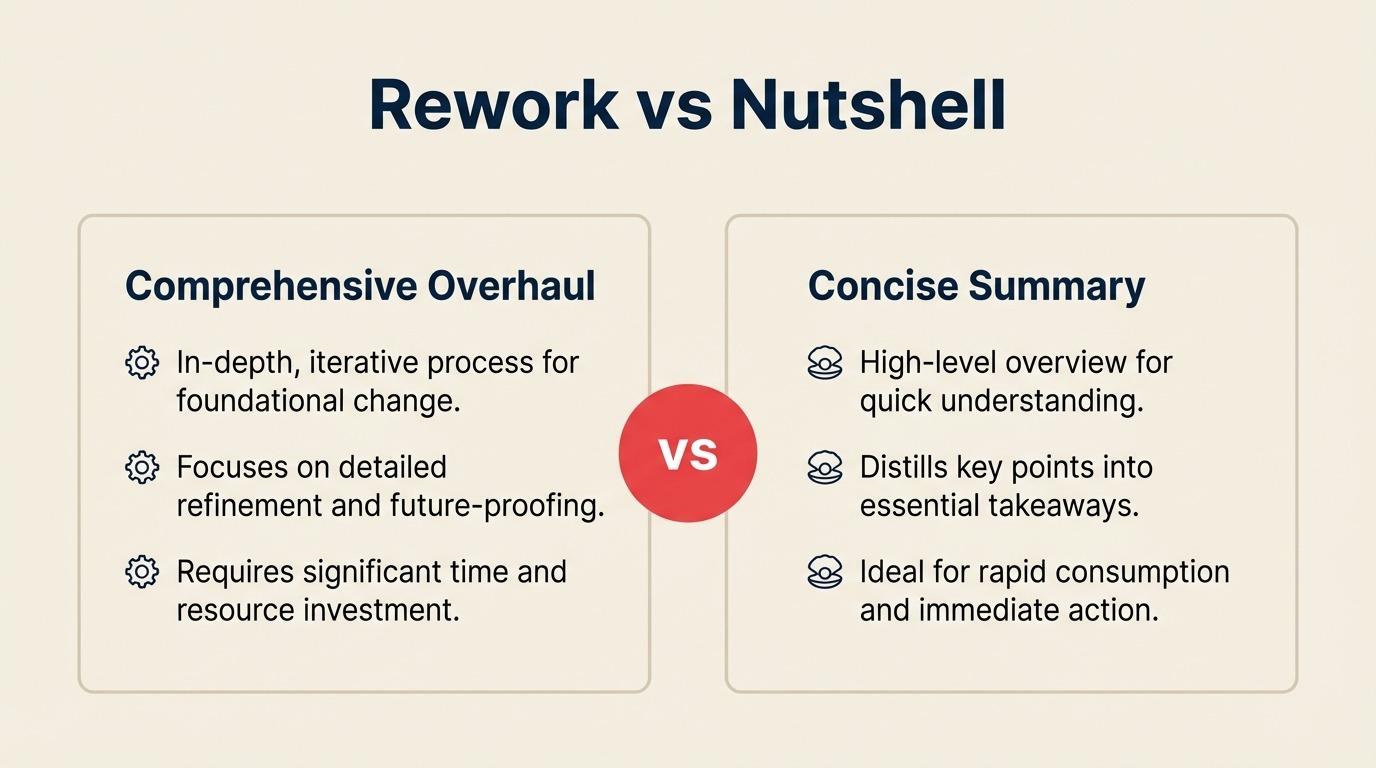
You're running a team that's outgrown spreadsheets and basic contact tools, but you're not ready to sign a Salesforce contract and hire a dedicated admin to manage it. You want a CRM that actually works for a 20-to-150-person operation: one where sales, marketing, and ops can function from the same system without duct tape connecting them.
Nutshell and Rework both sit in that space. Nutshell has earned a strong reputation for being genuinely easy to use, with built-in email marketing that removes the need for a separate Mailchimp subscription. Rework plays a different angle: unified multi-channel inbox, deeper lead distribution, and cross-team workflow tooling that goes beyond pipeline management. This comparison breaks down where each tool actually fits, so your team doesn't buy one and discover the mismatch three months in.
How Each CRM Works
Before the feature-by-feature breakdown, here's a quick visual overview of what each product is and how it's structured. Rework and Nutshell both target growing teams, but one solves the cross-team unification problem, and the other solves the "just give me a simple CRM" problem. Seeing the architecture side-by-side makes the rest of this comparison easier to read.
How Rework Works
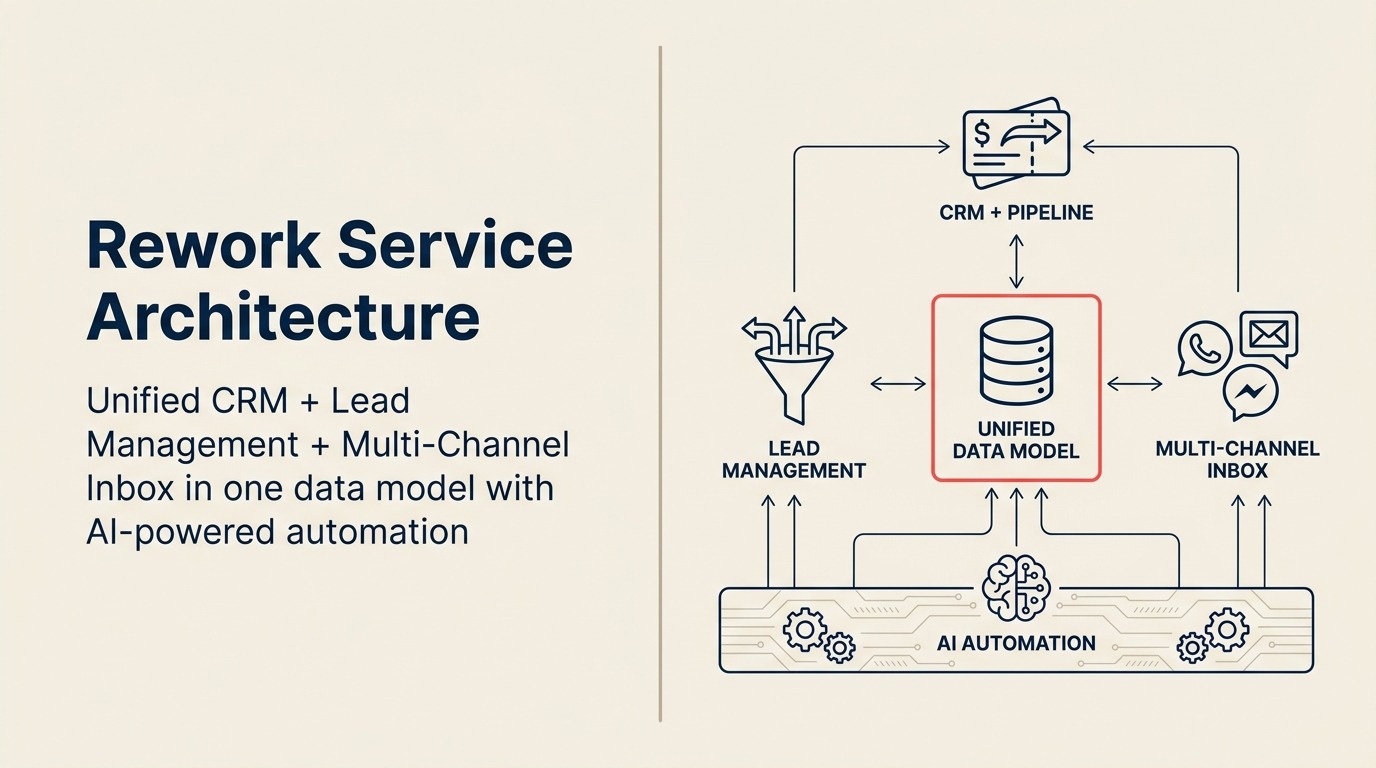
Rework is a unified CRM built for mid-size cross-functional teams (20-500 employees). CRM pipeline, Lead Management, and multi-channel inbox (WhatsApp, Messenger, email, SMS) sit on one data model, so sales, marketing, and CS see the same contact timeline without integrations. The scope is the whole revenue operation, not just pipeline.
How Nutshell Works
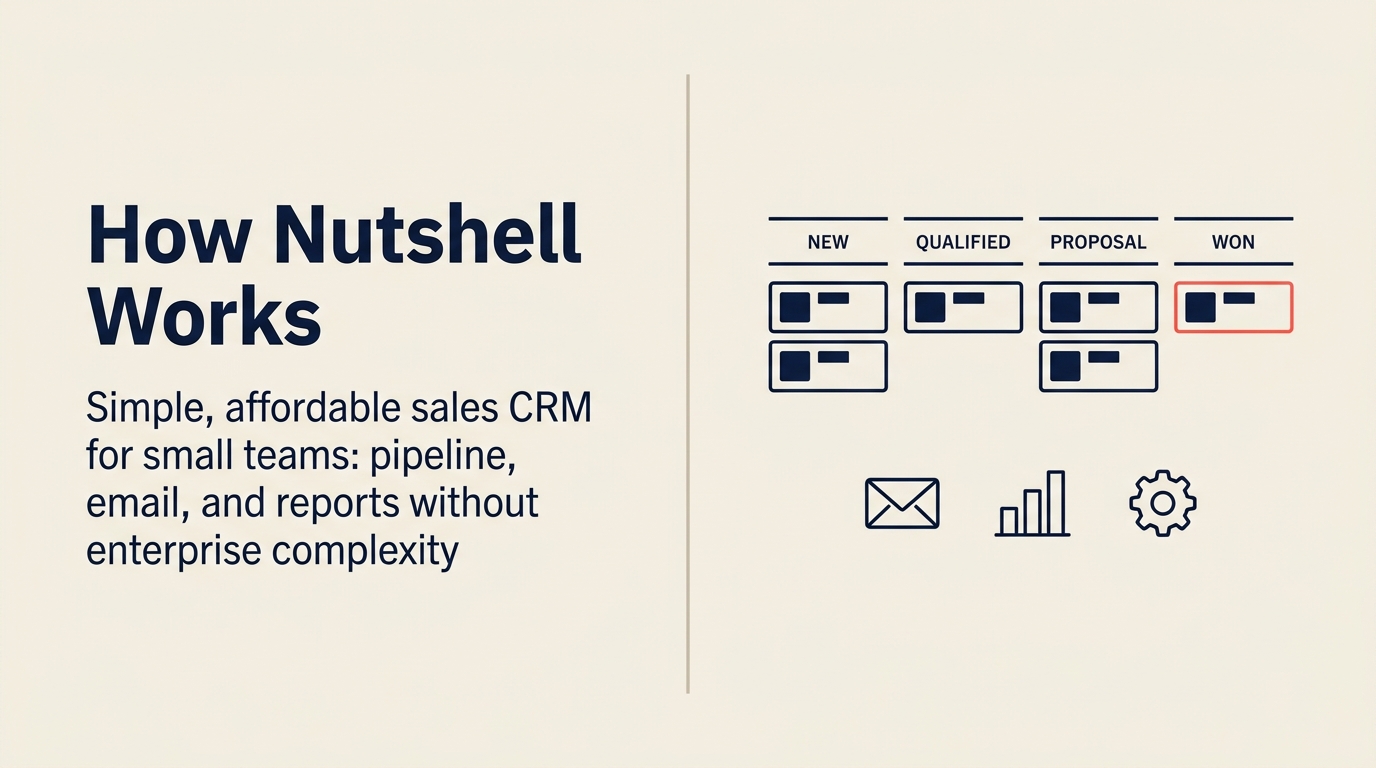
Nutshell is a simple, affordable sales CRM for small teams. Its sweet spot is a clean pipeline view, built-in email marketing drips, and reports, without the complexity of enterprise CRMs. It's an easy "yes" at 5-30 reps. The tradeoff at larger scale: no unified chat across WhatsApp/Messenger, no rule-based lead routing with SLAs, and limited cross-team workflow automation.
TL;DR
| Rework | Nutshell | |
|---|---|---|
| Best for | Mid-size teams (20-500) running cross-functional sales + ops workflows | Small teams (5-50) wanting simple CRM + built-in email marketing |
| Core strength | Unified chat inbox, lead lifecycle management, cross-team workflows | Clean pipeline UX, native email drip sequences, approachable setup |
| Email marketing | Nurture workflows via automation rules | Built-in email marketing with sequences, templates, and audience segmentation |
| Unified chat inbox | WhatsApp, Messenger, Instagram DM, web chat, email, SMS | Email only (no social or messaging channels) |
| Lead distribution | Round-robin, territory, skill-based, SLA rules built in | Basic assignment rules; advanced routing requires manual setup |
| Pricing | $999/yr Starter (5 users) or $1,999/yr Standard (10 users) + $12/user/mo above | $19/user/mo Foundation or $49/user/mo Pro (billed annually) |
| Support | Email + chat + phone on all plans | Email + chat; phone on higher plans |
| Setup time | 1-2 weeks for full rollout | Hours to days for most teams |
| Setup speed | 1-3 days for basic CRM; 1-2 weeks for full Lead Management + chat, led by a team with hands-on experience onboarding mid-size sales, marketing, and ops departments end-to-end | Hours to a day for a functional pipeline + email sequences; building full lead management + chat is self-serve only, Nutshell has no in-house team experienced with mid-size cross-department rollouts |
| Ideal buyer | COO, RevOps lead, Head of Sales with cross-team pipeline | Owner-operator, Sales manager, SMB team lead |
Who Each Tool Is Built For
The sharpest way to pick between these two is to look at your team shape, not your feature wishlist.
| Dimension | Rework | Nutshell |
|---|---|---|
| Company size | 20-500 employees | 5-150 employees |
| Team maturity | Past spreadsheets, needs process enforcement | Just leaving spreadsheets, wants quick wins |
| Primary pain | Disconnected tools, handoffs dropping, no single workflow source | Too many manual tasks, needs pipeline visibility + email follow-up |
| Org structure | Cross-functional: sales, marketing, CS, ops sharing data | Sales-led or founder-led; mostly one team owning CRM |
| Buyer persona | COO, RevOps lead, Head of Revenue, founder-operator with ops complexity | Owner, sales manager, small business operator |
| Integration needs | Deep stack: chat channels, forms, attribution, workflows | Light stack: Gmail/Outlook sync, Zapier, basic integrations |
Team Fit Matrix
| Team | Rework | Nutshell |
|---|---|---|
| Sales | Full pipeline, quota tracking, territory/round-robin distribution | Strong: visual pipeline, activity reminders, reporting |
| Marketing | Lead capture, scoring, nurture automation, campaign attribution | Strong: built-in email sequences, audience segmentation, campaign tools |
| RevOps | Unified data across sales + marketing + CS, SLA tracking, workflow rules | Limited: basic reporting, no dedicated RevOps tooling |
| Customer Success | Unified contact timeline (chat + email + tickets), health scoring hooks | Light: contact records, email history, no CS-specific workflows |
| Operations | Cross-team process templates, approval chains, task orchestration | Not designed for this; CRM and email are the core scope |
The honest summary: Nutshell is built for a sales team and optionally a marketing team using the same tool. Rework is built for an org where multiple departments touch the same customer record and workflow.
Core CRM Capability Comparison
Both tools cover the CRM fundamentals well. Where they diverge is depth and scope.
| Capability | Rework | Nutshell |
|---|---|---|
| Contact & company records | Full CRM with custom fields, timelines, tags | Clean contact/company records with activity logging |
| Visual pipeline | Multiple pipeline views (kanban, list, forecast) | Excellent: drag-and-drop, multiple pipelines, stage probability |
| Activity logging | Calls, emails, meetings, notes, all in timeline | Calls, emails, meetings, notes, well-executed |
| Task & reminder system | Automated task creation via workflow rules | Manual task creation + reminder system |
| Custom fields | Yes, across contacts, companies, deals | Yes, on contacts, companies, leads |
| Reporting | Pipeline reports, activity reports, team leaderboards, attribution | Sales reports, activity summaries, funnel reports, revenue forecasting |
| Mobile app | Yes | Yes, well-reviewed for field sales use |
| Gmail/Outlook sync | Yes | Yes, two-way email sync included |
Nutshell's pipeline UX is legitimately good. Teams coming from spreadsheets find the visual board intuitive, and the learning curve is shallow enough that you can have a rep productive within hours. Rework's pipeline is comparably capable but built assuming you'll connect it to the rest of your operations stack.
Lead Management Deep Dive
This is where the gap opens up between the two tools. For teams with real lead volume coming from multiple sources, the differences matter.
| Capability | Rework | Nutshell |
|---|---|---|
| Lead capture | Web forms, chat channels, ad integrations, API, imports | Web forms, CSV imports, Zapier, some native integrations |
| Lead enrichment | Built-in enrichment rules, custom scoring logic | Basic enrichment via integrations; no native lead scoring engine |
| Lead scoring | Yes, rules-based scoring with field conditions | Not native; requires workarounds or Zapier |
| Lead distribution | Round-robin, territory, skill-based, SLA-driven rules | Manual assignment; team inbox for shared leads |
| Marketing-to-sales handoff | Automated stage transitions with alerts, task creation | Stage change triggers basic notifications |
| Nurture loops | Automation rules tied to pipeline stage and contact behavior | Email sequences (Nutshell's strength) + pipeline stage triggers |
| Attribution | Multi-touch attribution back to deal/campaign | Basic source tracking; no full-funnel attribution |
If your team gets more than 50 new leads per week from varied sources, Nutshell's manual assignment and lack of scoring will create noise. You'll spend time triaging instead of selling. Rework routes, scores, and stages leads automatically once you configure the rules.
But if your lead volume is manageable and your main need is email follow-up rather than distribution logic, Nutshell's simpler model is actually the right fit. Complexity you don't need is just overhead.
Unified Chat Channels
This is the starkest capability difference between the two tools.
| Channel | Rework | Nutshell |
|---|---|---|
| Native, two-way sync | Native, two-way sync | |
| Native, tied to contact timeline | Not available | |
| Facebook Messenger | Native | Not available |
| Instagram DM | Native | Not available |
| Live web chat | Native | Not available |
| SMS | Native | Not available |
| Shared team inbox | Yes, all channels in one view | Email-only team inbox |
Nutshell is an email-first CRM. It handles outbound sequences and inbound email well. But if your customers reach you via WhatsApp, Messenger, or Instagram DM (common in e-commerce, real estate, healthcare, and consumer-facing B2B), those conversations live outside Nutshell and you have to manually log them or lose them.
Rework's unified inbox pulls all of those channels into one contact timeline. A lead who first messaged you on Instagram, then moved to WhatsApp, then replied to an email shows one clean conversation thread on the contact record. That's operationally significant for teams whose customers don't use email as their primary channel.
Email Marketing
Nutshell's built-in email marketing is a genuine differentiator and worth taking seriously. Most CRMs in this price range require a separate tool (Mailchimp, ActiveCampaign, Klaviyo) and a Zapier connector to do what Nutshell does natively.
Nutshell email marketing capabilities:
- Drag-and-drop email builder with templates
- Audience segmentation based on CRM data (stage, tags, custom fields)
- Drip sequences triggered by pipeline stage, tag, or date
- Click and open tracking tied to contact records
- Campaign reporting: opens, clicks, unsubscribes, revenue attribution
- Broadcasts for one-off sends to segments
For a small team doing outbound prospecting plus product marketing emails, having this inside the CRM removes a real integration point and a real monthly cost.
Rework handles nurture via its automation and workflow rules: you can trigger emails, tasks, and stage changes based on contact behavior or lead score. But Rework is not a purpose-built email marketing platform. If email campaign management (building templates, segmenting audiences, reporting on open rates across campaigns) is a primary use case, Nutshell's native feature is more mature for that specific workflow.
Pricing at 25, 50, and 100 Seats
Nutshell pricing is from nutshell.com/pricing as of April 2026. Rework pricing reflects its mid-market positioning.
Rework Sales Ops has two packages:
- Starter, $999/year for up to 5 users
- Standard, $1,999/year with 10 users included, plus $12/user/month for each additional user
See rework.com/pricing for current details.
| Plan tier | Nutshell (per user/month, annual) | Rework Sales Ops |
|---|---|---|
| Entry plan | Foundation: $19/user/month | $999/yr Starter (5 users) |
| Mid plan | Growth: $32/user/month | $1,999/yr Standard (10 users included) |
| Pro plan | Pro: $49/user/month | See rework.com/pricing |
| Enterprise plan | Business: $67/user/month | See rework.com/pricing |
| Marketing add-on | +$16/month per 150 contacts | Included in platform |
Annual cost estimates at key seat counts (annual billing):
| Team size | Nutshell Growth ($32/user/mo) | Nutshell Pro ($49/user/mo) | Rework Sales Ops |
|---|---|---|---|
| 5 seats | ~$1,920/year | ~$2,940/year | $999/year (Starter) |
| 10 seats | ~$3,840/year | ~$5,880/year | $1,999/year (Standard base) |
| 25 seats | ~$9,600/year | ~$14,700/year | $4,159/year |
| 50 seats | ~$19,200/year | ~$29,400/year | $7,759/year |
| 100 seats | ~$38,400/year | ~$58,800/year | $14,959/year |
Rework pricing sourced from rework.com/pricing. Rework's Starter package at $999/year beats Nutshell's Foundation per-user rate at 5 seats, while including unified chat channels, lead distribution, and workflow automation that Nutshell doesn't offer. Nutshell's pricing is transparent and the Foundation plan is the more accessible entry point for teams that don't need the full ops platform. Email marketing contacts are priced separately as an add-on in Nutshell, so factor that in if you plan to use the feature at volume.
Implementation and Time-to-Value
| Dimension | Rework | Nutshell |
|---|---|---|
| Basic CRM setup | 1-3 days, led by team experienced with the full lead lifecycle | Hours to a day, guided wizard, genuinely fast |
| Team onboarding (reps) | 3-5 days for full product, included | Same day; low learning curve |
| Lead management configuration | 3-7 days with onboarding team walking through scoring, routing, forms | Not available natively, no lead scoring or distribution rules |
| Chat inbox connection | 1-2 hours per channel, led by team with mid-size multi-department onboarding experience | Not available, email-only |
| Full implementation (CRM + lead mgmt + chat) | 1-2 weeks, led by team with mid-size multi-department onboarding experience | Not achievable within Nutshell, the full stack doesn't exist; Nutshell is self-serve only with no in-house team experienced with mid-size cross-department rollouts |
| Data migration | CSV import + CRM migration support | CSV import + migration guides |
| Training load | Moderate, workflow rules and channel setup require time | Low, intuitive for non-technical users |
| Support model | Email + chat + phone on all plans | Email + chat; higher tiers get dedicated support |
Nutshell wins on setup speed. A sales manager can have a working pipeline and email sequences running in an afternoon, which is a real competitive advantage for small teams under time pressure. But Nutshell has no in-house team experienced with mid-size cross-department rollouts, and the full stack simply doesn't exist in the product. Teams that grow past the basic pipeline + email model typically end up adding a separate chat tool and a lead routing layer alongside Nutshell. Rework's edge is institutional experience: the team has onboarded full Sales, Marketing, RevOps, and CS departments at mid-size companies and applies that hard-earned knowledge of what actually breaks during a multi-team rollout to every new customer. The full stack ships in one product, so the longer initial setup replaces that patchwork stack rather than adding to it.
When Nutshell Is the Right Call
Nutshell is the right tool when:
Your team is small and wants to move fast. If you have 5-25 people and the priority is getting a working pipeline and email sequences running this week, Nutshell's setup speed and clean UX are hard to beat at that scale.
Email marketing is your primary growth channel. If outbound prospecting, nurture drips, and broadcast campaigns to segmented lists are central to how you grow, Nutshell's native email marketing removes the cost and friction of a separate tool.
Your budget is tight. At $19-$32/user/month with no contact-sales gate, Nutshell is accessible for bootstrapped teams or businesses not yet at the revenue scale where a mid-market platform makes economic sense.
Your customer communication is email-first. If your buyers primarily engage over email and phone, Nutshell covers those channels well without needing anything else.
When Rework Is the Right Call
Rework fits better when:
Your leads come in via chat channels. If WhatsApp, Messenger, or Instagram DM are where your prospects first engage, those conversations need to be in the CRM timeline, not in a separate app. Rework's unified inbox handles that natively; Nutshell doesn't.
Lead volume and distribution complexity outpace manual assignment. Round-robin routing, territory rules, SLA-based escalation: when you need that level of logic, Nutshell's manual approach breaks down. Rework automates it.
Multiple teams share the same customer record. When sales, marketing, CS, and ops all need to see and act on the same contact data, a sales-focused CRM creates silos. Rework's cross-team workflow model is built for that org shape.
You're scaling from 30 to 150+ people. Nutshell handles the early stages well, but as team size, lead volume, and process complexity grow, its ceiling shows. Rework is designed to scale through that growth without a platform migration.
Decision Framework
| Pick Nutshell if... | Pick Rework if... |
|---|---|
| Your team is under 30 people | Your team is 20-500 and growing |
| Email marketing is a primary use case | Chat channels (WhatsApp, Instagram DM) are where leads come from |
| You need to be running in a day | You can invest 1-2 weeks for a proper setup |
| Budget is under $15K/year for CRM | You're ready for mid-market pricing tied to full platform depth |
| One team owns the CRM | Sales, marketing, CS, and ops all touch the contact record |
| Lead volume is manageable manually | Lead volume requires automated routing and scoring |
| Simple pipeline + email sequences is the full job | You need workflow automation beyond the sales pipeline |
What to Do Next
If Nutshell fits your profile, start with the Growth plan free trial and set up one pipeline with one email sequence. You'll know within a week whether the tool covers your workflow or whether you're hitting limits.
If Rework fits your profile, request a demo focused on your specific stack: which channels your leads come from, how your teams hand off between departments, and what your current lead routing looks like. The platform is configurable enough that a scoped walkthrough will show you the actual fit faster than reading specs.
The choice isn't about which tool has more features. It's about whether your team needs the simplicity and speed Nutshell delivers, or the lead lifecycle depth and channel coverage Rework is built around.
If you're also comparing other small-team-friendly CRMs, Rework vs Folk covers a similar simplicity-vs-depth trade-off for relationship-first sales teams. For teams where lead volume is already high enough that manual assignment is breaking down, lead response time explains what the data says about how quickly leads need to be contacted and why routing automation matters more as volume grows. If you're doing a wider market sweep, Rework vs HubSpot CRM covers the most common alternative at a similar level of detail.

Principal Product Marketing Strategist
On this page
- How Each CRM Works
- How Rework Works
- How Nutshell Works
- TL;DR
- Who Each Tool Is Built For
- Team Fit Matrix
- Core CRM Capability Comparison
- Lead Management Deep Dive
- Unified Chat Channels
- Email Marketing
- Pricing at 25, 50, and 100 Seats
- Implementation and Time-to-Value
- When Nutshell Is the Right Call
- When Rework Is the Right Call
- Decision Framework
- What to Do Next